4.1. Selection of country and language
The BAT1 will display information in the format normally used for the selected country. Language selections
can be chosen according to the operator’s preference.
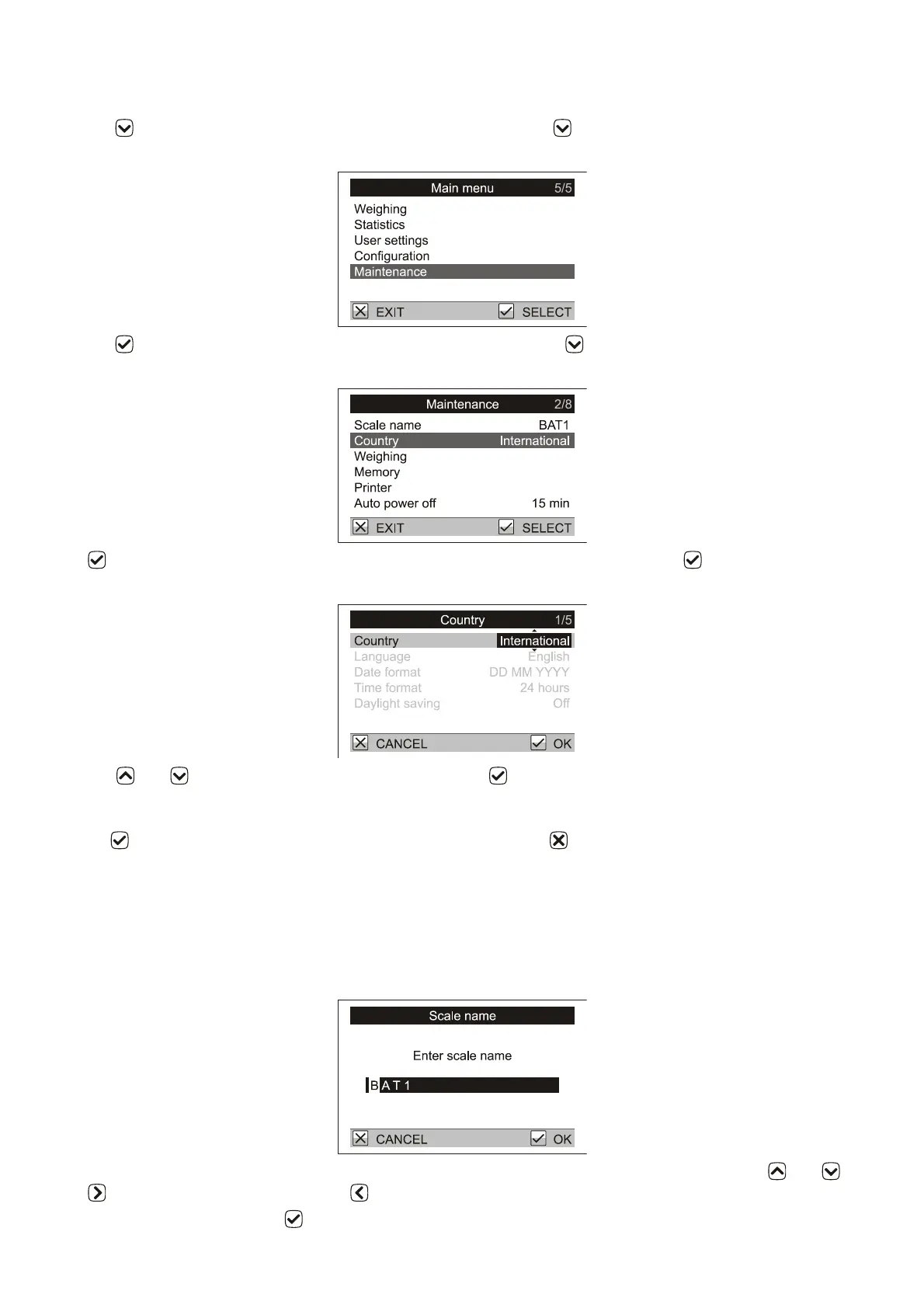
Press the key – the main menu of the scale is displayed. Press 4x . The highlighted line of the menu
(cursor) is moved to the item Maintenance.
Press the key. This will select a new menu Maintenance. Press the key. The menu cursor will move to the
item Country.
Press . This will select the menu Country for country and language selection. Press . On the right side of
menu the field with the country name is highlighted.
Use keys and to select the required country and press . The highlighted field is again displayed
normally; the required country is selected. On the next line Language the language in which the scale will
communicate is displayed. If you want to change the language, move the cursor to the item Language and after
pressing , select the language that suits you the best. Press 3x the key. The scale leaves the menu and is
prepared for weighing.
4.2. Naming a scale
Naming the scale can be important later when uploading data to the PC. If multiple scales are used with the PC,
each scale should have a unique name.
Select Maintenance / Scale name in the menu. A dialog box for entering the name opens.
A flashing cursor is displayed on the first letter of the name. Select the required letter using keys and .
Press to move to the next letter. Press to return to the previous letter.
After the name is entered, press . The display returns to the Maintenance menu.



 To Next Page