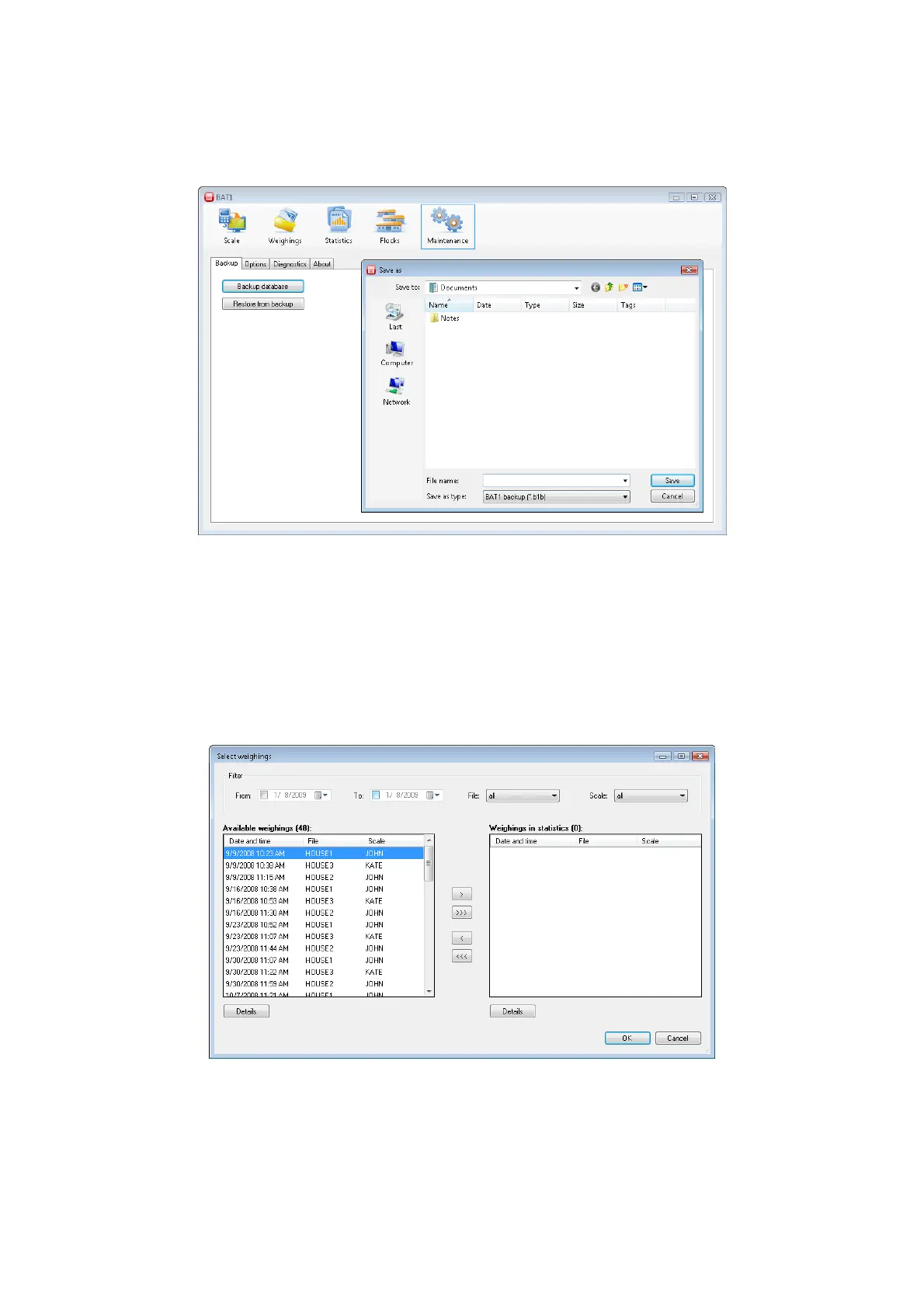
8.8. Database backup
A database backup should be done on a regular basis. In case of unexpected complications (computer failure,
virus infection), you will still have the database available from the last backup. Click the Maintenance icon and
select the Backup tab. Click the Backup database button.
Select the folder and the file name for backing up the database. After clicking the Save button, the database
backup will be saved in the selected file. You can burn the file on a CD/DVD or save it to your backup server.
8.9. Advanced procedures
8.9.1. Manual selection of weighings in the statistics
Select the statistics panel by clicking the Statistics icon. The Last weighings tab is used for checking the last
saved data in individual files. If you need to display the statistics of older weighings, select the Selected
weighings tab. Click the Select weighings... button. The dialog for selecting weighings will be displayed.



 To Next Page