The left list includes all available weighings sorted by date. The right list includes weighings selected in the
statistics. Select a row in the Available weighings table and click the > button. You can repeat the procedure
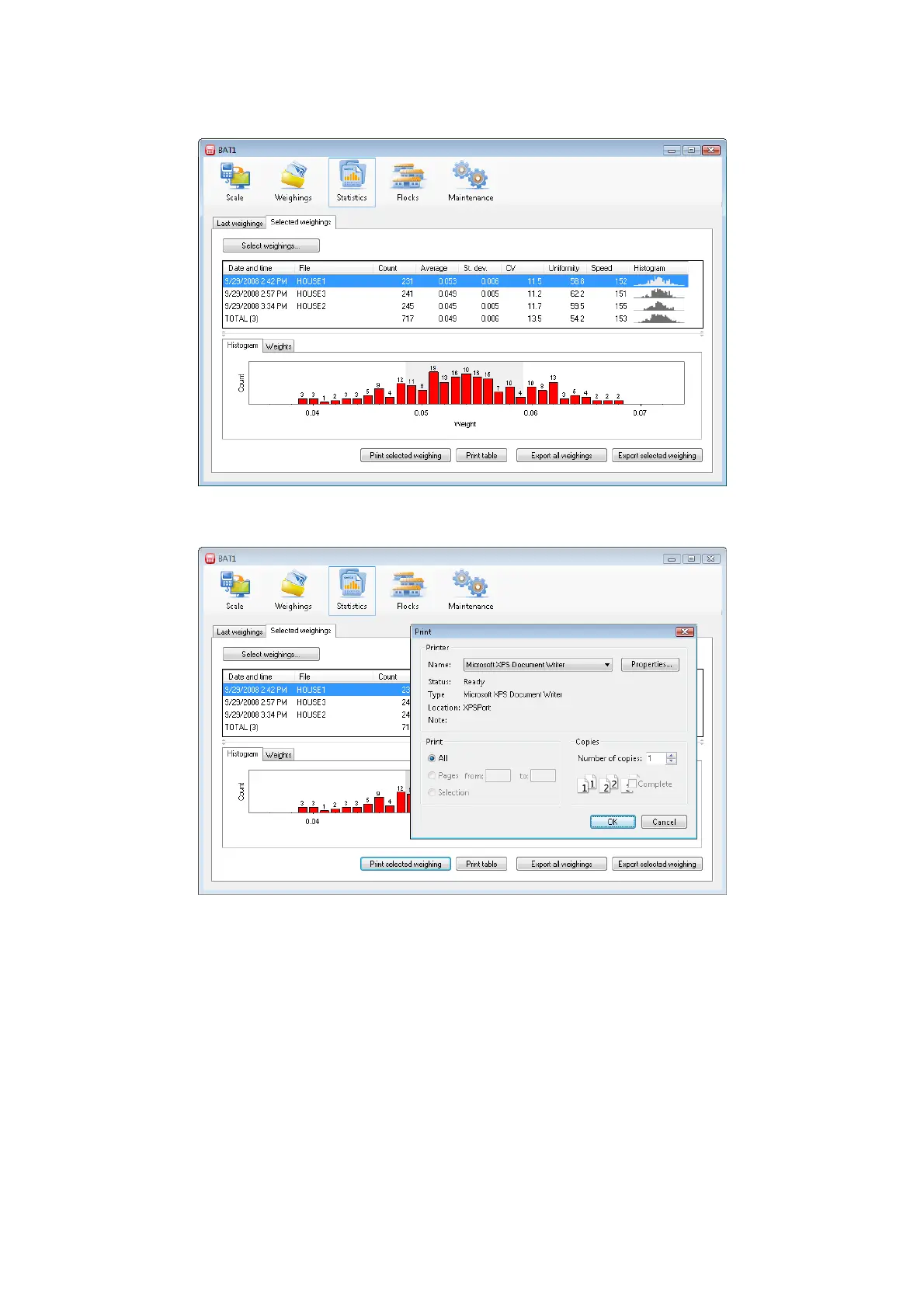
several times. Close the dialog by clicking OK. Selected weighings will be displayed in the table, where you
can see and compare their statistics, histogram, and individual weights.
You can print the selected row of the statistics including the histogram by clicking the Print selected weighing
button. You can print the statistics table as it is displayed on the screen using the Print table button.
Click the Select weighings... button again. The dialog for selecting the weighings allows the following
operations:
Adding a weighing – in the Available weighings list, select the weighing you want to add and click >.
You can perform the same operation by double clicking on the weighing in the Available weighings list.
Removing a weighing – in the Weighings in statistics list, select the weighing you want to remove and
click <. You can perform the same operation by double clicking on the weighing in the Weighings in
statistics list.
For clearing the Weighings in statistics list - click <<<.
For moving all weighings from the Available weighings list – click >>>.
The Available weighings list can be very long. In order to simplify the weighings selection, you can filter the
list according to the preset criteria:
After setting a date in the From field, only weighings acquired after the entered date will remain in the
Available weighings list.



 To Next Page