8.7.4. Comparing flocks
In the Current flocks tab it is possible to compare all flocks that are currently present on your farm. The
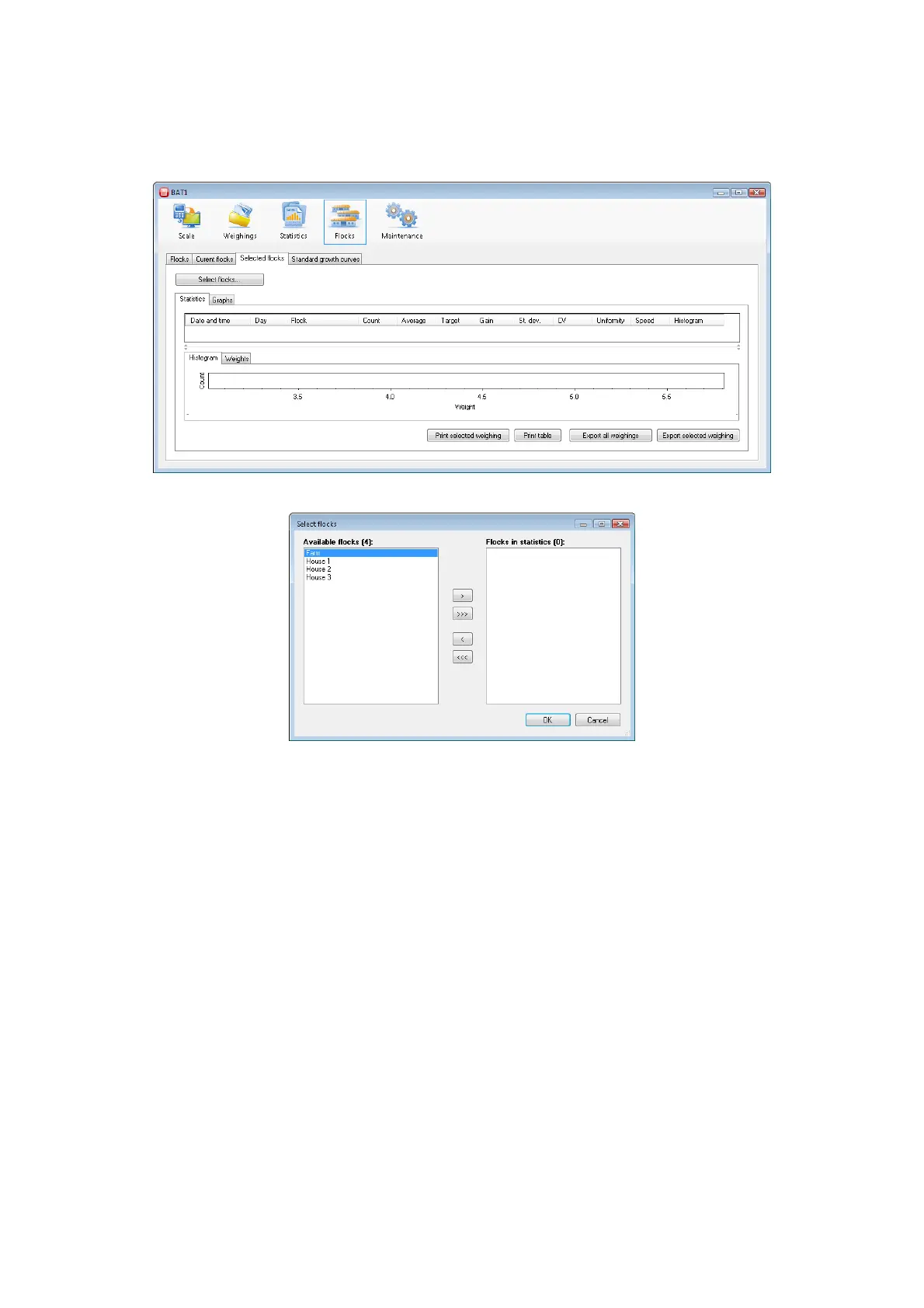
program also allows manual selection of displayed flocks, including the closed flocks. Select the Selected flocks
tab.
Click the Select flocks... button and a dialog for selecting flocks will be displayed.
In the Available flocks list, select the flock you want to display and click the > button. The selected flock will
be moved to the Flocks in statistics list. Close the dialog by clicking OK.
You can see the data of the selected flock in the tabs Statistics and Graphs. In order to make comparisons with
another flock, click the Select flocks... button and select the flock to be compared in the Available flocks list.
Use the > button to add the flock to the Flocks in statistics list. After closing the dialog, both selected flocks
will be displayed. The dialog for selecting the flocks allows the following operations:
Adding a flock – in the Available flocks list, select the flock you want to add and click >.
Removing a flock – in the Flocks in statistics list, select the flock you want to remove and click <.
For clearing the list click <<<.
For adding all available flocks in the list, click >>>.



 To Next Page