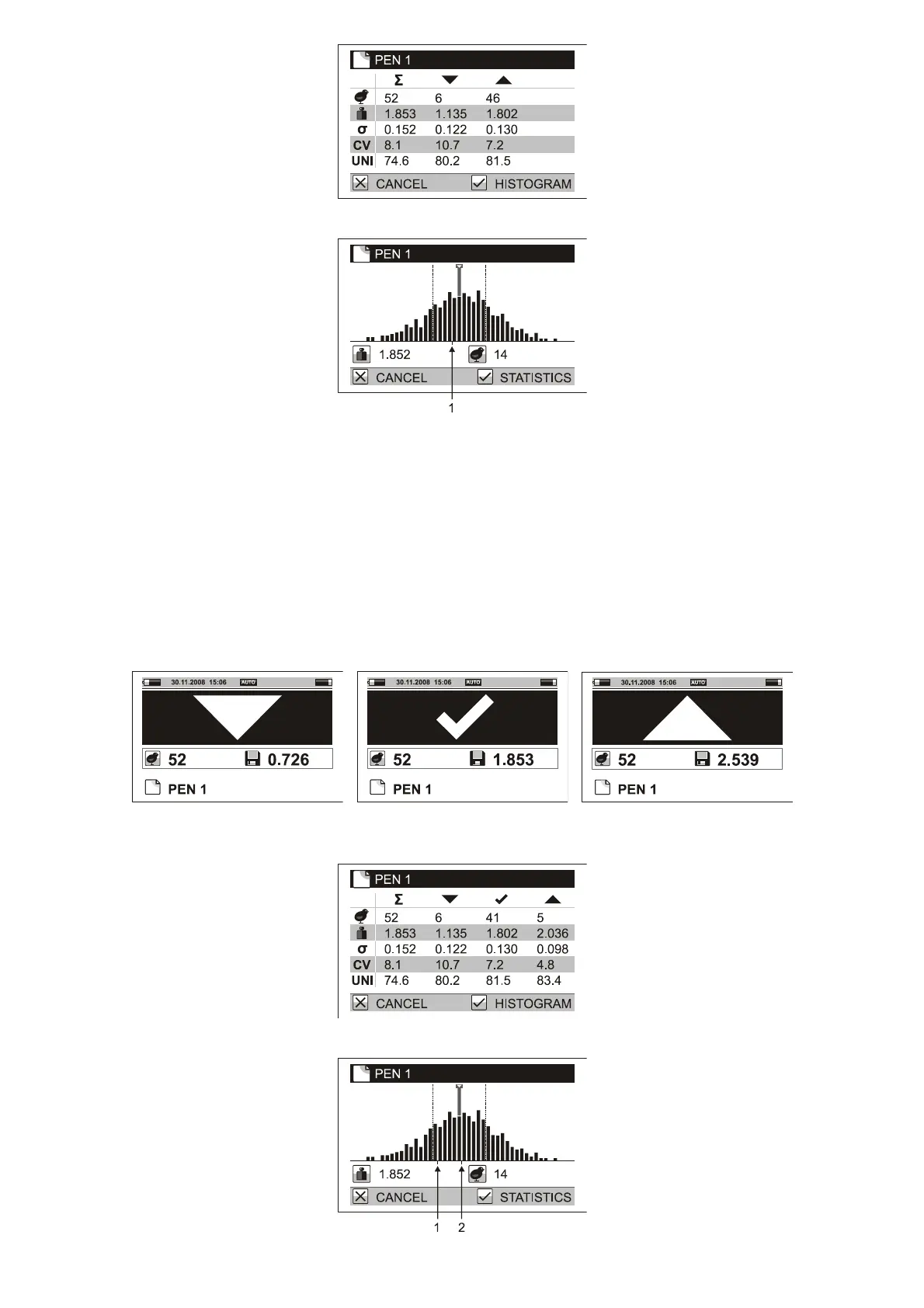
Histogram is displayed for the sum of weighing; a mark is used for indication of the weight limit.
1. Weight limit
Weighing with sorting can be performed in automatic and manual saving modes. It is not possible when
weighing with sex selection.
5.2.5. Sorting into three groups: Light, Standard, Heavy
If you need to sort the weighed birds into three groups – too light birds, acceptable birds and too heavy birds,
set the scale into the weighing mode of sorting into three groups. Set menu Configuration / Saving / Sorting to
Light/OK/Heavy. In menu Weighing / Low limit, set the weight according to which the birds will be marked as
too light. In menu Weighing / High limit, set the weight according to which the birds will be marked as too
heavy. After a bird is weighed the scale will beep differently for light, acceptable and heavy birds and a symbol
for heavy, acceptable or light bird is displayed.
The statistics contains four columns – one for summary, one for light, one for acceptable and one for heavy
birds.
Histogram is displayed for the sum of weighing; two marks are used for indication of the weight limits.



 To Next Page