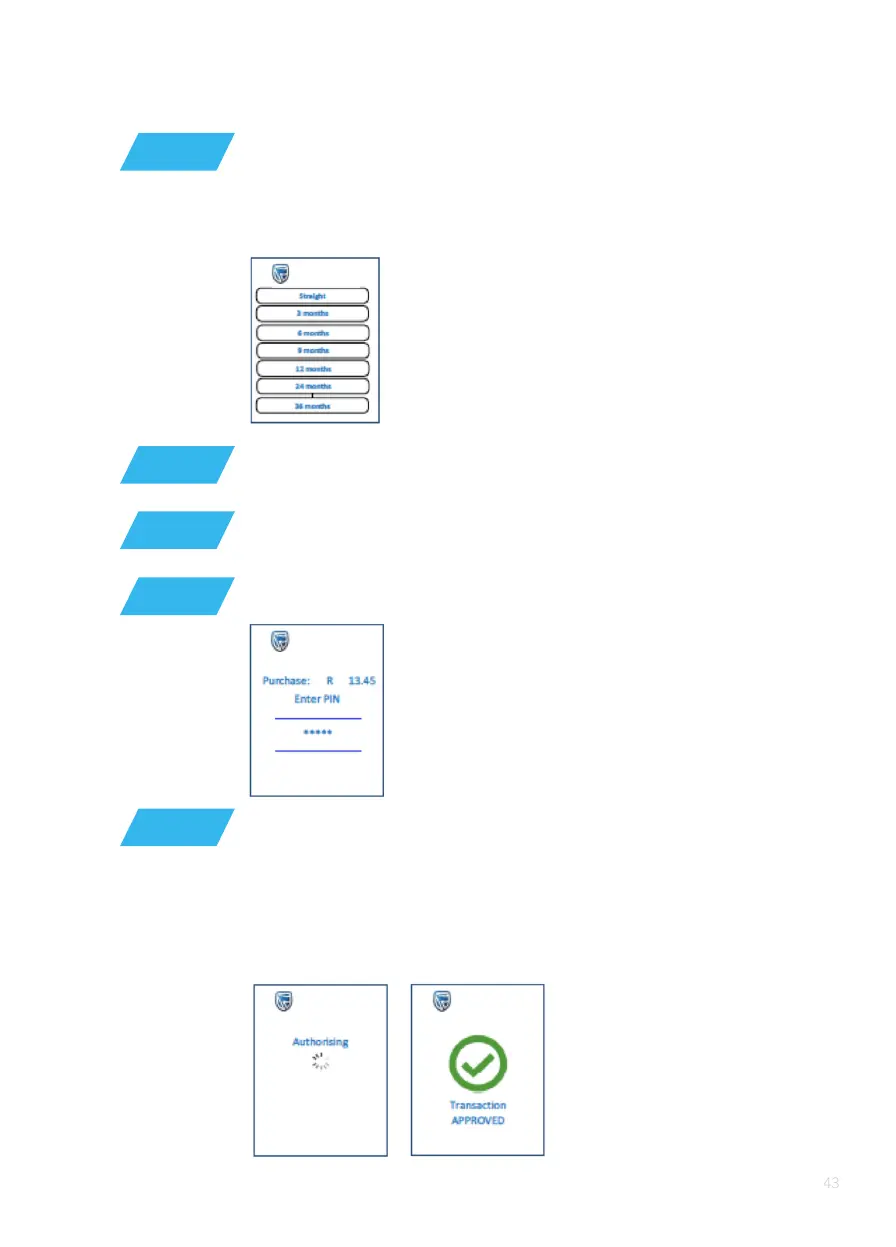
If a credit card is used, and budget is allowed, the allowed ‘budget
period’ is displayed on the screen. This amount must be greater than the
minimum budget amount.
If the card requires a PIN, it will request a PIN and display
the amount on the screen
The customer must enter his/her PIN and press ‘OK’ (O)
If the PIN is not required, then the POS device will
connect for authorisation
STEP 13
STEP 14
STEP 15
STEP 16
If ‘budget’ was selected, then select the budget period 3 to 60;
conrm screen is displayed.
The POS device will display the following screen:
STEP 17
Connecting
Authorising
The POS device will show a turning dial while it waits for a response.
After communications with the host, the transaction is successfully
approved or declined.






 To Next Page