EasyManua.ls Logo

Vermes MDS 3010A-FA - Page 13

Default Icon
37 pages
Print Icon
To Next Page IconTo Next Page
To Previous Page IconTo Previous Page
Loading...
Manual Micro Dispensing Systems MDS 3010A-FA and MDS 3020A-FA
VTK-VS-BA-002 Revision B 13
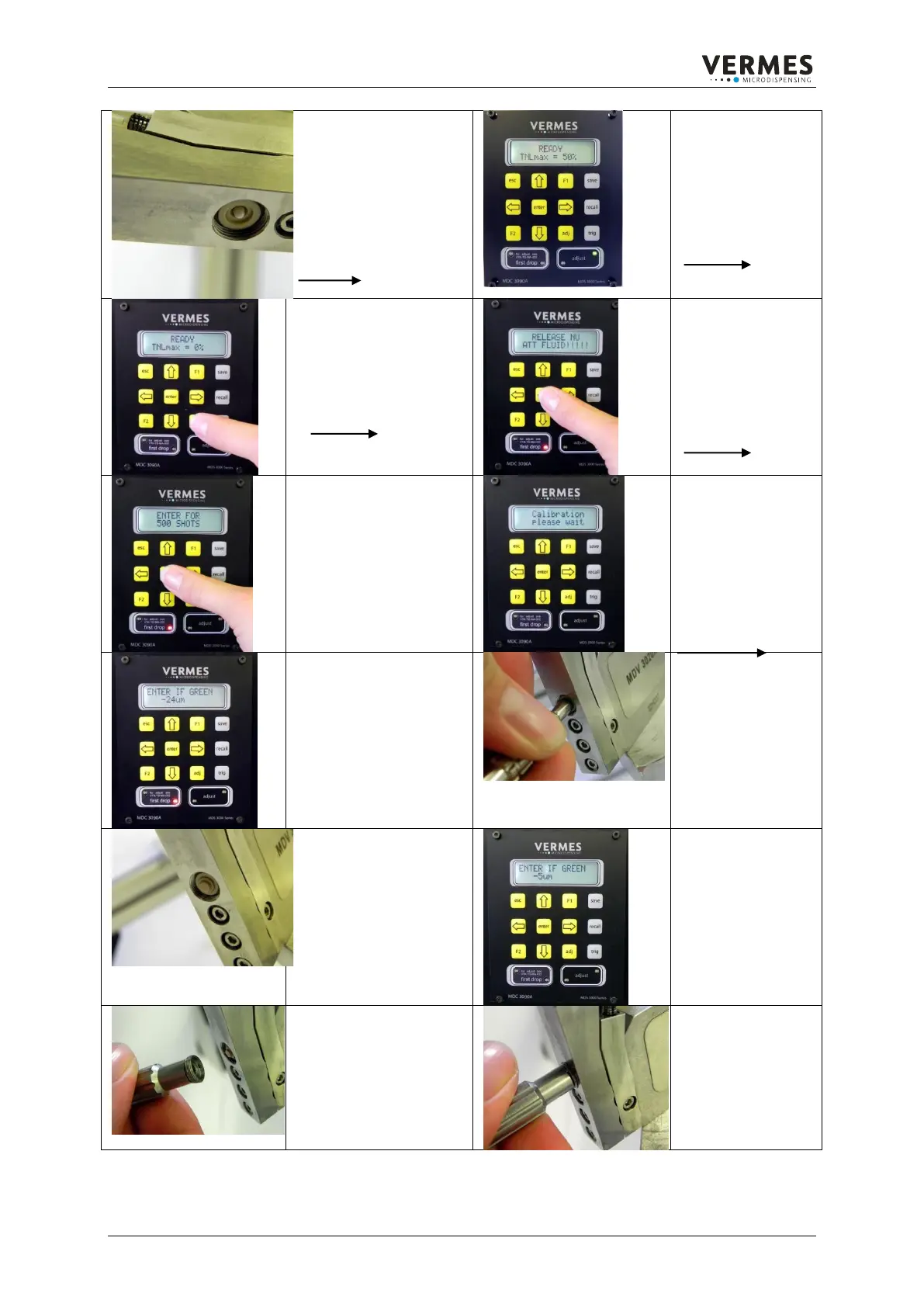
Before doing the adjust,
the tappet has to be
exposed without any
drag and nozzle insert.
Switch on the
Control Unit: The
display shows the
message:
READY
Press the adj button to
start the adjust
procedure.
On the screen the
message
RELEASE NU
ATT(ention)
FLUID!!!!!
is shown.
Confirm with enter
The display shows the
message:
ENTER FOR
500 SHOTS
Please confirm with the
enter button.
The display shows
the message:
Calibration please
wait
The calibration
process can take a
few minutes so
please wait.
Once the Calibration
process is finished, the
actual position of the
tappet in µm is shown
on the display.
Use the tool
MDT 301 to insert
the nozzle insert
into the peek bore
of the tappet outlet.
The nozzle insert is
fixed inside the bore and
has contact to the
tappet.
On the display the
message should
have changed to a
smaller value.
The tappet is
closer to the nozzle
insert now.
Use the Nozzle
Changing Tool MDT 303
to screw in the nozzle
unit up to the marking.
If the nozzle unit is
screwed complete
inside the Fluid
Box, the µm value
will change into the
green LED area
(meaning adjust
positive).

Table of Contents