Manual Micro Dispensing Systems MDS 3010A-FA and MDS 3020A-FA
VTK-VS-BA-002 Revision B 20
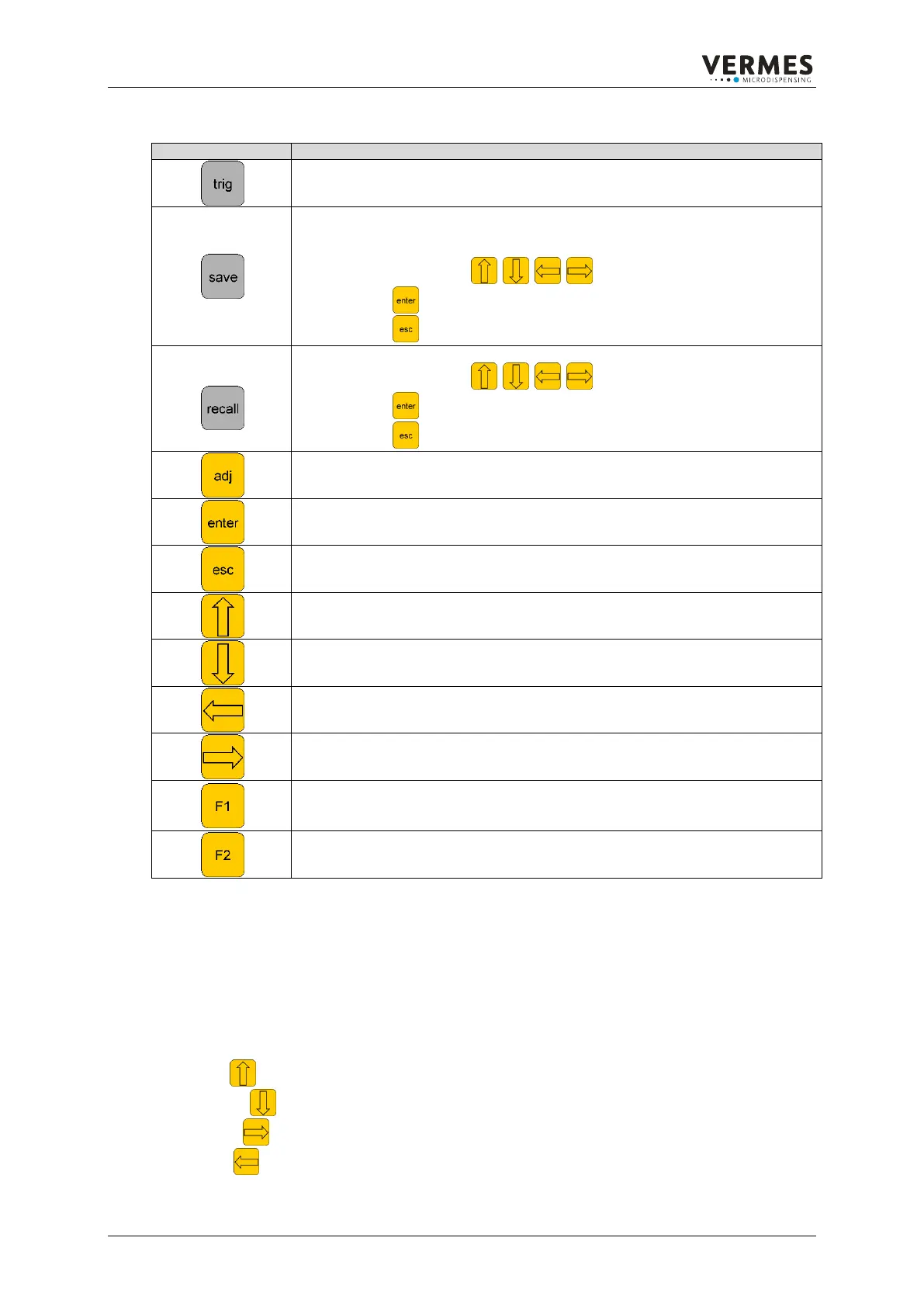
7.3.2. Function keys
manual trigger key
dispensing according to current adjustments
saving the current parameters (10 sets may be saved)
Every memory cell contains the parameters, the cal. Piezo value, sensor
slope value and the adjustments for the heating and key lock.
Use the arrow key to choose the memory cell
press to confirm
press to terminate
recalling saved parameters (10 sets may be saved)
Use the arrow key to choose the memory cell.
press to confirm
press to terminate
adjustment of the nozzle
level down (menu) or affirming an input (causes level up (menu))
level up (menu – values are not saved) or stopping an action
level up (menu) or increasing numeric values
level down (menu) or decreasing numeric values
last menu-item or one digit to the left or changing a parameter
next menu-item or one digit to the right or changing a parameter
valve opens with adjusted parameters of rising and falling
The valve is open until another key is pressed. But after 2 minutes it will be
closed to avoid damage of the actor
Table 5: Function keys and their intent
7.4. Operation
7.4.1. Input of values
Numeric inputs are always processed according to the same scheme:
The definition of the input is shown in the upper LCD line. The current value to be changed is
shown in the lower LCD line. The “one”-column is blinking, it is active and can be changed.
Arrow up causes an increase by one
Arrow down causes a reduction by one
Arrow right causes a shift of the active figure to the right
Arrow left causes a shift of the active figure to the left



 To Next Page