Manual Micro Dispensing Systems MDS 3010A-FA and MDS 3020A-FA
VTK-VS-BA-002 Revision B 14
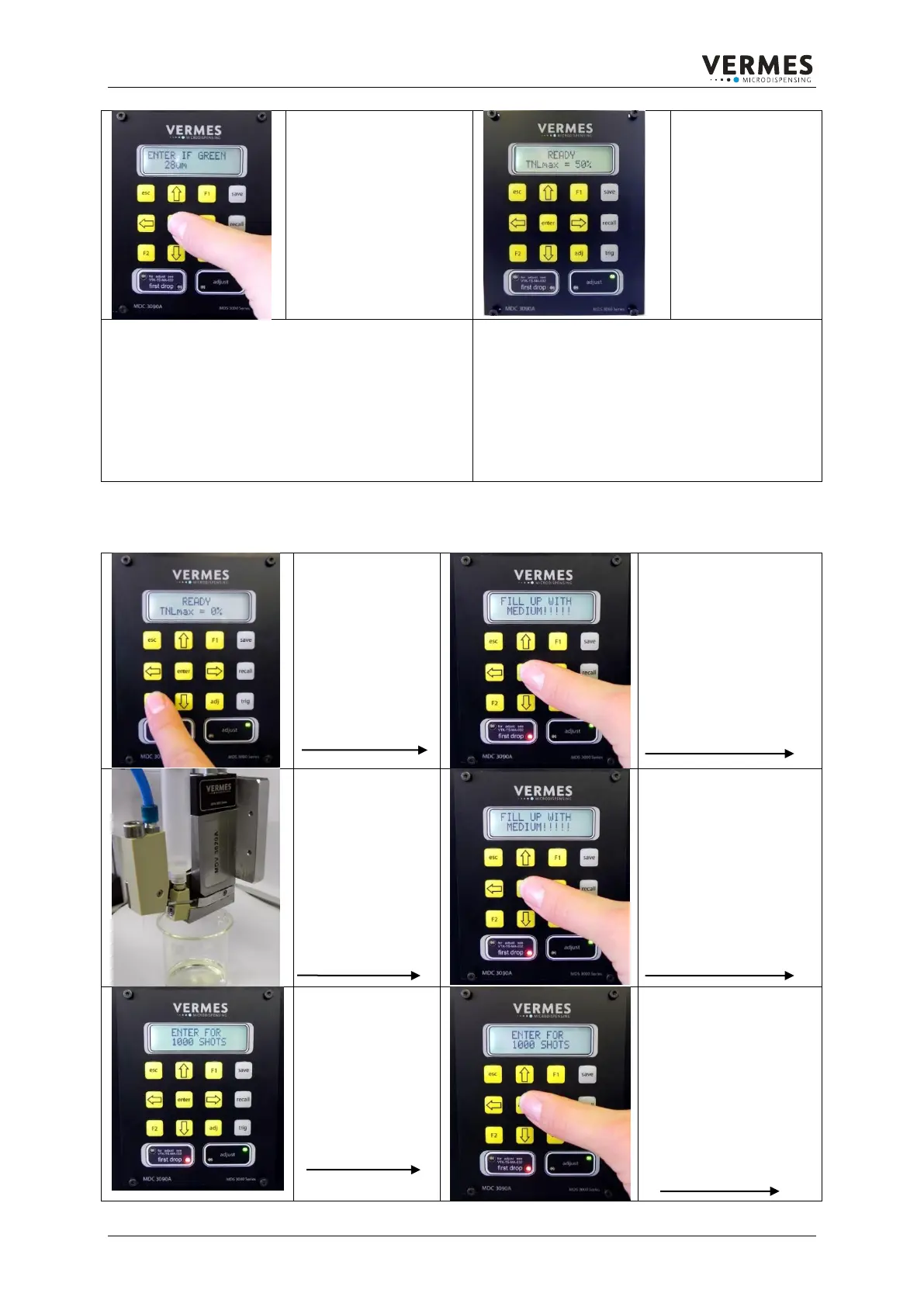
The positive adjust level
(green LED) is from 0 to
50 µm.
Confirm the message
with Enter.
If you have
performed the
adjust successfully,
the display shows:
READY
TNLmax = 0%
The green LED in
the right window
“adjust” is on.
Notice:
Do not try to make the adjust without removing the
nozzle insert. This will damage the actuator sensor
system.
For the change of the nozzle insert it is not required
to remove the whole Fluid Box.
Notice:
By screwing in the nozzle unit you reduce the
stroke of the tappet and therefore make sure
that you have the right distance between tappet
and nozzle insert. The adjusted value in µm is
specifying the position of the tappet.
This adjustable value is already included in the
total stroke and has no influence on the
effective Needle Lift.
4.3. Positioning of the First Drop
To adjust the First
Drop, please
press the F2
button.
The Display shows the
message:
FILL UP WITH
MEDIUM!!!!!
Please mount the
cartridge with the
dispense Material
(D-Bonder) and
set the required
pressure: 0.5-1
bar, depending on
fluid viscosity
Confirm the message
with the enter button.
Now it is required
to dispense 1000
shots.
Place a adequate
container under
the nozzle insert.
Confirm the message:
ENTER FOR 1000
SHOTS by using the
enter button.



 To Next Page