Manual Micro Dispensing Systems MDS 3010A-FA and MDS 3020A-FA
VTK-VS-BA-002 Revision B 25
Monitoring the last trigger impulses.
Number of the last trigger impulses as string, counter reset to zero
Table 8: Description of the RS232 commands
7.5.3. Error messages
Press or send serial
interface
NO OR WRONG VALVE
ATTACHED
Attach a valve or attach by
valve auto ID
Press or send serial
interface
Press or send serial
interface
Press or send serial
interface
Press or send serial
interface
WATCHDOG TIMEOUT PRESS
ENTER
Press or send serial
interface
Press or send serial
interface
VALVE DEFECT 501 PRESS ENTER
Table 9: abstract "error messages"
Error 9 BAD DATA appears, if an inoperative value is located in the memory.
All saved settings with default values will be overwritten for protection against malfunctions.
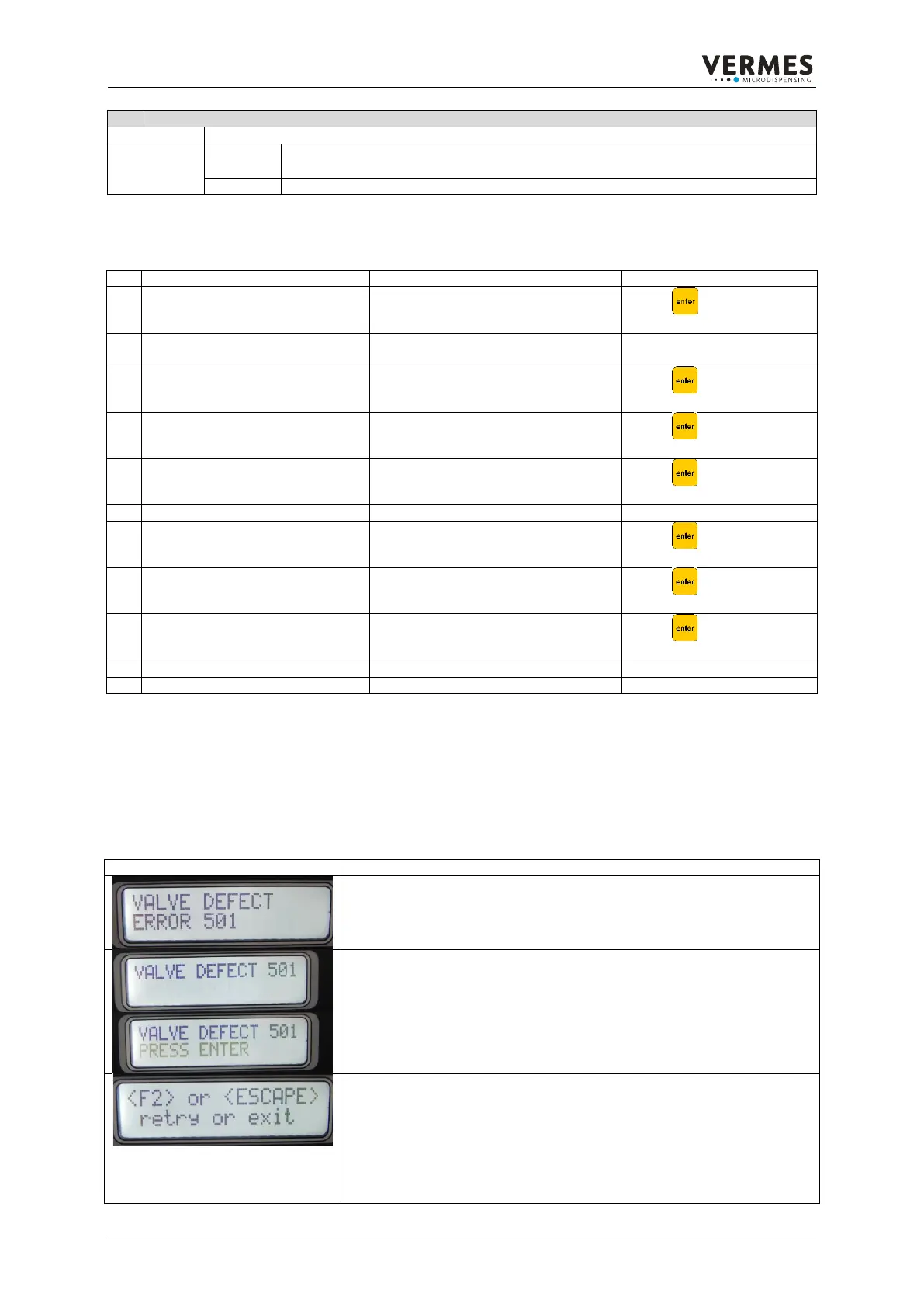
7.5.4. Handling Error 501 Valve Defect
This chapter describes what to do, if error 501 “Valve Defect” appears when starting the MDC.
1
When there is a problem during start-up with the valve, the error message
“VALVE DEFECT ERROR 501” appears and is shown for a few seconds.
2
The message changes to “VALVE DEFECT 501”, with “PRESS ENTER”
flashing in the second line.
3
Once you press the [enter]-key, the message “<F2> or <ESCAPE>”
appears, with the explanation “retry or exit” in line 2. By pressing the [F2]-
key, you test the valve, and if successful, you can start dispensing.
IMPORTANT NOTE!
Remove the cartridge before pressing [F2], since the valve will be opened
during testing.
If you want to press [esc], continue reading at part 6.



 To Next Page