LabQuest
®
3 User Manual
www.vernier.com/labq3 9
4. LabQuest App automatically sets the default
collection rate for the sensor.
TIP! At most, three Go Direct sensors and three
Go Wireless
®
sensors can be connected at the same
time.
Internal Sensors
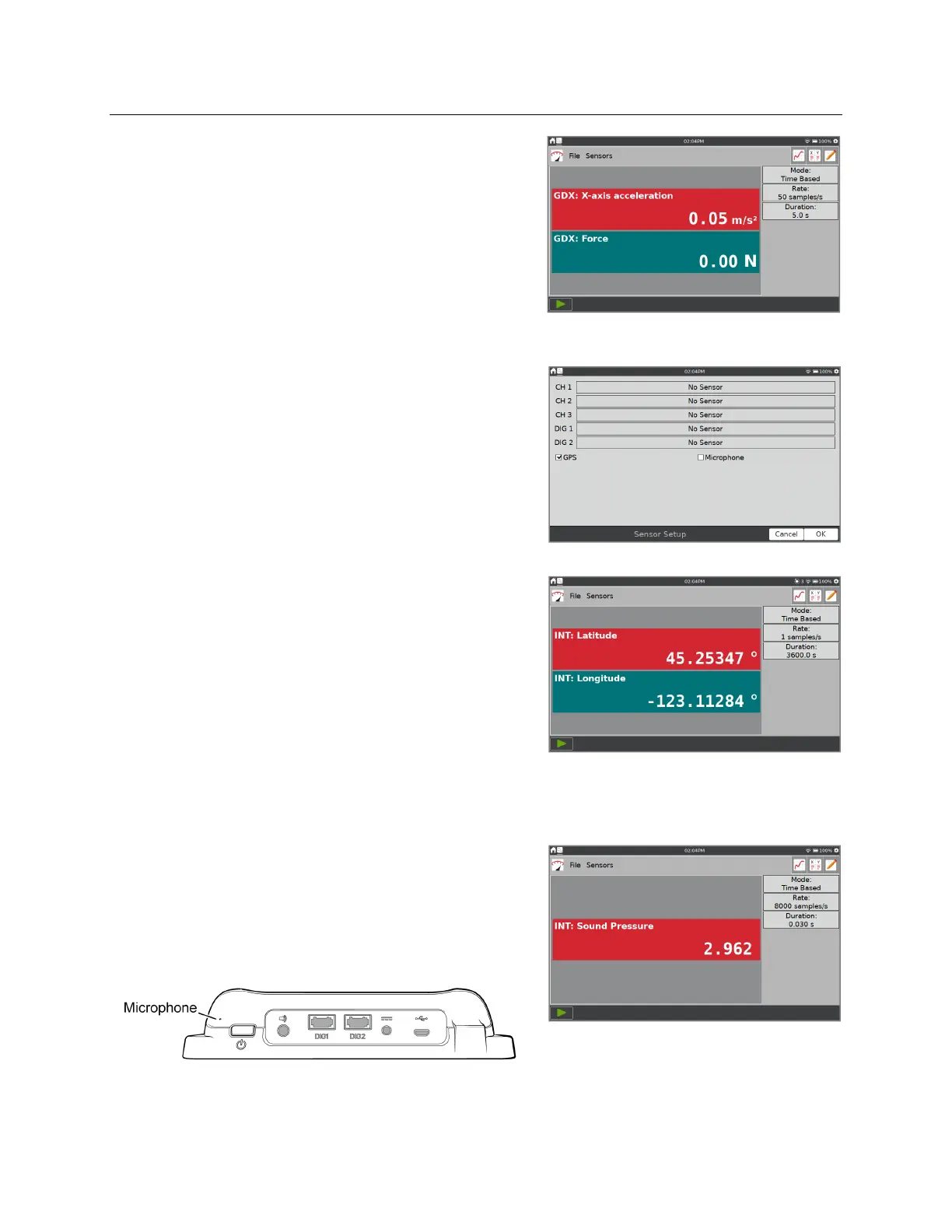
LabQuest also has two built-in sensors: GPS and
microphone. To enable an internal sensor, choose
Sensor Setup from the Sensors menu. Within the
Sensor Setup dialog box, select the check box to enable
the associated sensor. Tap OK to return to the Meter
screen.
LabQuest automatically sets the default data-collection
rate for the sensor.
GPS
—The internal Global Positioning Sensor
(GPS) collects latitude, longitude, and altitude
readings, and can be used with other sensors. You
can choose units of decimal degrees, degree
minutes, or UTM.
TIP! It may take 15 minutes or more to acquire
signals from enough GPS satellites to report your
position. This is especially true the first time you
use the sensor or after not using the sensor for a
while. We do not recommend using GPS indoors.
Microphone
—The internal Microphone is located
on the back of LabQuest, near the power button as
shown below. The sensor is used to show
waveforms of the sound inputs. It does not measure
sound level (i.e., decibels).


 To Next Page