LabQuest
®
3 User Manual
www.vernier.com/labq3 53
Camera App
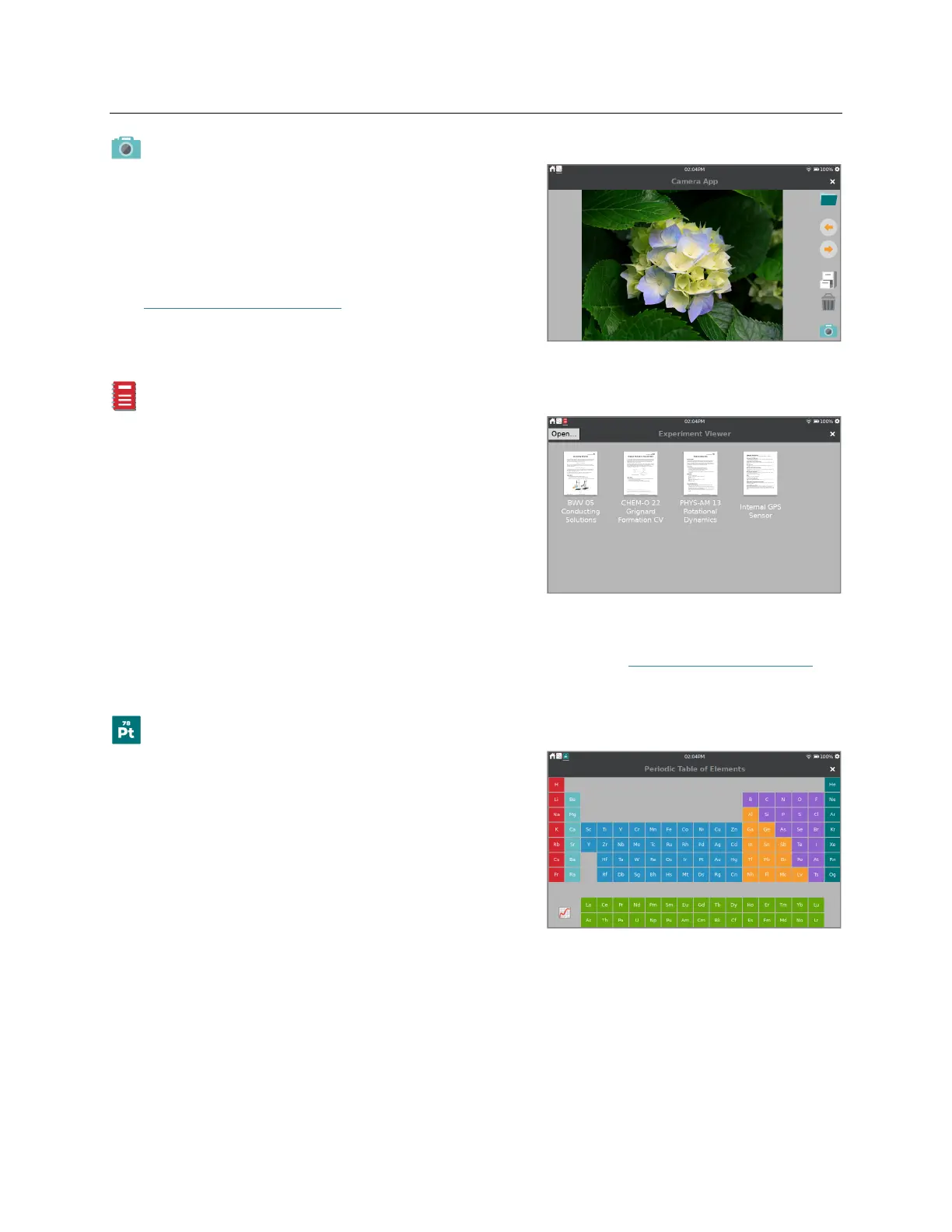
The Camera App works with digital (USB) cameras.
Use the Camera App to view a live image feed from a
camera and to capture and save images for later
viewing. You can also view images saved to a USB
flash drive.
See www.vernier.com/til/3659 for more information
regarding supported digital cameras.
Experiment Viewer
The Experiment Viewer is a PDF reader that can access
over 75 experiments that are pre-loaded on your
LabQuest. You can also use this application to view
other PDF files saved on a USB flash drive. These files
can be saved directly to your LabQuest unit, as needed.
In addition to experiment files, documentation for the
internal sensors, and a copy of this user manual are
available within this application.
In addition to the experiment files included on the LabQuest 3, Vernier offers a complete set of
lab books for elementary through college. For more information, see www.vernier.com/books.
Periodic Table
The Periodic Table app contains standard reference
information on the elements. Tap an element to see
details.
Data from the Periodic Table app is available as a
saved LabQuest App file. Choose Open from the
LabQuest App File menu and select the Periodic Table
Data file. From the Graph screen, tap on the y-axis
label to select different values to plot.


 To Next Page