LabQuest
®
3 User Manual
www.vernier.com/labq3 57
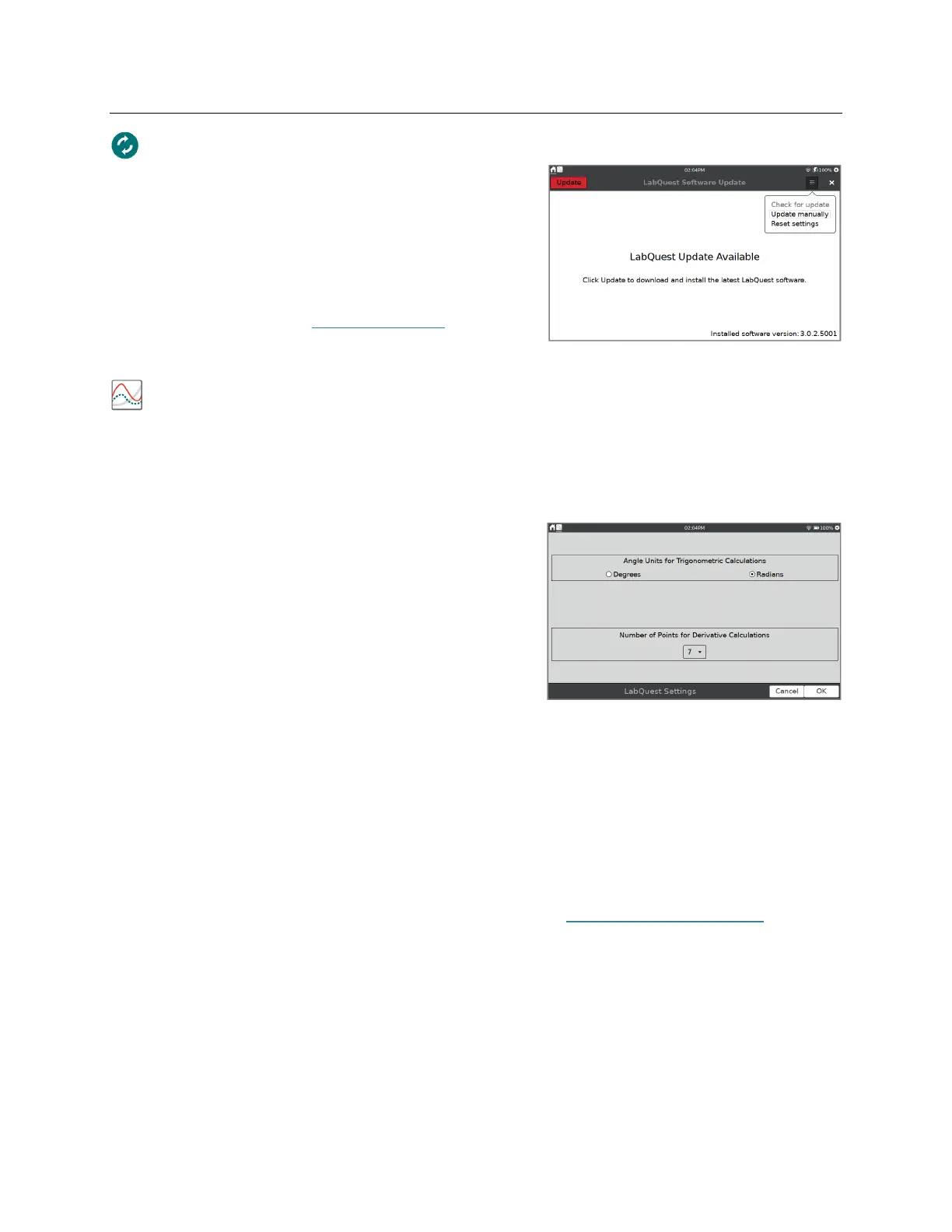
Update
You can check for updates when your LabQuest is
connected to a Wi-Fi network that has internet access.
You can also reset some or all of your user settings
back to factory defaults including network and email
configurations, user labs, and saved data files.
For more information, see Software Updates in the
Appendix.
LabQuest App Settings
Settings in the LabQuest App are specific to and save with the LabQuest App file. To access
these settings, choose Settings from the LabQuest App File menu. These settings can be applied
to existing files and automatically update the existing data. The settings return to default upon
choosing New from the File menu.
Angle Units for Trigonometric Calculations
Calculated columns, curve fits, and modeled functions
may use trigonometric calculations; choose Degrees or
Radians. The default unit is Radians.
Number of Points for Derivative Calculations
Calculated columns, curve fits, modeled functions, and
some calculated sensors columns (e.g., Motion
Detector velocity and acceleration columns) can use
numerical derivatives.
The algorithm for such derivatives utilizes a user-defined number of points. The default value of
seven points is sufficient for many experiments, but you may want to choose a larger number for
human-scale Motion Detector experiments (e.g., our Motion Match experiment), or a smaller
number for cart-based Motion Detector experiments (e.g., our Impulse and Momentum
experiment).
For more information on how derivatives are calculated, see www.vernier.com/til/1011.


 To Next Page