LabQuest
®
3 User Manual
www.vernier.com/labq3 3
Suspend
—When LabQuest is on, press and release the power button once to put LabQuest into a
suspend mode. In this mode, all running apps are closed. While suspended, LabQuest uses less
power but the battery can still drain.
Shut down
—To shut down LabQuest, press and hold the power button for about five seconds
and release it when the shutdown message appears. Wait for LabQuest to shut down. To cancel
the shutdown procedure, tap Cancel before the countdown is complete. This is the lowest energy
state of the device; however, even when shutdown, the battery still drains very slowly.
Forced shutdown
—Holding the power button down for more than eight seconds powers off
LabQuest uncleanly. This should be avoided as you are likely to lose your data and potentially
cause file system corruption. Only do this if you have no other way to power off the unit.
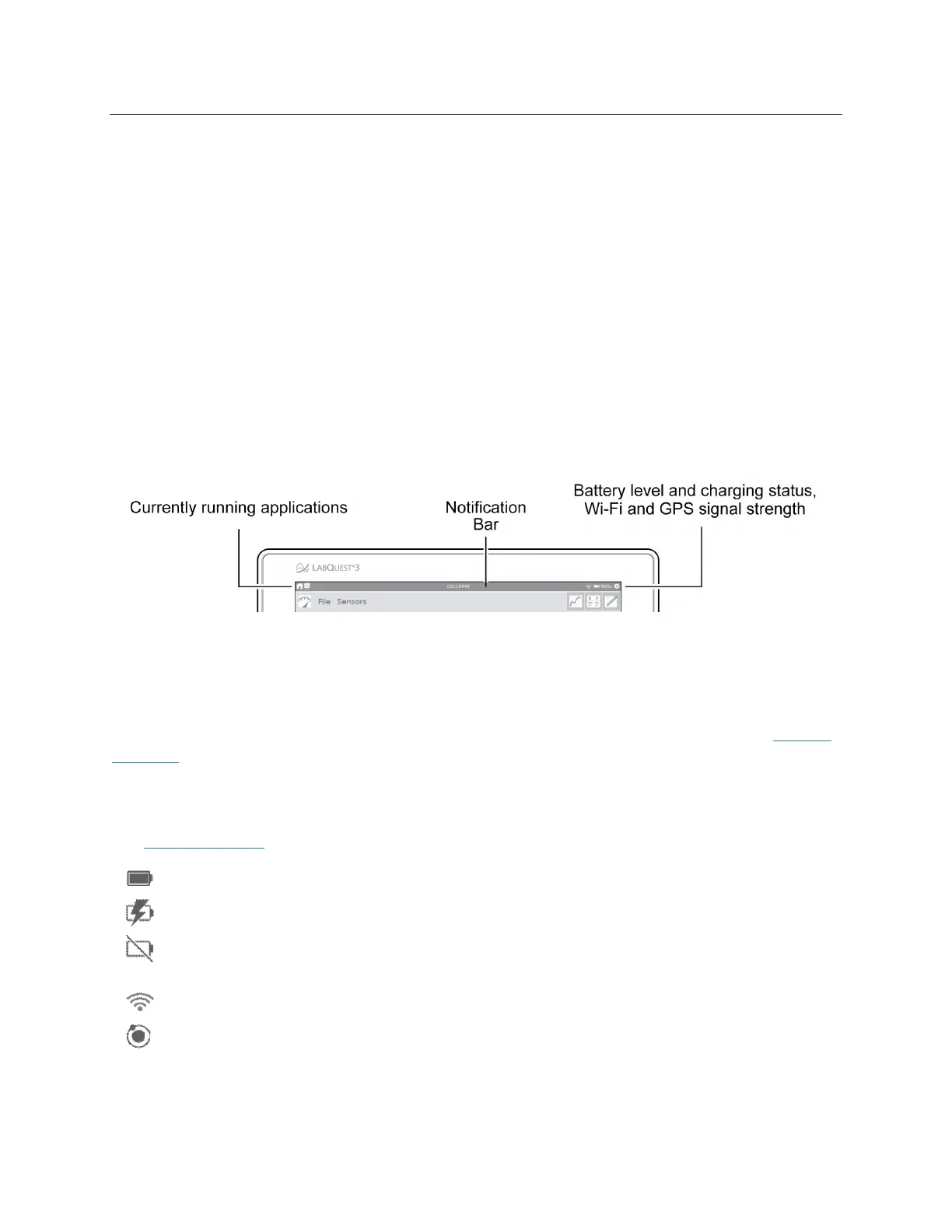
Reading the Notification Bar
The left side of the Notification bar shows the apps that are currently running in the order they
were launched. The white underline indicates the application you are currently viewing.
The current time is shown in the middle of the notification bar. The time is set using the Time &
Date app accessed from the Settings screen.
The right side of the Notification bar shows battery level and charging status as well as Wi-Fi
and GPS signal strength. GPS signal strength is only shown when the GPS sensor is being used.
See Internal Sensors
for more details.
95%—Running on battery power (95% battery life remaining)
95%—Battery is charging (95% charged)
—Battery Fault or No Battery (If you see this icon when you power your LabQuest for the
first time, the protective battery tab may not have been removed.)
—Wi-Fi signal strength (If all bars are grayed out, Wi-Fi may be off.)
3—GPS is on (signals acquired from 3 satellites)


 To Next Page