LabQuest
®
3 User Manual
www.vernier.com/labq3 55
XII. CUSTOMIZING THE SETTINGS
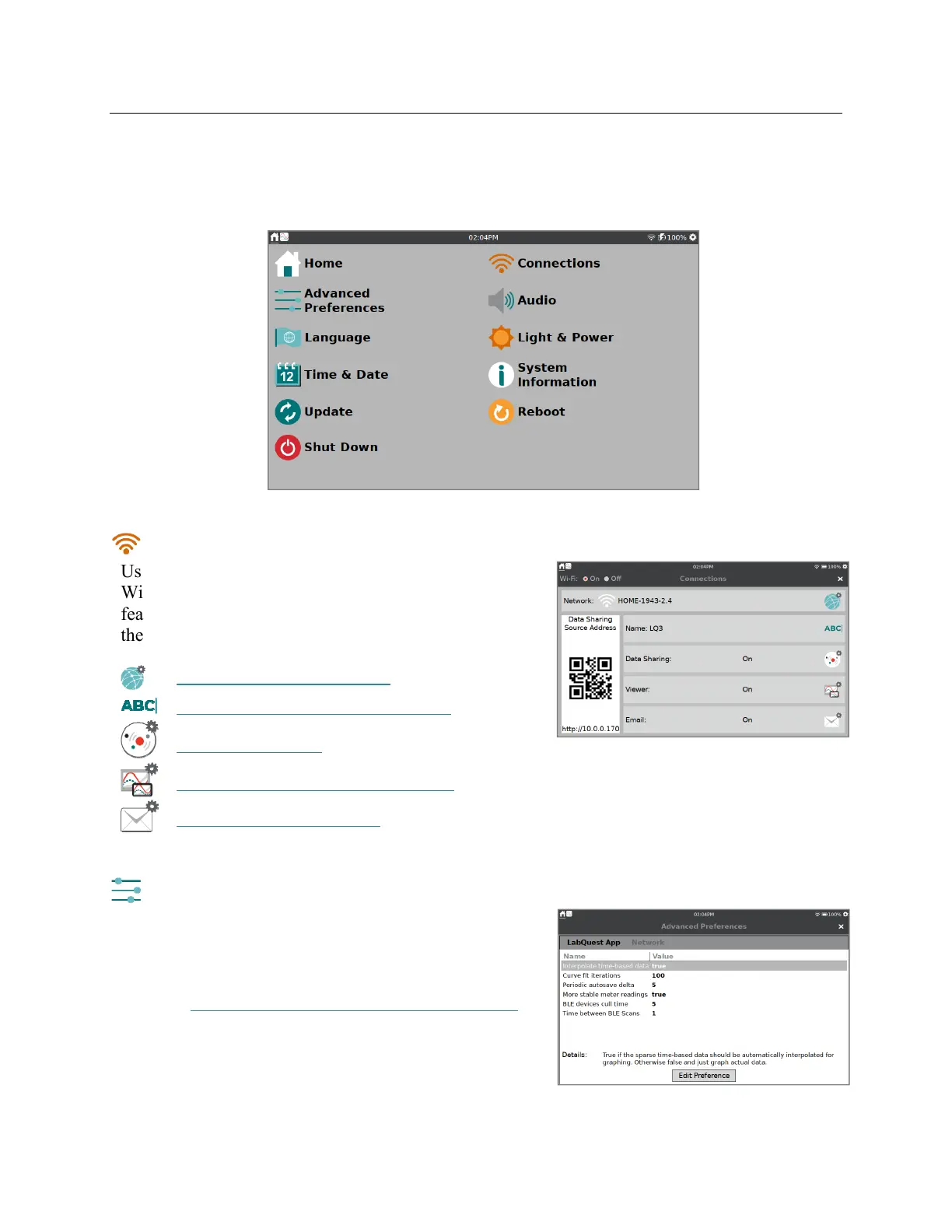
Tap or swipe down from the right side of the Notification Bar to access the apps that control the
device settings.
Connections—Wi-Fi, Data Sharing, and Email
Use the Connections app to connect your device to a
Wi-Fi network and set up other network-enabled
features such as Data Sharing and emailing files. Tap
the icon to modify the settings.
Connect to a Wi-Fi Network
Give your LabQuest a Unique Name
Setup Data Sharing
Configure LabQuest Viewer Settings
Connect to an Email Client
Advanced Preferences
Advanced feature options can be found in Advanced
Preferences. Tap on the name of the feature to view
details and edit the settings.
TIP! See Restricting Access to the Connections Setup
for an example of how to use this app.


 To Next Page