Using the LabQuest
®
App
38 Vernier Software & Technology
Viewing Vernier Experiments
In previous versions of LabQuest, you could access Vernier experiments from within the
LabQuest App. In LabQuest 3, Vernier experiments are accessed using the Experiment Viewer
App. See Experiment Viewer App
for more details.
Adding Notes to Your Experiment
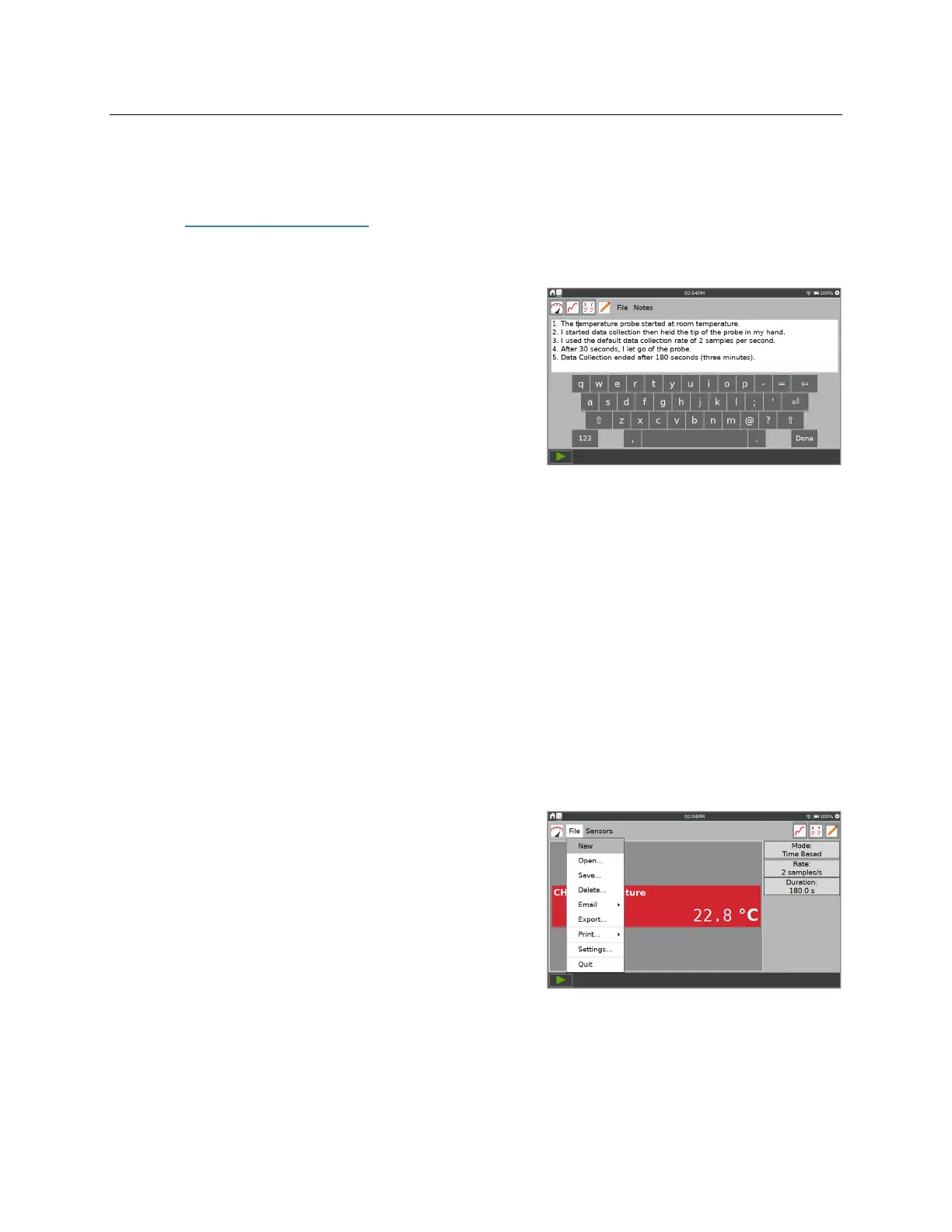
From the Notes screen, you can enter notes as you
perform an experiment. The Notes menu provides
access to standard edit commands cut, copy, paste, and
clear all.
The keyboard comes up automatically when you tap
the notes field. Tap Done to dismiss the keyboard.
Managing LabQuest App Files
When the LabQuest App launches, a LabQuest file is created. The LabQuest App file can
contain data-collection settings, graphs, data tables, analyses, and notes. These files have a .qmbl
extension and can be saved to the internal storage space on LabQuest or to a USB flash drive.
LabQuest App files can also be opened and manipulated on a computer using Logger Pro
®
3
software.
Tools to manage your files are found in the File menu, which can be accessed from any
LabQuest App screen. From the File menu, you can save, export, or email the current file. You
can also open previously saved files that are stored on LabQuest or on a USB flash drive.
If you are using a USB flash drive, the drive can be formatted in FAT16 or FAT32 (the most
common Windows
®
and macOS
®
formats). LabQuest cannot read NTFS or HFS+ formatted
drives.
Starting a New File
Choose New from the File menu to start a new
LabQuest App file. This action resets all data-
collection parameters and sensor calibrations back to
their default values. Wireless, internal, and manually
connected sensors are disconnected.
If you have unsaved data, you are prompted to either
save or discard the data before continuing.


 To Next Page