LabQuest
®
3 User Manual
www.vernier.com/labq3 43
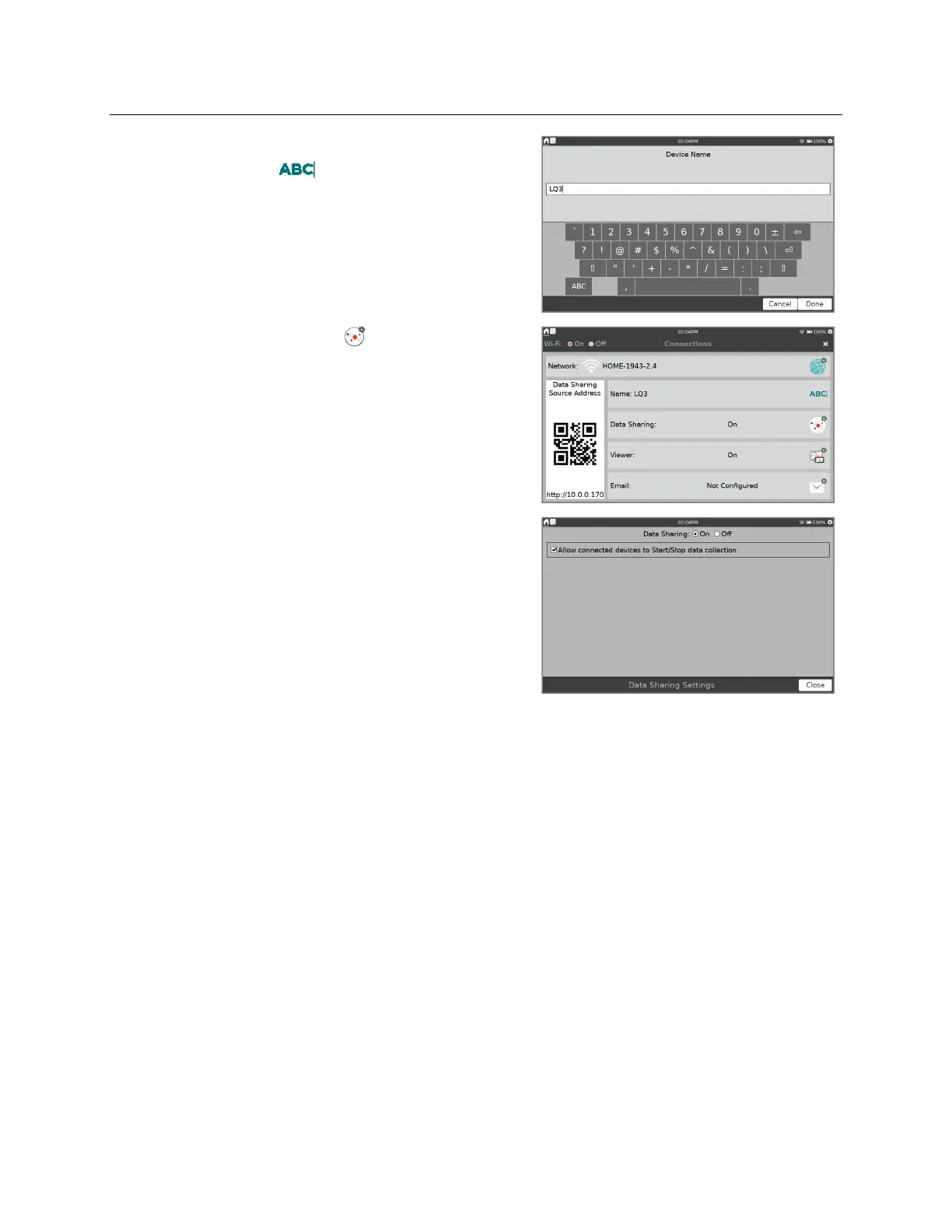
2. To easily identify your LabQuest unit, give it a
unique name. Tap and edit the name as
needed. Note that only alpha and numeric
characters are allowed. You cannot use spaces or
punctuation marks in the LabQuest name. Tap
Done to save the name.
3. Tap the Data Sharing icon, , to open Data
Sharing Settings.
4. Verify Data Sharing is On.
If you want to start and stop data collection from
your computing device, select the check box to
enable this feature. Tap OK to save the setup.


 To Next Page