Chapter 6 Operator Control And Display Panel 53
LIEBERT APM UPS Module And Parallel System 30kVA~150kVA User Manual
Five menu buttons are used for selecting the menu to be displayed.
Tab.
7-10: Icons of functional keys and the meanings
7.1.5 Primary Screen
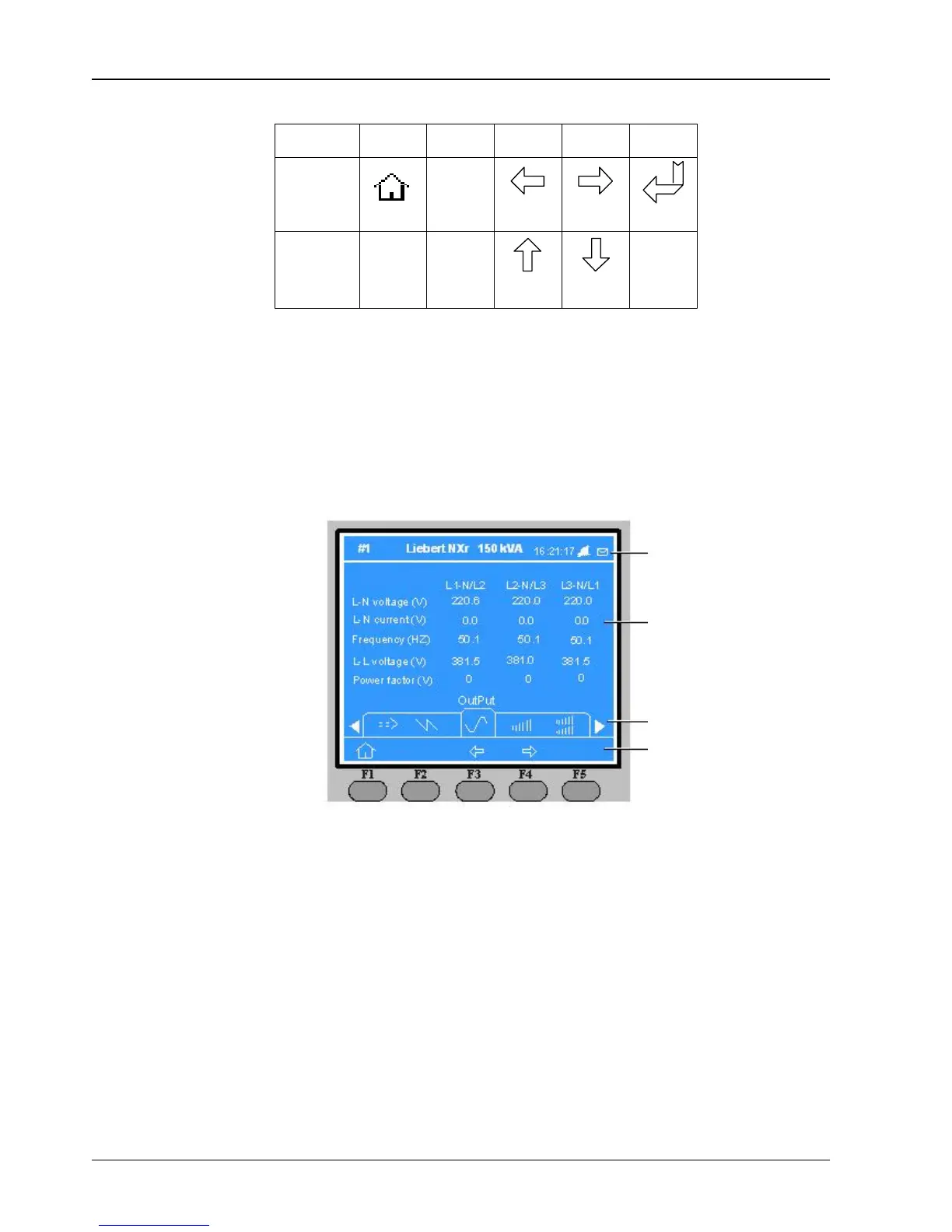
After the UPS starts and finishes self-test, the primary screen appears, as shown in Fig.
7-2 The primary screen is
divided into four windows: system information window, data window, menu window and keypad window.
The functions of the menu keys F1 ~ F5 for the current screen are shown by self-explanatory icons in the keypad
window as appropriate. From any menu on the primary screen, pressing the F1 key returns to the Output menu.
Fig.
7-2:
Sections of the LCD and menu buttons
Button
ESC
Home
Exit
Move left
Move right
Confirm
Move up
Move down
F1
F2
F3
F4
F5
Function 1
Function 2
UPS data windows
Softkey functions















 To Next Page