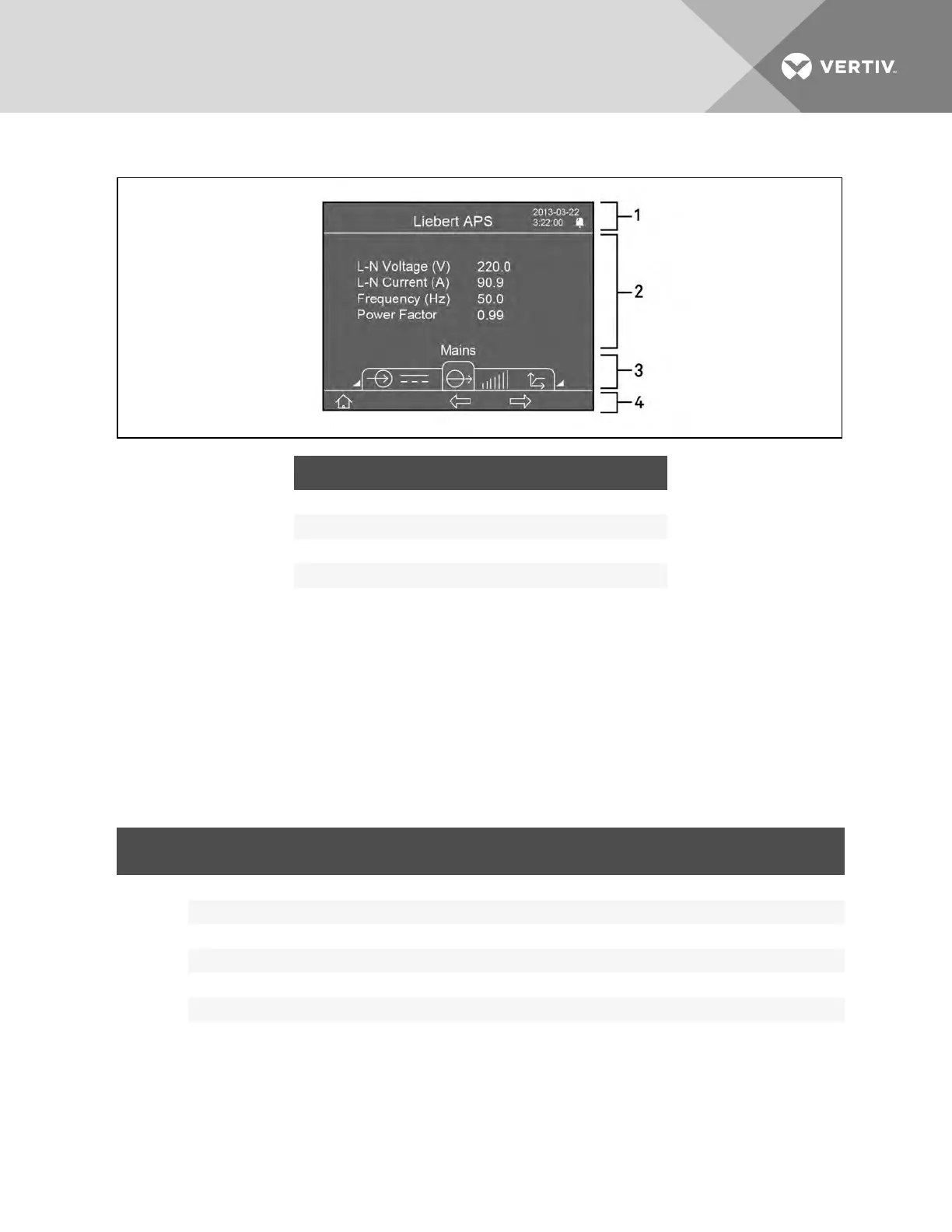
Figure 5.2 Main screen
ITEM DESCRIPTION
1 Information window, see System Information Window on page 60.
2 Data window, see Menu Window and Data Window on page 60.
3 Menu window, see Menu Window and Data Window on page 60.
4 Keyboard window, see LCD Screen and Menu Buttons on page 59.
System Information Window
The system information window displays the current date and time and the UPS name without the need
to select an option or press a button.
Menu Window and Data Window
The menu window shows the menu name and navigates to menu items. Each menu item displays a set of
data in the data window. You can browse the relevant parameters of the UPS and can adjust/set some
operational parameters. Table 5.5 below describes the menu items and data displayed.
MENU
NAME
DATA ITEM DATA DESCRIPTION
Mains
L-N Voltage (V) L-N input voltage
L-N Current (A) L-N input current
Frequency (Hz) Input frequency
L-L Voltage (V) L-L input voltage
kVA Input apparent power
Power Factor Input power factor
Table 5.5 Item description of menu window and data window
Vertiv | Liebert® APS™ Installer/User Guide | 60














 To Next Page