Vertiv | Liebert CRV+ | User Manual 52
Press the Enter button to confirm it following which the changes will take effect.
Press the Esc button to return to the previous menu screen.
On changing the parameters, the Enter button needs to be pressed in order to confirm it. If
the Enter button is not pressed, it means that the confirmation of the parameter change has
not taken place. Therefore, on non-confirmation, the original value of the Hi Sup Temp will be
retained.
3.1.4 Main Screen
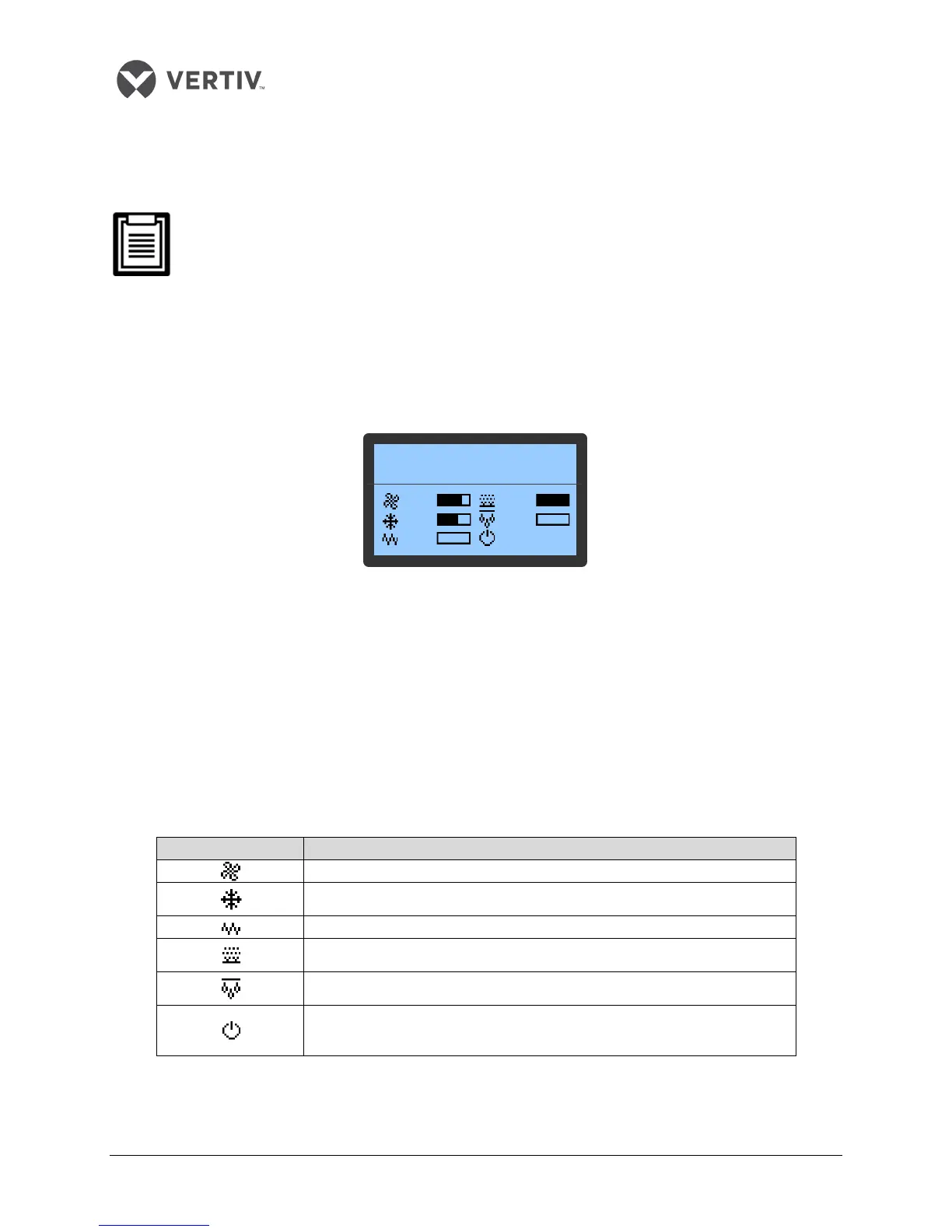
Once the air conditioner is powered on, the main page screen is displayed after 10 seconds of the startup
delay as depicted in Figure 3-3:
Figure 3-3 Normal Screen
It displays the settings and actual values of the current air supply temperature in the first queue, humidity
in the second queue, and air return temperature in the third queue. When the compressor mode or fan
mode is set to Remote, the queue displays the remote temperature. In the lower part of the screen, it
displays the unit output status (fan, cooling, heating, dehumidifying, and humidifying) and unit operation
status (off, running, standby, and locked).
The icons on the main screen indicate the unit output status, unit property, and unit operating status. The
icons and their definitions are displayed in the table in Listing 3.2.
Listing 3.2
F
an rotating speed. Displaying the percentage of actual fan rotating speed
Compressor capacity. Displaying the percentage of actual compressor
capacity
Heating state. Displaying 100% in heating mode, otherwise, displaying 0%
Humidifying state. Displaying 100% in humidifying mode, otherwise,
displaying 0%
Dehumidifying state. Displaying 100% in dehumidifying mode, otherwise,
displaying 0%
Unit property/operation status. S: single; T: teamwork; ON: running; R-OFF:
remote shutdown; L-OFF: local shutdown; M-OFF: monitoring shutdown;
MANU: manual mode; BKUP: backup; Lock: lock
SUP 20℃ SUP 50% RET 32℃
21℃ 44% 31℃
75% 100%
63% 0%
0%
S/ON









 To Next Page