Vertiv | SmartAisle2 | User Manual 101
Installation
Mounting of the Control Panel
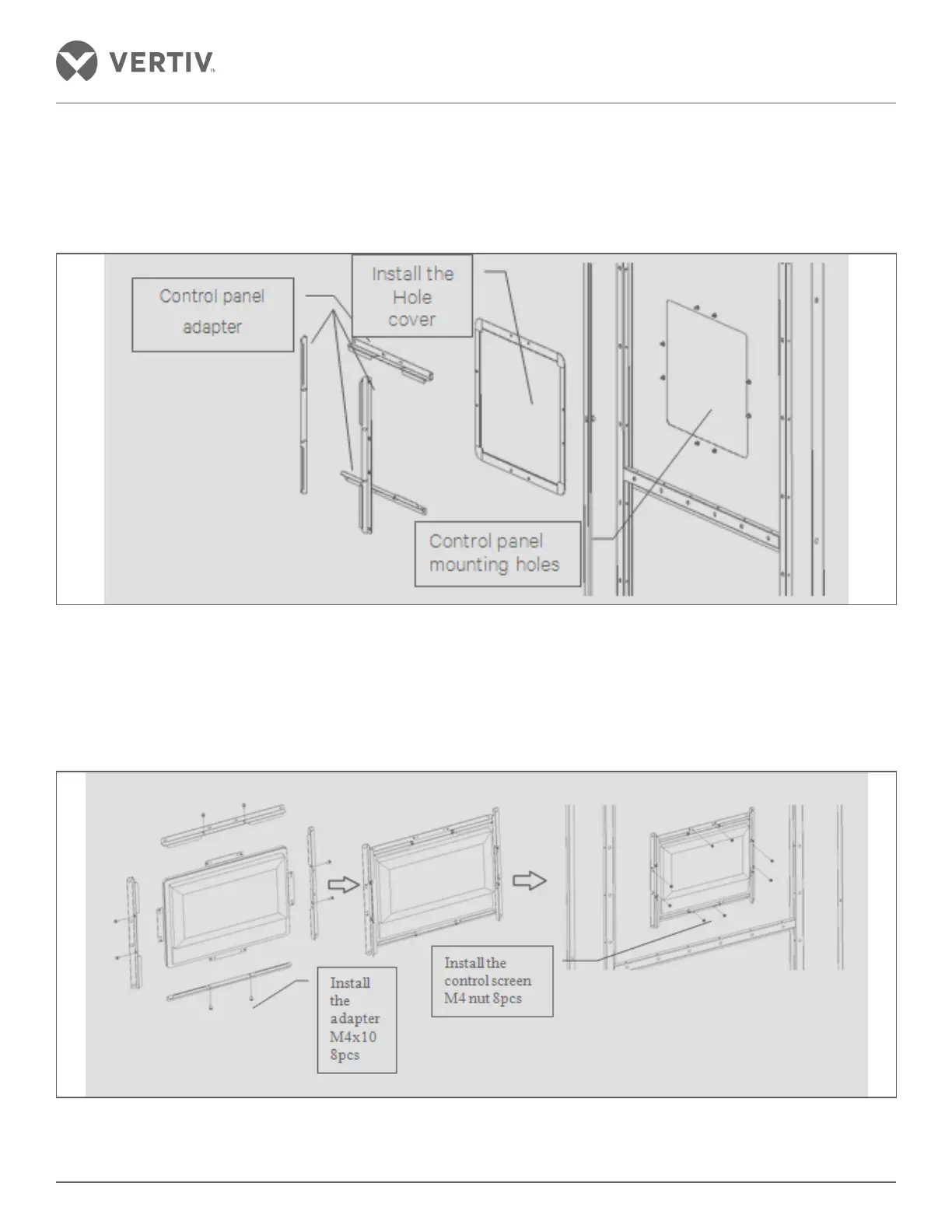
Prior to installing the control panel mounted on the left door pocket, a configuration is to be removed by means
of these structural elements M4 nut on the back cover of the door.
Figure 2-111 Removing the structure
The control panel member and the adapter with the screw connection is mounted between the control panel
mounting holes, adjusting the control panel member and the adapter to the predetermined location. The adapter
screw nut between the lid and the door must flush to the door to ensure that the gap between the lid and the
door is equal on all the four sides.
Figure 2-112 Control panel installation



 To Next Page