Vertiv | SmartAisle2 | User Manual 117
Operation & Display Panel
3.4. Shutdown
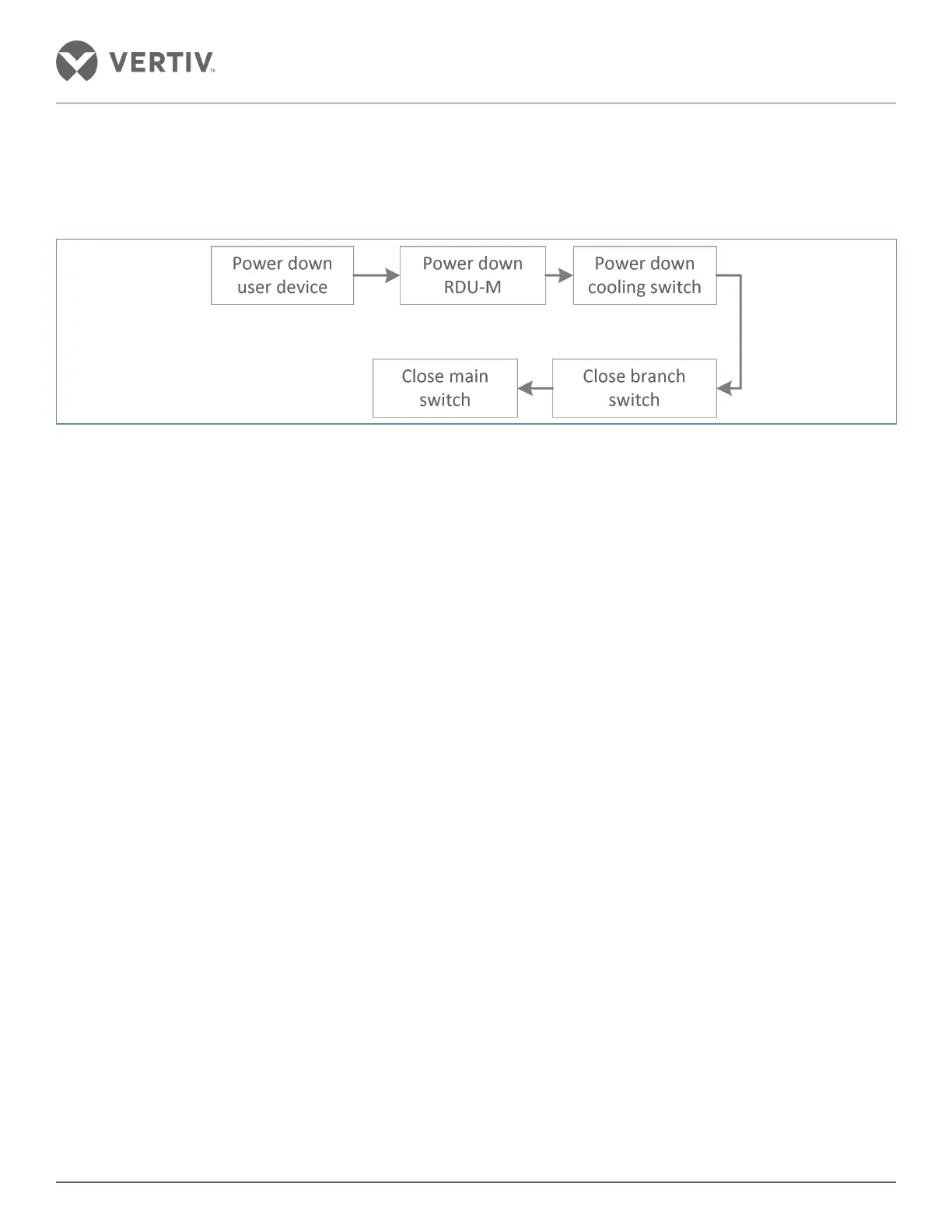
The Shutdown flow chart is shown in Figure 3-4.
Figure 3-4 Shutdown flow chart
Following steps need to be adhered to implement the shutdown:
1. Ensure that all the users of IT equipment have been powered o.
2. Press the OFF button on the RDU-M.
3. Press the air conditioning o key on the front panel display.
4. After stopping the flow of the cold air conditioner, the indoor unit is disconnected and the lower main breaker
switch is also switched o.
5. Switch o the outdoor unit
6. Disconnect the power distribution cabinet input and branch output MCB open space.
7. Check and confirm that all the electrical equipment has been powered o completely.
8. Finally, close all the doors.



 To Next Page