Vertiv | SmartAisle2 | User Manual 107
Installation
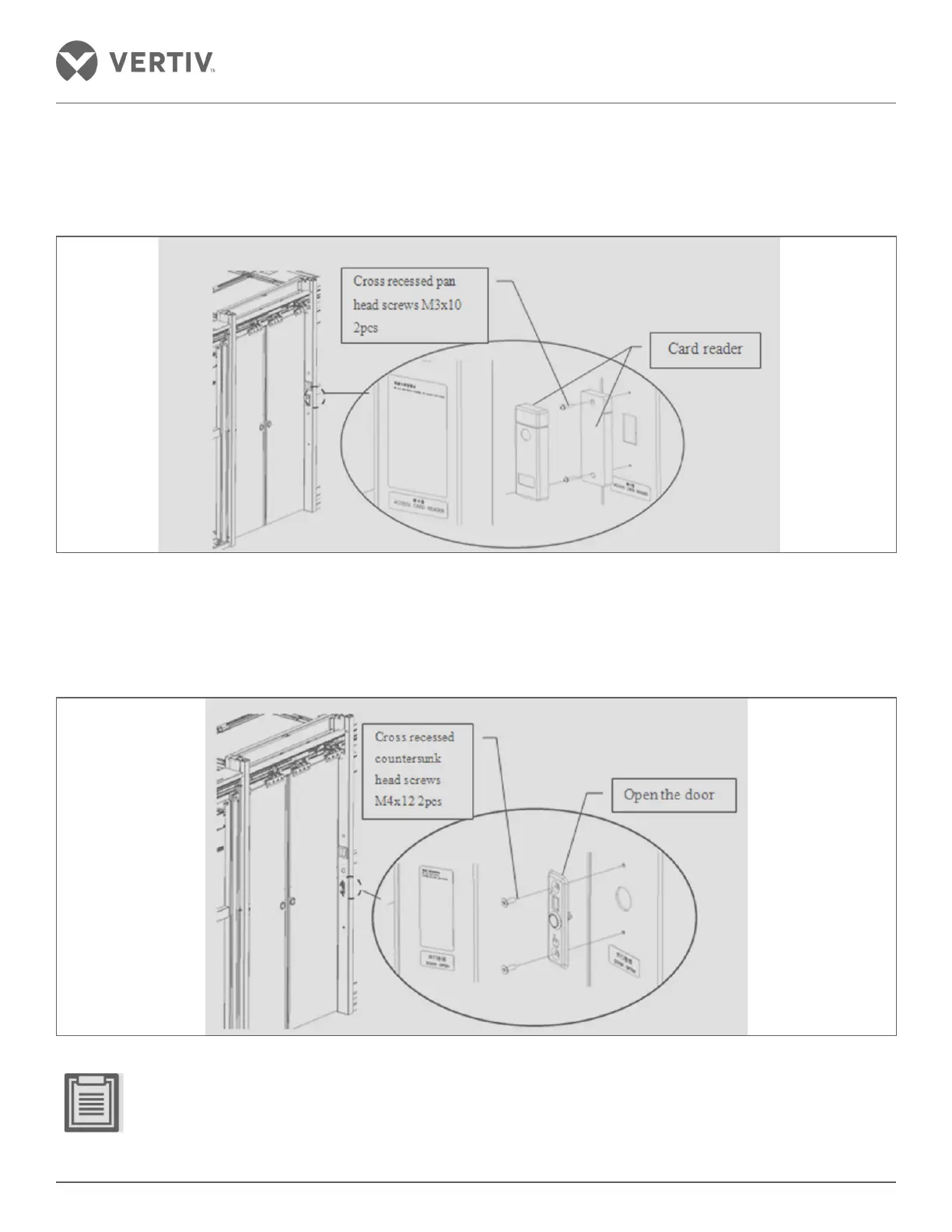
2.13.10. Installation of the Swipe Card Reader
Card mounting hole blocks the door button, based on the installation card as shown in Figure 2-121.
Figure 2-121 Mounting the swipe card
2.13.11. Installation of the Door Button
Remove the tab shutter mounting hole of the button - the installation is depicted in Figure 2-122.
Figure 2-122 Button to open the door installation
• Each channel contains a door opening button inside and outside the mounting position.
• Do not open the door button installed where an anti-finger sign is printed on the button which indicates an
upward direction.



 To Next Page