Vertiv | SmartAisle2 | User Manual 123
Operation & Display Panel
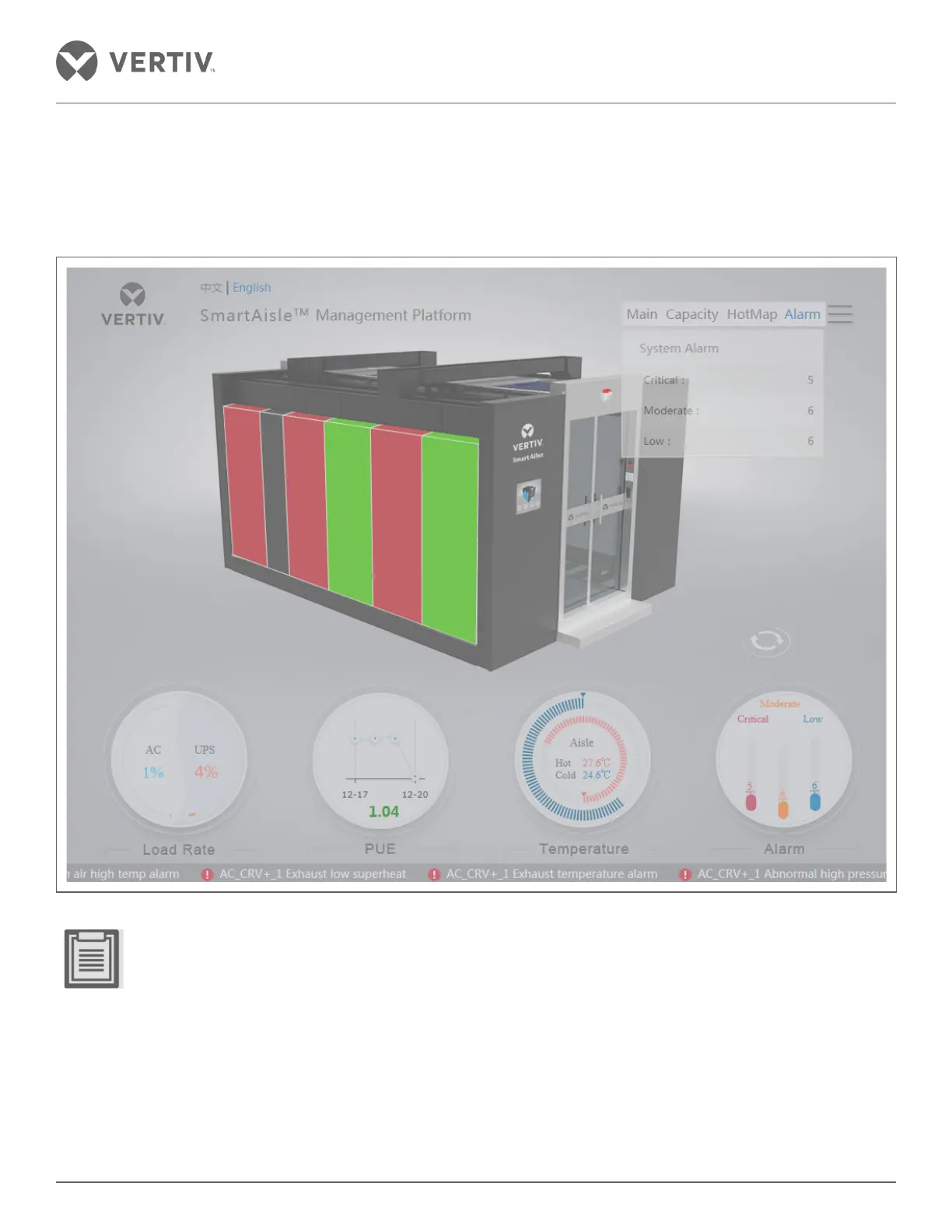
3.5.5. Alarm Page
After clicking the navicon, the menu can be seen from which the Alarm link needs to be clicked. The user can
view the critical, moderate and low alarms based on their intensity.
Figure 3-10 Alarm Page
• Green color indicates that there is no alarm.
• If the refrigeration section and distribution section shows black, it means there is no alarm.
• In case of a multi-level alert the most critical alarm color is displayed.



 To Next Page