Vertiv | SmartAisle2 | User Manual 122
Operation & Display Panel
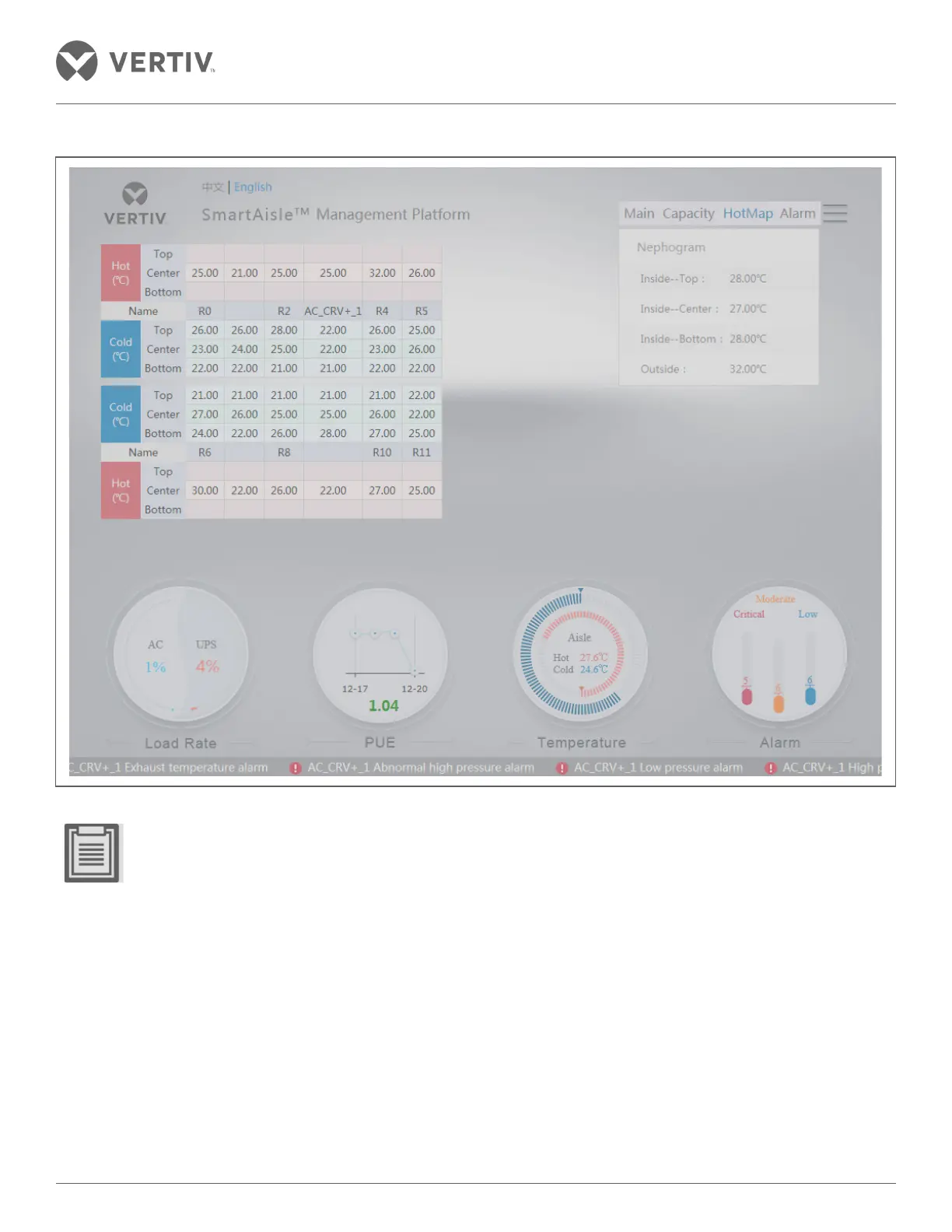
Figure 3-9 2D Temperature page
• Click on the front and back door icon on the temperature field in the channel to see the temperature outside
and inside the cabinet doors respectively.
• The three temperature sensors in the distribution cabinet, rear door, and the intermediate position in the
cabinet need to be configured.
• The integrity and continuity of the temperature field, cooling, and temperature of the distribution cabinet
can be configured.



 To Next Page