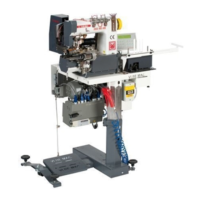
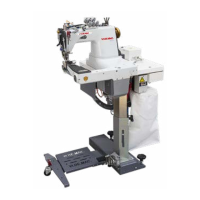
VI.BE.MAC.S.p.A. 3022LV
Page 6
4. STARTING UP THE MACHINE
Open the air tap by moving it to the right. Release the “EMERGENCY” button.
Power the machine by pressing the black button, located on the front of the unit support.
5. STOPPING THE MACHINE
Follow the procedure below:
ALWAYS press the “EMERGENCY” button in order to stop the automatic unit.
Close the air tap by positioning it in the central “OFF” position.
6. MACHINE ROTATION DIRECTION
The sewing head rotation direction is automatic.
7. SETTING SEWING SPEED - POSITIONING
The following appears on the control panel display:
2 – 9 9
Press the up and down arrows at the same time.
The following will then appear on the display:
P - P (P mode)
Keep the two buttons pressed down until this changes to:
H. - - - - = Max. speed setting
Use button D to change the units
Use button C to change the decimals
Use button B to change the hundreds
Use button A to change the thousands
Adjust on the basis of the machine type – normally 3700 revs
Press the down arrow.
The following will appear on the display:
L. - - - - = Minimum speed setting
Use button D to change the units
Use button C to change the decimals
Use button B to change the hundreds
Use button A to change the thousands
Adjust to the value 220
Press the up and down arrows at the same time in order to exit this mode
8. LIST OF ERRORS
E 1 Check whether the motor power connector is correctly inserted
E 2 Check the voltage (overvoltage)
E 3 Check whether the synchronizer connector is correctly inserted in the panel – Make sure that the machine is not jammed –
Check whether the encoder connector is correctly inserted in the panel
E 4 Check whether the 4-pin connector is inserted in the motor (Thread Breakage)
E 6 Problem with INPUT signals (noise). Make sure that there is no interference in the software input signals.
E 8 Make sure the machine is not jammed – check whether the synchronizer is connected
E 9 Make sure that none of the solenoid valves have short-circuited



 To Next Page