VI.BE.MAC.S.p.A. 3022LV
Page 7
9. SETTING CHAIN STITCH CUTTING PARAMETERS
The following appears on the control panel display:
2 – 9 9
Press the up and down arrows and button B at the same time.
+ + B
The following will then appear on the display:
P - F (F mode)
Keep the two buttons pressed down until this changes to:
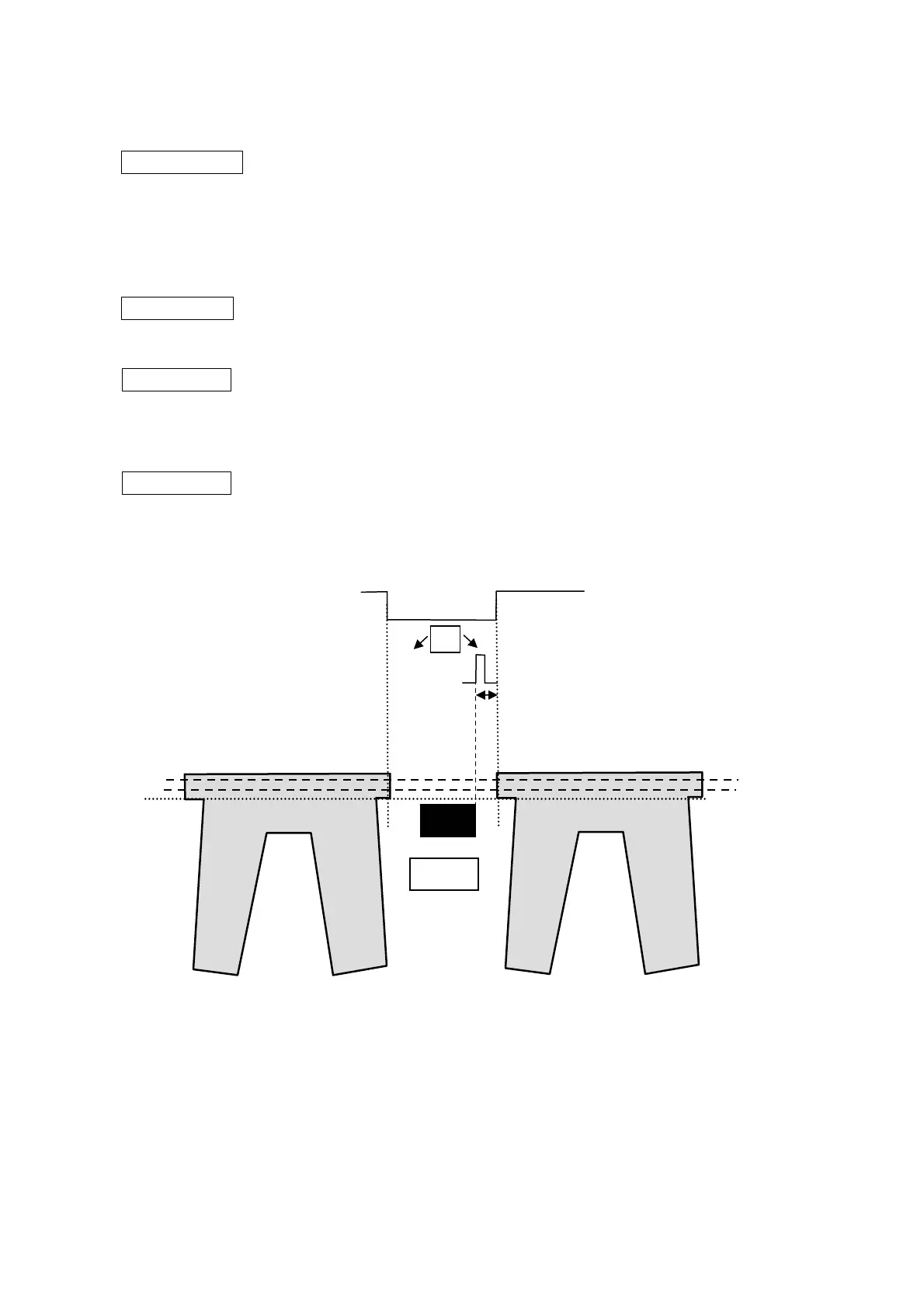
C O C. x x Setting number of stitches in the Initial Cut Counter (standard value 3). Increasing the
value makes the cut shorter.
Use buttons C and D to enter the desired number of stitches, from when the material end is detected by the photocell.
Press the down arrow when the following appears on the display:
S D. x x Setting Cut Impulse duration. (standard value 20)
Use buttons C and D to enter the desired value.
Press the up and down arrows at the same time in order to exit this mode
Chain Cutter
ON
SD
ON
COC
Photocell



 To Next Page