PAGE 10 VIDEONICS DIGITAL VIDEO MIXER
Chapter 3 •Chapter 3 • Installation
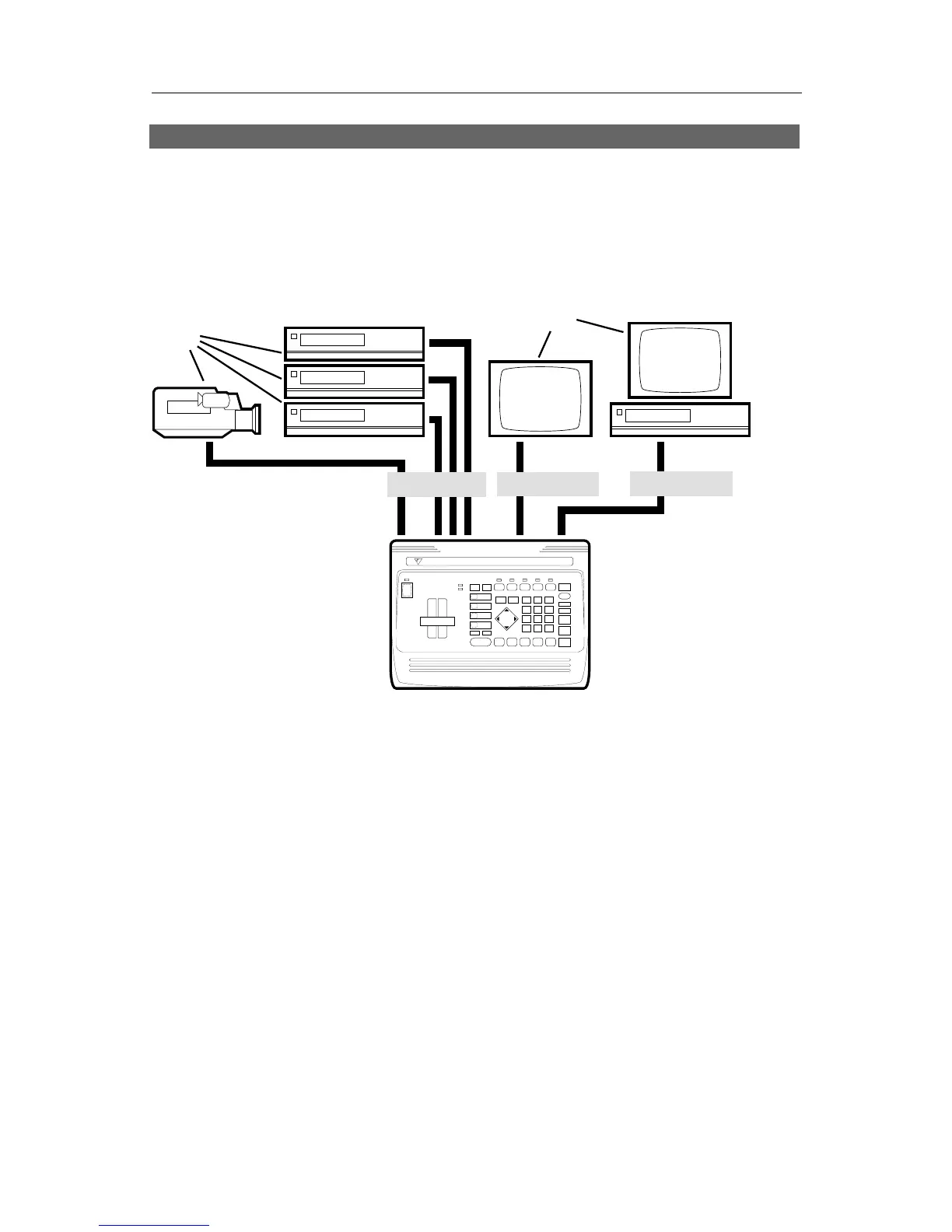
Connections: Overall Concept
VIDEONICS
DIGITAL VIDEO MIXER
INPUTS
OUTPUT
PREVIEW
A
B
C
The MX-1 Digital Video Mixer can accept up to four audio/video sources.
It can send any of these to the output and can perform transitions between
any two sources.
The output is sent to a VCR and/or monitor (called the OUTPUT monitor).
A second monitor, called the PREVIEW monitor, is used to display all the
inputs in preview form. The PREVIEW monitor also shows the on-screen
controls used to operate the unit.
This chapter describes how to connect the inputs, outputs, and monitors.
Chapter 4, “Connecting Editing Equipment” goes further, explaining how to
attach editing equipment, such as an edit controller or title generator.
What You’ll Need
A One or more video sources. Any standard video source with composite
(RCA-style) or S-video (Y/C) outputs can be used, including VCRs,
camcorders, cameras, video disc players, title generators, and computers
with television outputs.
B A PREVIEW monitor and/or an OUTPUT monitor. (You can work with a
single monitor but having two will make your work faster and easier. See
the section later in this chapter, “How Many Monitors?”)



 To Next Page