PAGE 20 VIDEONICS DIGITAL VIDEO MIXER
degrade the time base than adding one to the Mixer’s output, since degradation at the
input is likely to be corrected by the Mixer’s TBC.
Adding Titles
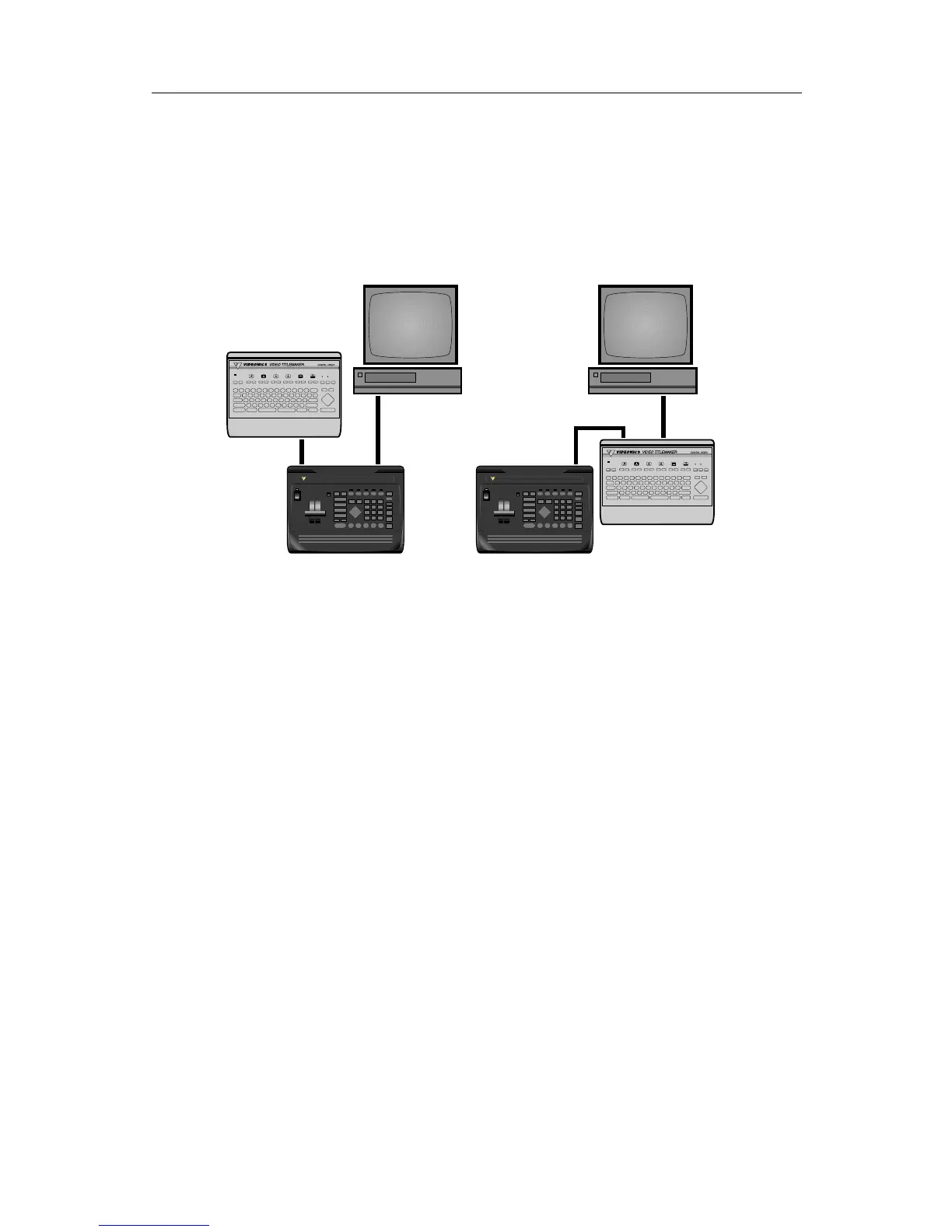
As with video processors, you can connect a titler to an input, an output,
or both.
DIGITAL VIDEO MIXER
VIDEONICS
DIGITAL VIDEO MIXER
VIDEONICS
A
A
A
A
A
A
❹
❸
• When connected to an input (∏ ), you can use the titles as is, using
transitions to go from a video source to a screen of titles. You can superim-
pose titles on a source by using the Mixer’s chroma key function.
• If you have a titler that is capable of doing its own superimposing, you can
use it between the output and the Record VCR (π ). This arrangement has
an important advantage: titles can be superimposed over the mixed signal.
For instance, you could have a wipe from B to C and have titles superim-
posed over the entire transition, rather than just having the titles atop
either B or C.
Hint: Connecting the titler to the output is the most flexible arrangement as long
as the titler is of high quality and doesn’t degrade the output signal. Titlers of lesser
quality should probably be used only on the inputs.
Audio Mixing
The MX-1 includes basic audio mixing. The sound can follow video transi-
tions or can come from an independent source.
If you need more flexibility, you can connect an external audio mixer to
any of the audio inputs. You can also bypass the MX-1 entirely, connecting
the audio mixer’s output directly to the recorder’s audio input.
The advantage of using the MX-1’s audio mixer is that it can simulta-
neously fade the sound and picture. An external mixer requires that you do
this manually.



 To Next Page