VIDEONICS DIGITAL VIDEO MIXER PAGE 11
The PREVIEW monitor needs a composite (RCA-style) video input.
The OUTPUT monitor will be connected to your recording VCR (C ) in
most cases. Required connections depend on the VCR. You can use any
arrangement that will allow you to view tapes played on the VCR.
C A Record VCR. In a live setup, in which the results will be displayed
without being recorded, the VCR is optional, but most setups will include
the VCR.
• Video Cables. You will need at least one video cable for each input plus
one to connect the PREVIEW monitor and one to connect the Record VCR.
You will also need a cable to connect the OUTPUT monitor to the Record
VCR. The next section describes the types of cables.
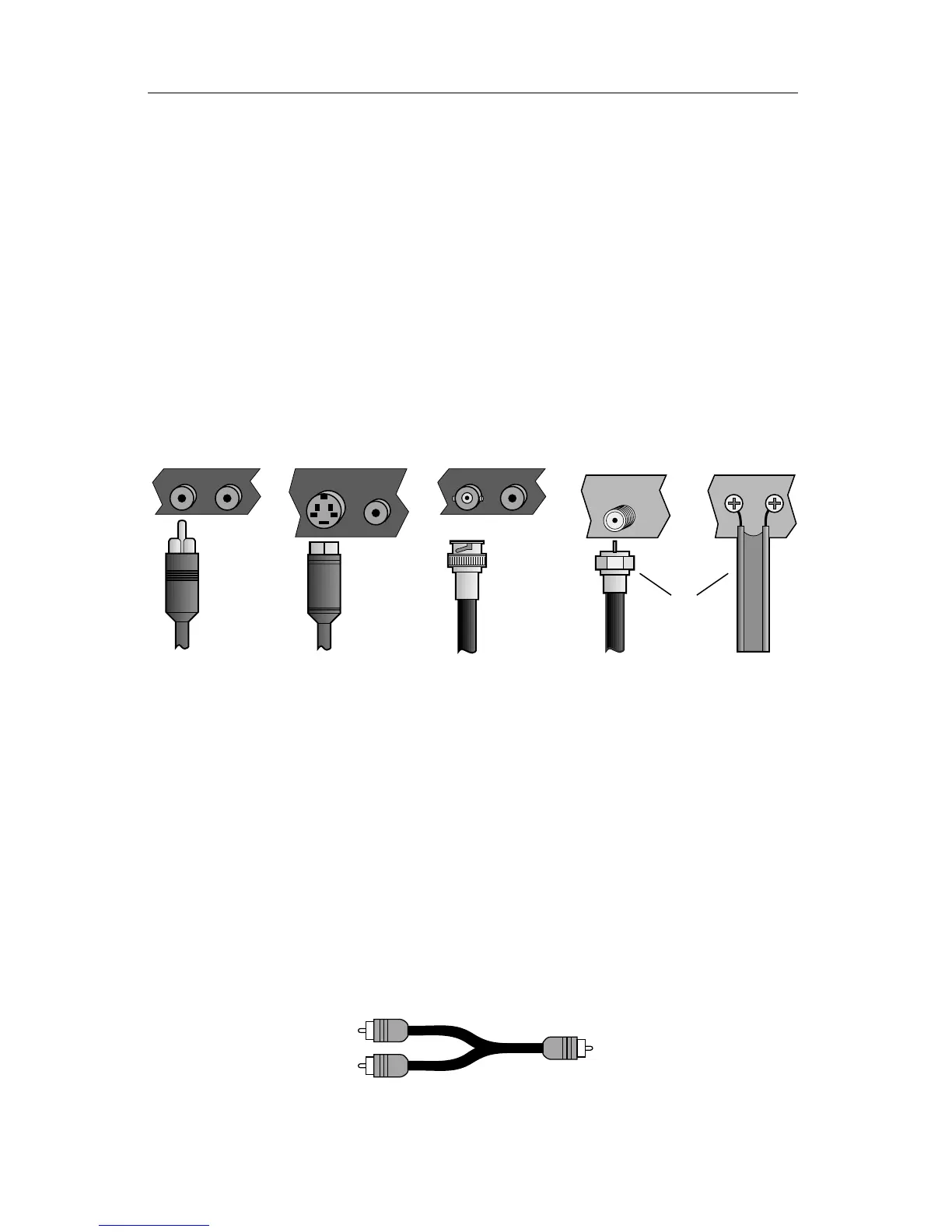
Types of Input and Output Jacks
S-VIDEO AUDIO
AUDIOVIDEO
ANTENNA
ANT
INPUT
AUDIOVIDEO
❶
❷
❸
❹
Video equipment commonly uses these cable types:
∂ Composite (RCA-style) video and audio
∑ S-video (Y/C)
∏ BNC video, used in some professional equipment
π RF cables (Coaxial cable and twin-lead antenna cable)
Audio
RF cables carry the audio signal along with the video. All the others
require a separate audio cable.
A stereo audio device (with separate L and R inputs or outputs) is con-
nected using two RCA-style cables. A mono audio device is connected using
one RCA-style cable.
You may also need a Y-cable if you plan to connect a mono output to both
channels of a stereo device; or to connect a stereo output to a mono input.
Y-cable



 To Next Page