VIDEONICS DIGITAL VIDEO MIXER PAGE 31
At the completion of the effect, the NEXT source becomes the CURRENT
source and you are ready to select the new NEXT source and effect for
another transition.
Which Source is Which?
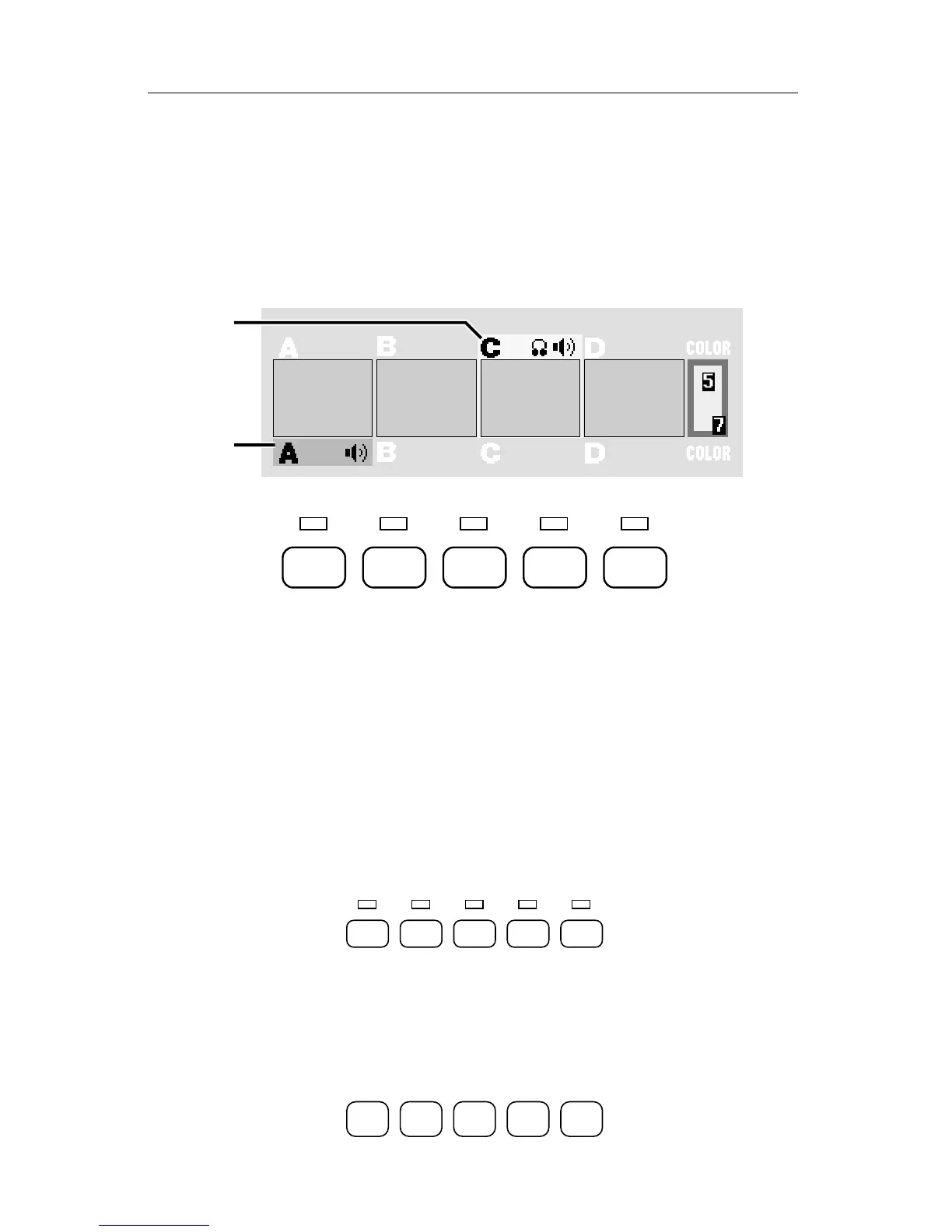
The lights above the CUT buttons and the highlights on the PREVIEW
screen indicate the CURRENT and NEXT sources.
A
B
CUT ➔
ABCD
COLOR
CUT ➔ CUT ➔ CUT ➔ CUT ➔
A The CURRENT source is always indicated by the yellow highlight on the
PREVIEW screen and the steady light above the appropriate CUT button.
B The NEXT source is indicated by the green highlight and by the flashing
light.
If NEXT and CURRENT are set to the same source, the source’s light
flashes as if it were just the NEXT source.
Changing the CURRENT Source
Most of the time, you won’t need to change the CURRENT source (because
the ending source of the previous transition automatically becomes the new
CURRENT source).
CUT ➔
ABCD
COLOR
CUT ➔ CUT ➔ CUT ➔ CUT ➔
If you do wish to change the CURRENT source, press the appropriate CUT
button. For instance, CUT→C will make C the CURRENT source and the
OUTPUT monitor will immediately show source C’s video.
Choosing the NEXT Source
ABCD
COLOR



 To Next Page