VIDEONICS DIGITAL VIDEO MIXER PAGE 57
Chapter 16 •Chapter 16 • Compose
The MX-1 Mixer will allow you to create an elaborate composite
screen made up of picture elements, solid colors, lines, and rect-
angles. You can perform limited transitions from the composed
image to a source.
What is Compose?
Compose allows you to design your own image. It can range from a simple
still picture with a border added, to a complex assemblage of pictures, lines,
and rectangles.
Composed screens begin with a background (a solid color or a still or
moving video image). The following elements can be added:
• Lines and rectangles: You can incorporate a rectangle or line of any color
and any size, with or without a border.
• Still pictures: Frozen frames of a moving picture can be placed anywhere
in the composition. They can be scaled to any size and a border can be
placed around them. You can have an unlimited number of stills in a
composition.
Note: Compose allows you to place still video images only. Only the
background video can be moving. To place a moving video image in a
window, see Chapter 15, “Picture-In-Picture.”
• Color bars: You can use color bars as your background.
• Holes: You can cut a “hole” in the composed image, removing other
elements and leaving the original background video.
❶
❷
❸
❹
❺
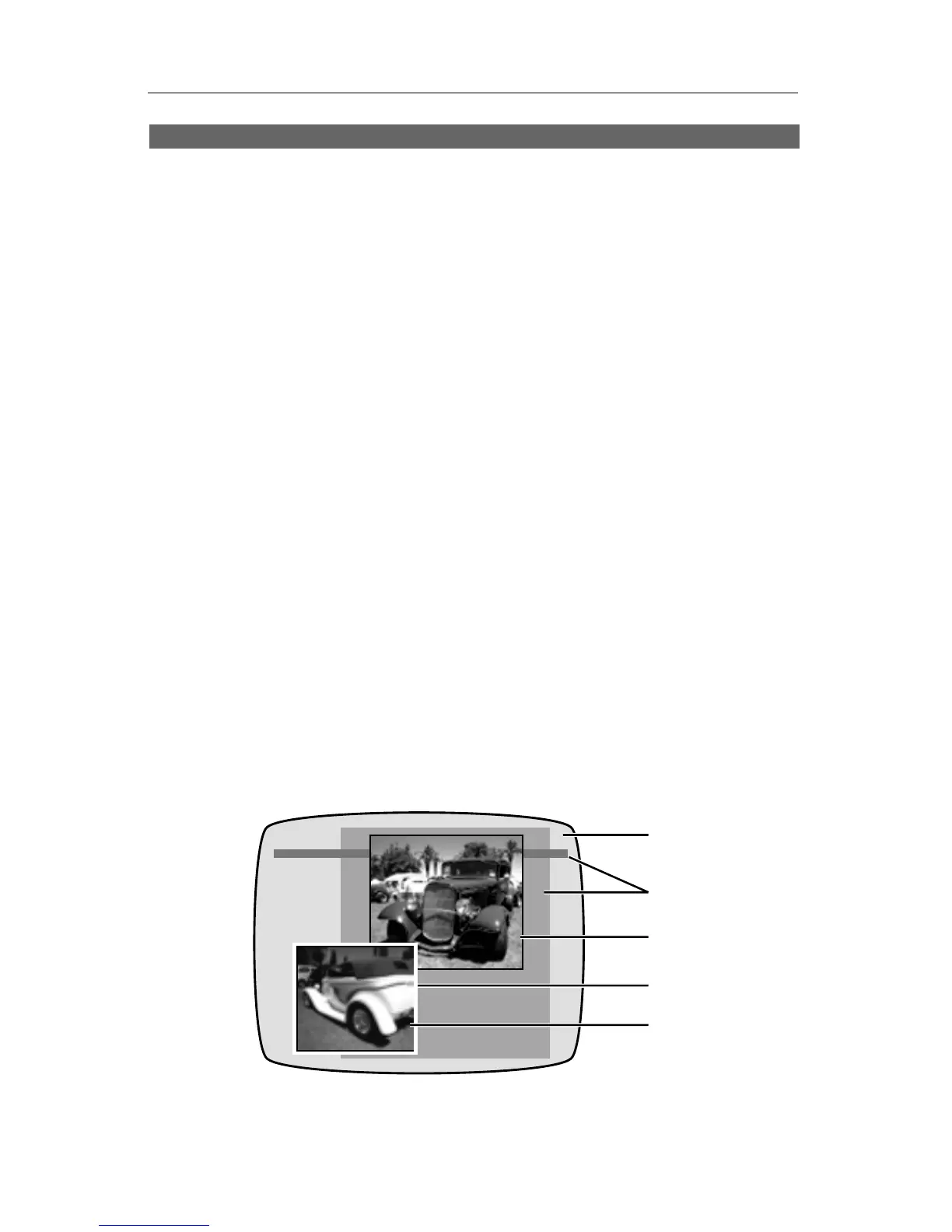
• Combined elements: Elements can be overlapped to create borders and
other effects. In this example, we started with a solid color screen (∂ ) and
placed a rectangle and a line (∑), followed by a still picture (∏). A white



 To Next Page