VIDEONICS DIGITAL VIDEO MIXER PAGE 27
Chapter 6 •Chapter 6 • Basic Controls
The Mixer is controlled through its front panel and the on-screen
controls of its PREVIEW screen. This section describes the basics.
Built-In Demo
The Mixer includes a built-in demo that shows many of the transitions.
Simply press the DEMO button and the unit will cycle through many of its
transition effects. To exit the demo, press any key.
You can also start the demo by pressing SHIFT and DEMO at once. When
started this way, only the DEMO button will stop the demo. (The purpose of
this is to prevent passers-by from accidentally stopping the demo).
If two or more video sources are connected to the Mixer, the demo uses the
first two sources it finds and runs transitions from one source to the other and
back. If just one source is connected, the Mixer will generate transitions from
the source to itself.
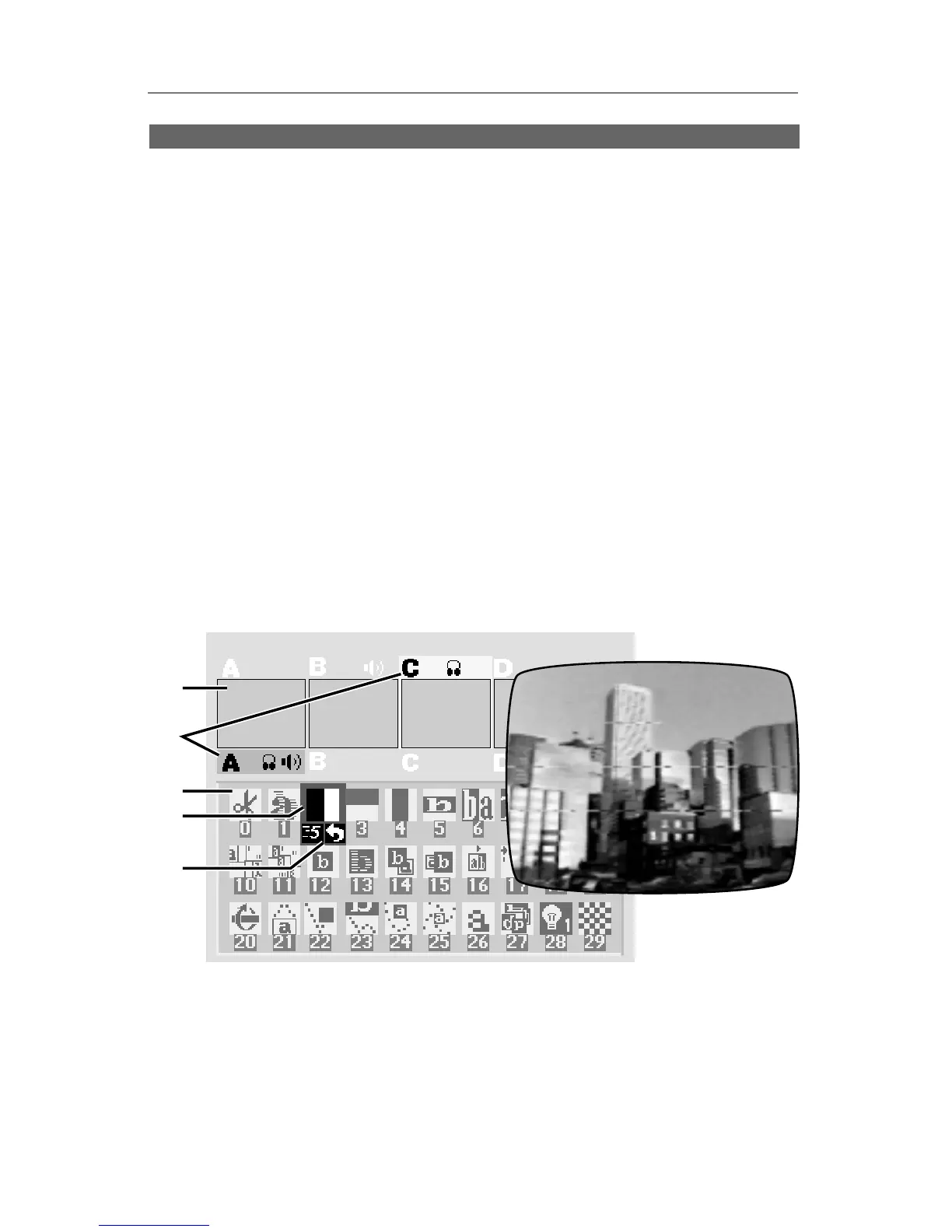
The PREVIEW Screen
❶
❷
❸
❹
❺
❺
The PREVIEW screen is the heart of
Mixer operation. It contains:
∂ Preview images of the four sources
∑ Highlights that identify which sources are active
∏ A “palette” of symbols used to choose transition effects
π A blue highlight which indicates the selected transition
∫ Controls for speed, direction, background color, and border color
Marginal video source quality
can cause lines, tears, and
other problems in the video



 To Next Page