VIDEONICS DIGITAL VIDEO MIXER PAGE 45
List of Input Effects
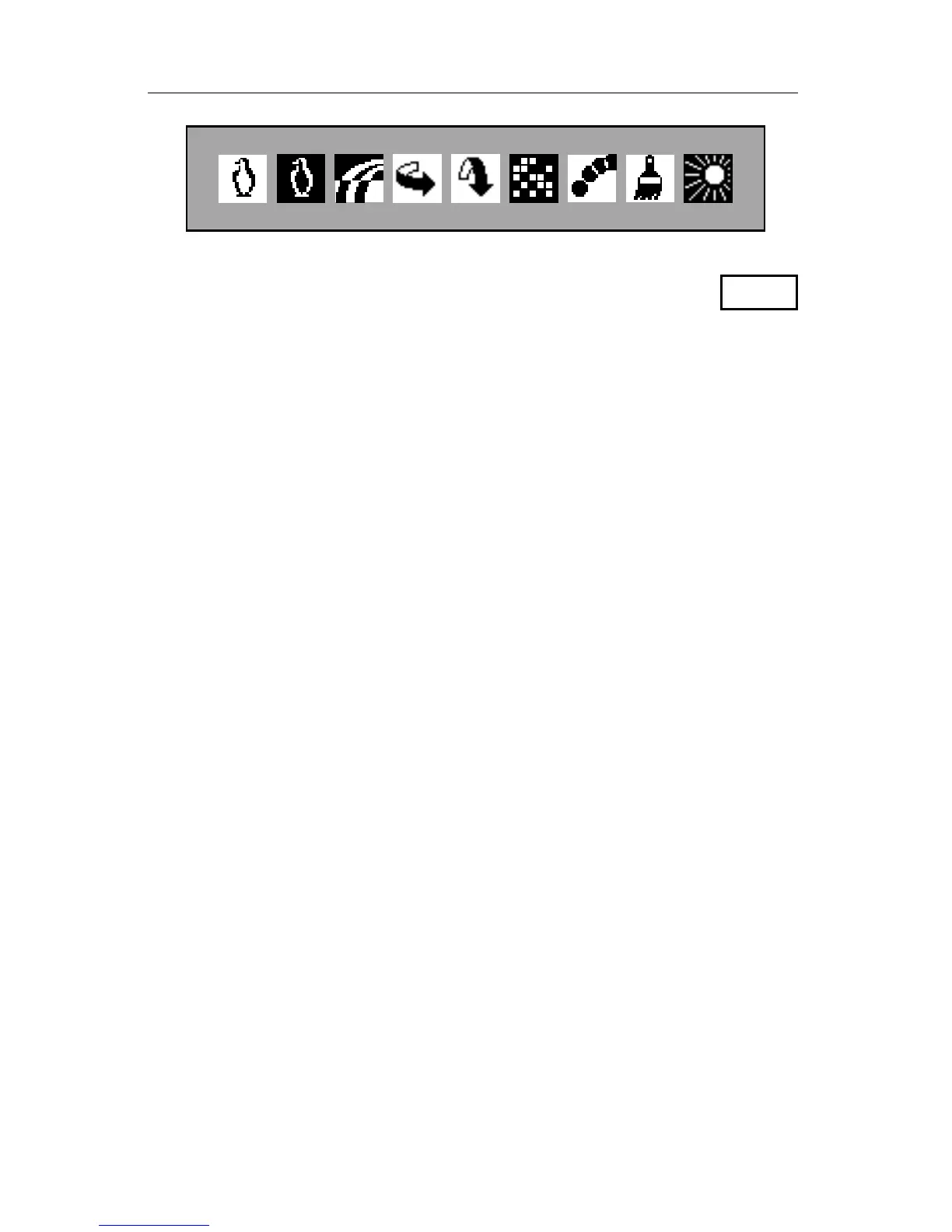
Here is a description of the effects (from left to right as they
appear on the screen). In all cases, a setting of 0 turns the effect
off.
EFFECT VALUES DESCRIPTION
Black and white 0-1 Changes picture to black and white with all color
removed.
B/W negative 0-1 Lightest values become dark, darkest values
become light but colors are unchanged.
Color negative 0-1 Lightest values become dark, darkest values
become light and colors invert (for example, blue
becomes yellow, red becomes blue-green).
Flip horizontal 0-1 Picture is flipped right-left (as a mirror would).
Flip vertical 0-1 Picture is flipped up-down (upside down). Note that
the video quality of vertically-flipped full-screen
images is reduced slightly.
Mosaic 0-3 Picture is divided up into tiles. Setting 1 divides
picture into many tiny tiles, higher numbered
settings divide into a smaller number of larger tiles.
Thus, high numbers give a more extreme effect.
Strobe 0-7 Picture’s video “frame rate” is slowed. The effect is
that motion is halting, or choppy. Higher numbers
increase the effect. Setting 1 is a fast strobe that
provides a “film look” effect (Chapter 14). Setting 2
makes video look like an old movie. Note that
except for setting 1, the strobe effect is turned off
temporarily while transitions are performed.
Paint (posterization) 0-7 Changes the normally continuous tones of a picture
into a smaller number of levels. Results in a
posterized, or paint, look. Higher numbers provide
an extreme paint effect, lower numbers are more
subtle.
Solarization 0-1 Modeled after a classic photographer’s effect.
Turns the lightest parts of the picture negative
(makes them darker). This only affects pictures
with very bright portions (such as the sky).
FREEZE



 To Next Page