To avoid risk of electrical shock, personal injury, or death, disconnect electrical power source to unit, unless test
procedures require power to be connected. Discharge capacitor through a resistor before attempting to service.
Ensure all ground wires are connected before certifying unit as repaired and/or operational.
WARNING!
Troubleshooting
40 ©2012 Viking Preferred Service
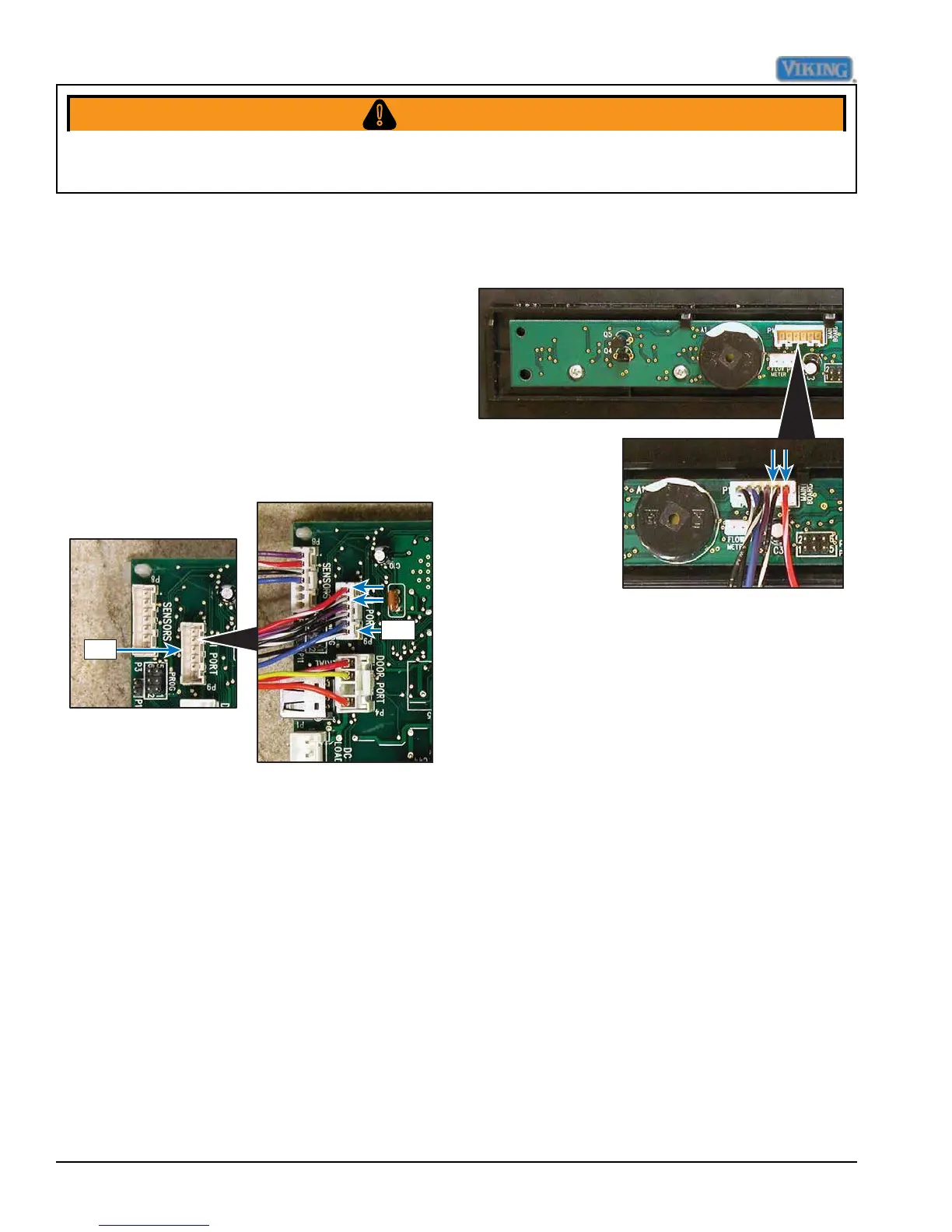
User Interface Port
(Some measurements require power and others require the unit not to be powered.)
The user interface allows the end consumer
to make cycle selections. As the selection is
made, the signal is sent to the control board
via a ribbon connection. Voltage between
P9-1 and P9-2 should be 12 VDC.
If no voltage is found, check ribbon connector.
If connector is OK, replacement of the user
interface is necessary (see Control Panel
Removal procedure, page 16).
P-9
P-9
User Interface Board





 To Next Page