Technical Reference Manual-XPM3m Revision Date: August 2014
DRIVE MOTOR SERVICE & REPLACEMENT
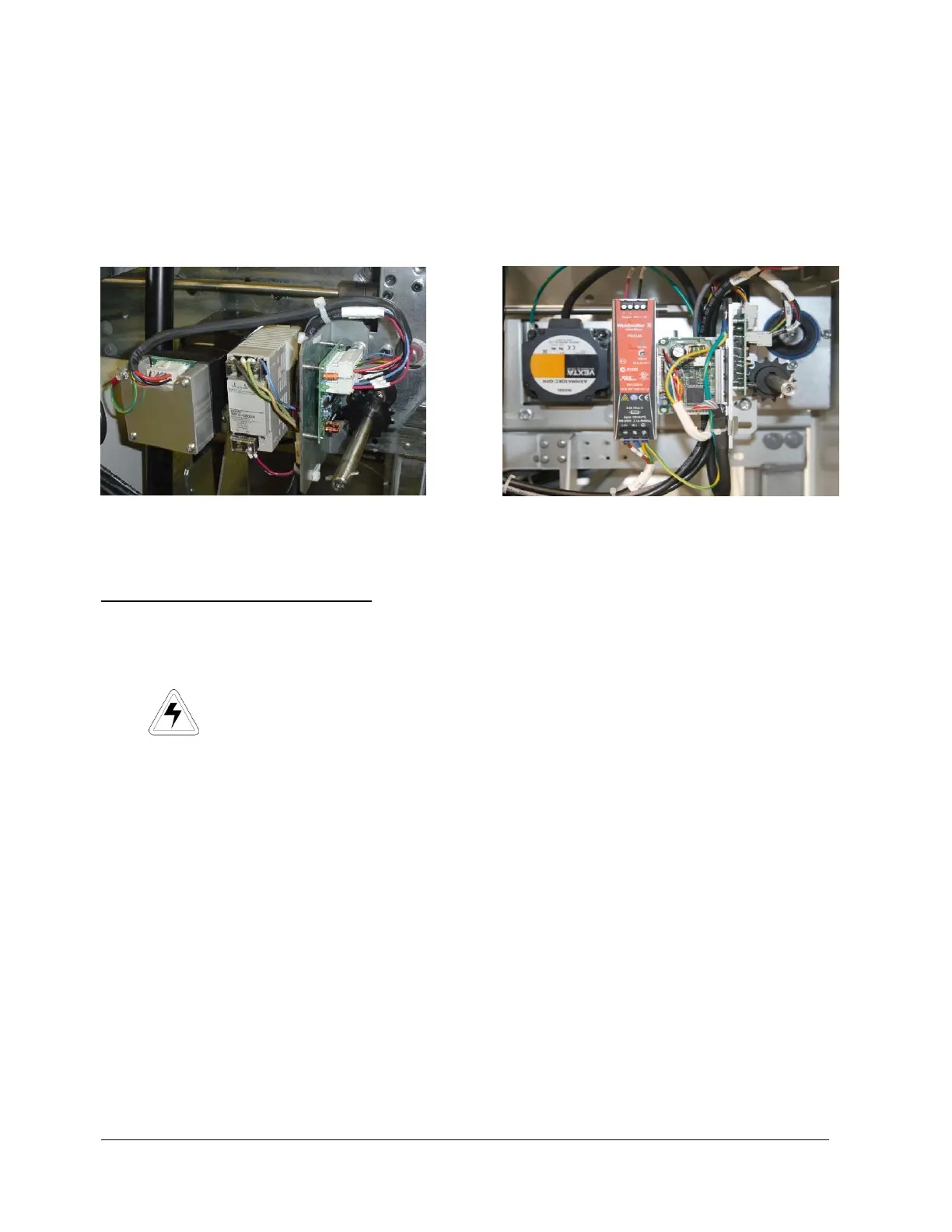
Conveyor Drive Motor Replacement - MOTOR LOCATION
There are only two locations for the conveyor motor on all Vitronics Soltec Reflow Ovens. On an oven with a left
To right conveyor, the motor assembly is in the front right corner of the oven. On an oven with a right to left
conveyor system, the motor assembly is on the front left corner of the oven.
Integra Motor Oriental Motor
CONVEYOR MOTOR REPLACEMENT
To remove/replace the Conveyor Drive Motor:
1. Open the Hood
2. Turn off the U.P.S. and disconnect all power from the oven.
3. Remove the sheet metal at the exit end of the end the oven to gain clear access to the motor and components.
4. Remove the G5 power supply
5. Unplug the cable from the motor.
6. The Motor is attached to a mounting plate with four bolts. That plat is mounted with four bolts on the Oven
Frame “C” Channel. Loosen the four bolts and slide the plate to the exit end of the oven. This will allow the
Chain to be removed from the Drive Sprocket without removing the Master Link from the Chain.
7. While supporting the Motor, remove the four bolts. Remove the motor, mounting plate and sprockets from the
Oven.
8. Rotate the Motor to permit access to the setscrews that secure the drive sprocket to the Motor Drive Shaft.
Loosen the setscrews and remove the sprocket, then remove the Motor from the mounting plate.
9. Install the new motor and drive sprocket on the mounting plate.
Reverse steps 7 through 1 to replace the Conveyor Drive Motor


 To Next Page