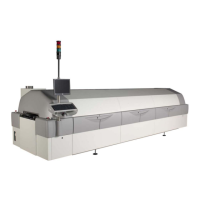
Technical Reference Manual-XPM3m Revision Date: August 2014
Every Field Service Technician should be issued an antistatic kit consisting of a static dissipative portable work
surface and a combined wrist strap and grounding strap to connect to the work surface. The proper way to use the
kit follows.
NOTE: Vitronics Soltec strongly recommends the use of a similar antistatic kit for all customers who do any
self-maintenance on an Oven involving PC assemblies or semiconductor components.
1 Unfold the antistatic work surface and place it near the section of the oven where work will take
place. Set it down with the pocket side up. In addition, the surface under the mat must be clean
and dry.
2 Remove the wrist strap and grounding cord from one of the pockets in the mat. Snap the round
black connector in the middle of the cord to the snap connector that is at one corner of the mat.
You might want to rotate the mat at this time so that the cord connector is closest to the oven where
it will be grounded.
3 Slide the alligator clip onto the banana jack which is on one end of the cord. Use the alligator clip to
connect the cord to an appropriate ground on the oven. Usually a piece of frame that is not painted
works well.
4 Connect the wrist strap to the snap connector on the other end of the cord. The strap should 'snap'
onto the connector for a positive connection.
5 Put the wrist strap onto your wrist, making sure that the strap is in contact with your skin all the way
around your wrist. Make sure that the strap is facing in the correct direction. The 'inside' of the
strap will have metallic strands woven into the material on the inside. You may not be able to see
the strands but you will see the wrong color of these strands, typically off-white or gray.
6 Make sure that the wrist strap is tight on your wrist. If it needs to be adjusted, then 'pop' open the
small plastic clip and pull the strap until it is tight around your wrist. When it is tight, hold the strap
and close the clip so that it 'snaps' in place. This clip can be re-opened and the strap resized at
anytime.
You are now ready to work on the static sensitive portions of the oven.
Remember, always put the wrist strap on before working on PC boards or semiconductors and leave it on until
finished with the task. Always remain connected until all PC assemblies are re-installed on the oven or protected by
antistatic bags.
When working on any electronic component, ALWAYS observe proper ESD handling procedures.
TAKE THE WRIST STRAP OFF before working on AC power!



 To Next Page