PAGE 13
© 2014 OJ Electronics A/S
Boost Mode
Boost mode is accessible from the Comfort screen.
In boost mode, the underfloor heating is constantly activated for one hour. After one
hour, the thermostat returns to auto operation.
1. From the Auto Operation home screen - tap the “Comfort” button to access the
comfort menu.
2. Choose “Boost”.
3. Confirm that you wish the thermostat to activate boost mode by tapping ”√”.
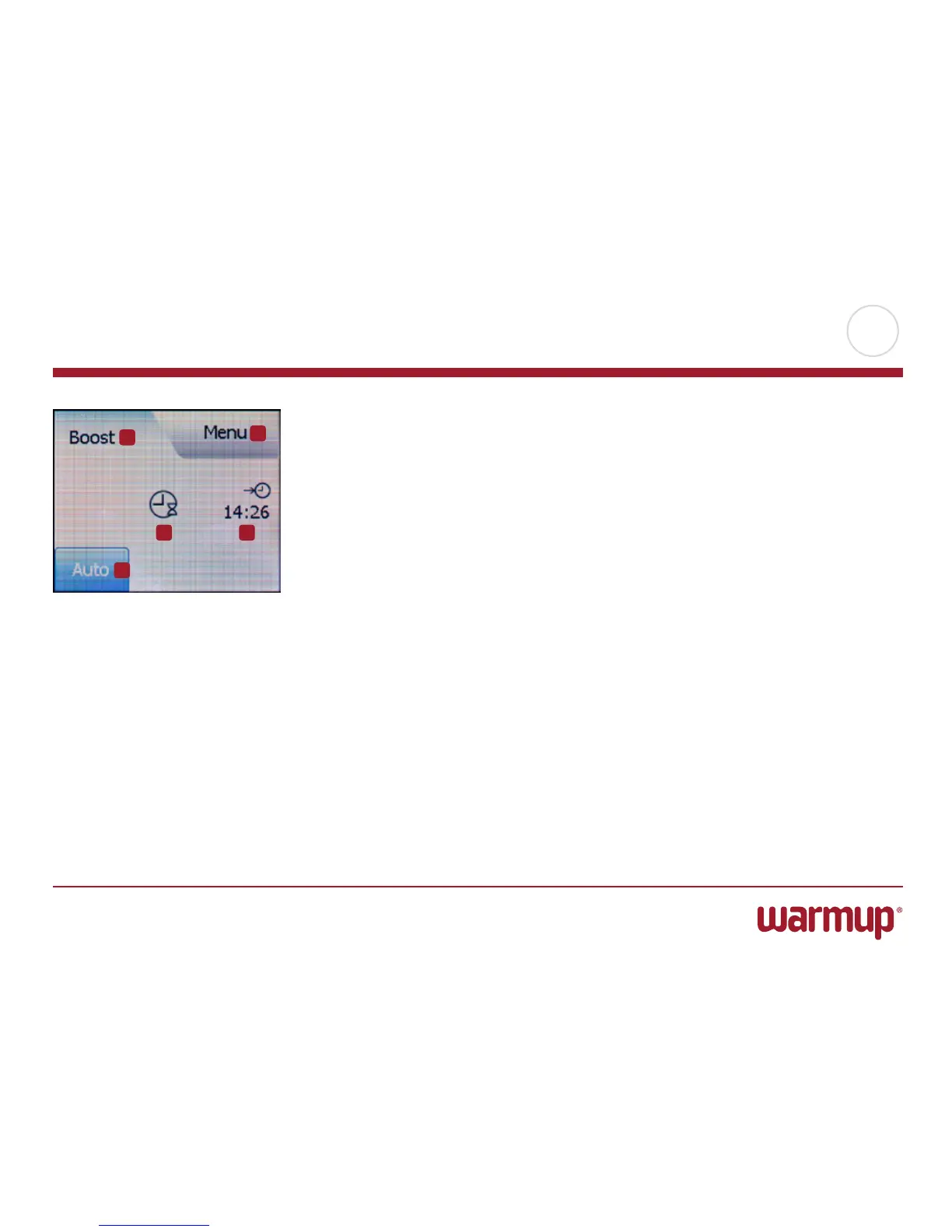
While in boost mode, an “Auto” button is shown on the screen. Press this button to
return the thermostat to auto operation.
The function of the buttons and symbols shown on the home screen varies accord-
ing to the chosen operating mode.
Boost Mode:
1. Indication of boost mode.
2. Tap here to access the menus.
3. Symbol showing current operating mode (clock with hourglass = Boost Mode).
4. The time at which the thermostat will return to auto operation.
5. Tap here to return to auto operation.
1
2
3 4
5



 To Next Page