PAGE 25
© 2014 OJ Electronics A/S
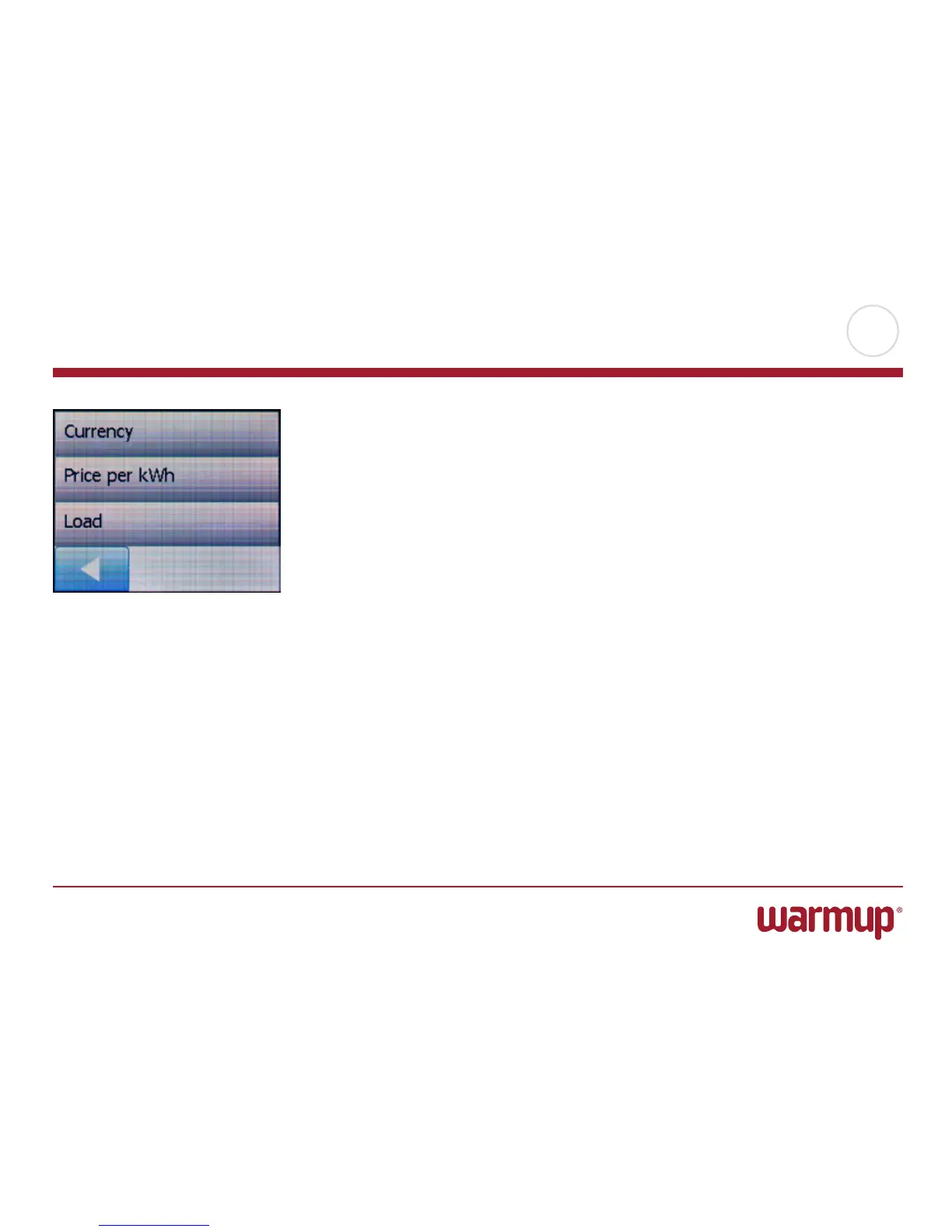
This option allows you to enter the various data used to calculate energy use.
The “Energy Use” function uses this information to calculate electricity consumption
and the cost of heating for a given period of time.
1. Tap the “Menu” button on the home screen. Then tap the “User settings” button
to access the various user settings.
2. Tap the “Energy Tari” button.
3. Tap the parameter you want to change.
• Currency
a) Tap the currency you prefer.
b) Confirm with ”√”.
The thermostat will automatically return to “Energy Tari”.
• PriceperkWh
a)
Tap the “Up Arrow” or “Down Arrow” button to set the price you pay per kWh.
b) Confirm with ”OK”.
The thermostat will automatically return to “Energy Tari”.
• Load
a) Tap the “Up Arrow” or “Down Arrow” button to set the kW load of your
underfloor heating system. (Ask your technician for this information.)
b) Confirm with ”OK”.
The thermostat will automatically return to “Energy Tari”.
4. Tap the “LeftArrow” button to return to “User Settings”.
Energy Tari



 To Next Page