PAGE 19
© 2014 OJ Electronics A/S
Vacation mode allows you to set the heating of your home to a minimum while you
are away on vacation, thus saving energy and money.
You must set the date you leave on vacation and the date you return. The thermo-
stat will ensure that your floor is kept above freezing point and that your home is
warm on your return. This is accomplished in just a few steps:
1. Tap the “Menu” button on the home screen.
Then tap the “User Settings” button to access the various user settings.
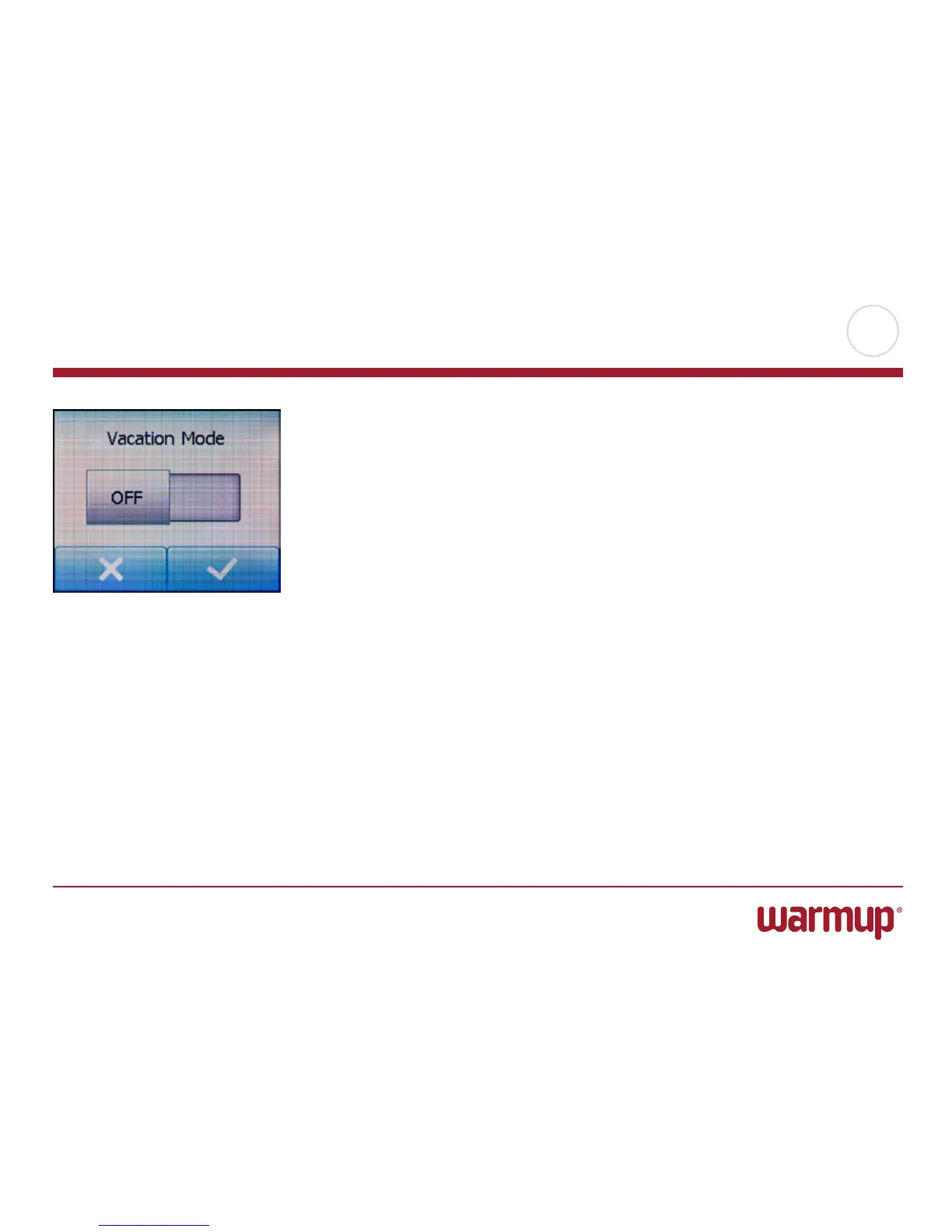
2. Tap the “Vacation Mode” button.
3. Tap the “OFF/ON” button to ON and confirm with the “√” button.
4. Set the date on which you leave on vacation. Tap the “Right Arrow” button.
5. Set the date on which you plan to return. Tap the “ Right Arrow ” button. A con-
firmation screen will then be displayed briefly before the thermostat automatically
returns to the “User Settings” menu.
6. Tap the “LeftArrow” button to return to the main menu.
During an active vacation period a large suitcase is displayed on the screen together
with the programmed leaving and return dates.
You can cancel an active vacation period and return the thermostat to auto opera-
tion by tapping the “X” button.
Vacation Mode



 To Next Page