PAGE 33
© 2014 OJ Electronics A/S
This option allows you to choose the type of floor sensor used with the thermostat.
You can therefore choose to use an existing sensor with the thermostat, e.g. in
renovation projects.
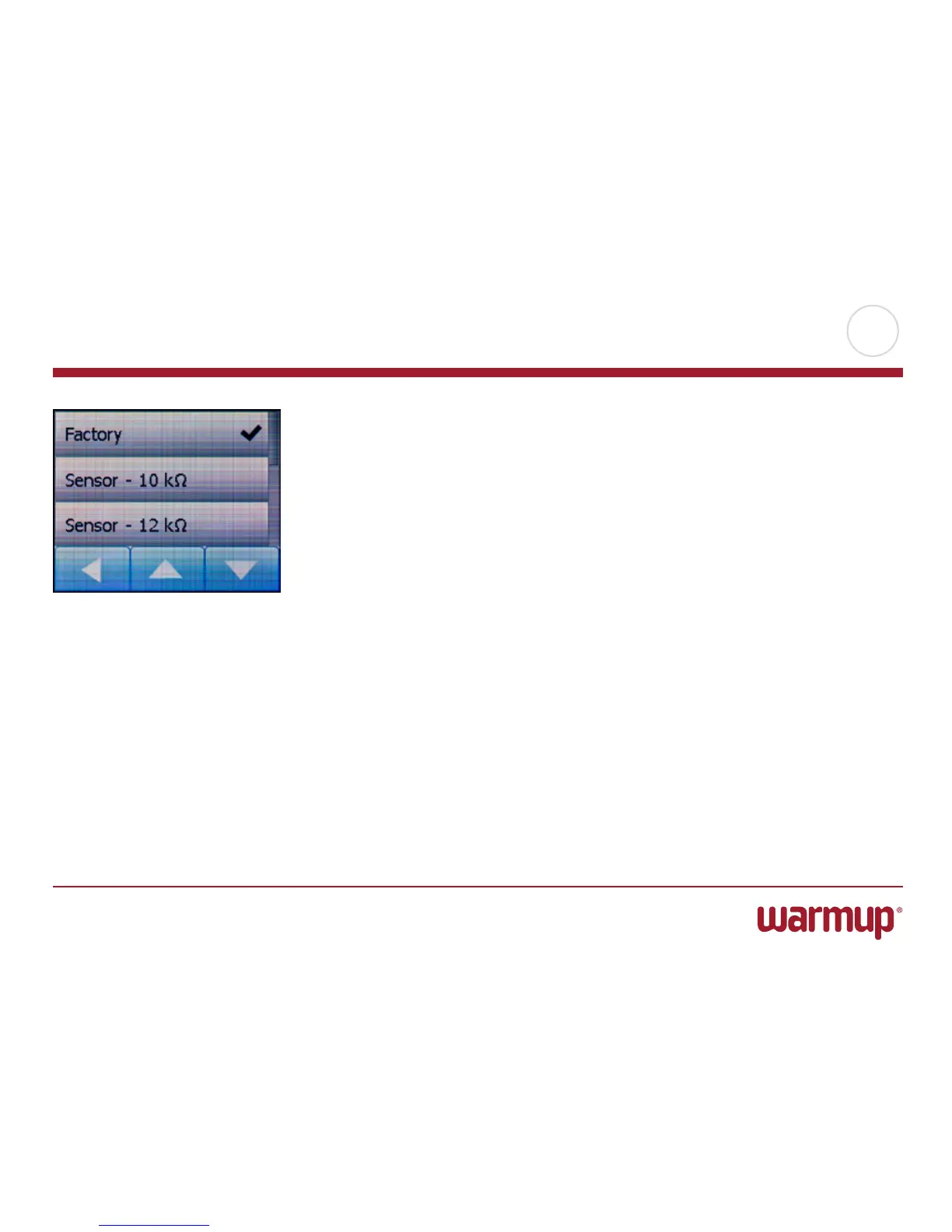
Choose the sensor actually used from the list. The sensor supplied with the
thermostat is an OJ sensor listed as: “Factory”.
• Factory(default)
• Sensor10kΩ
• Sensor12kΩ
• Custom
1. Tap the “Menu” button on the home screen.
Then tap the “Engineer Settings” button.
2. Scroll down and tap the “Sensor Type” button.
3. Tap the type of floor sensor actually used.
4. Confirm your choice with “√” or discard it with “X”.
5. If “Custom” is chosen – you must provide resistance values for the sensor
concerned at four given temperatures: 15°C, 20°C, 25°C and 30°C – ask the
supplier of the sensor for these values.
6.
Use the “Right Arrow” or “LeftArrow” button to toggle through the temperatures.
7. Tap the resistance value to change it.
8. Tap the “Up Arrow” or “Down Arrow” button to set the resistance.
9. Confirm the value with “OK”. Then repeat steps 6-9 until all four resistance
values have been set.
10. Tap the “LeftArrow” button to return to “Engineer Settings”.
Sensor Type



 To Next Page