Replacing the roughing pump’s oil demister element 5-95
Replacing the roughing pump’s oil demister element
Replace the roughing pump’s oil demister element annually.
Note: This procedure is not required for an Alcatel oil-free roughing pump.
Required materials:
• Chemical-resistant, powder-free gloves
• 6-mm Allen wrench
•10-mm wrench
To remove the roughing pump oil demister element
1. Vent and shut-down the instrument (see the mass spectrometer’s online
Help for details).
2. Allow the roughing pump to cool.
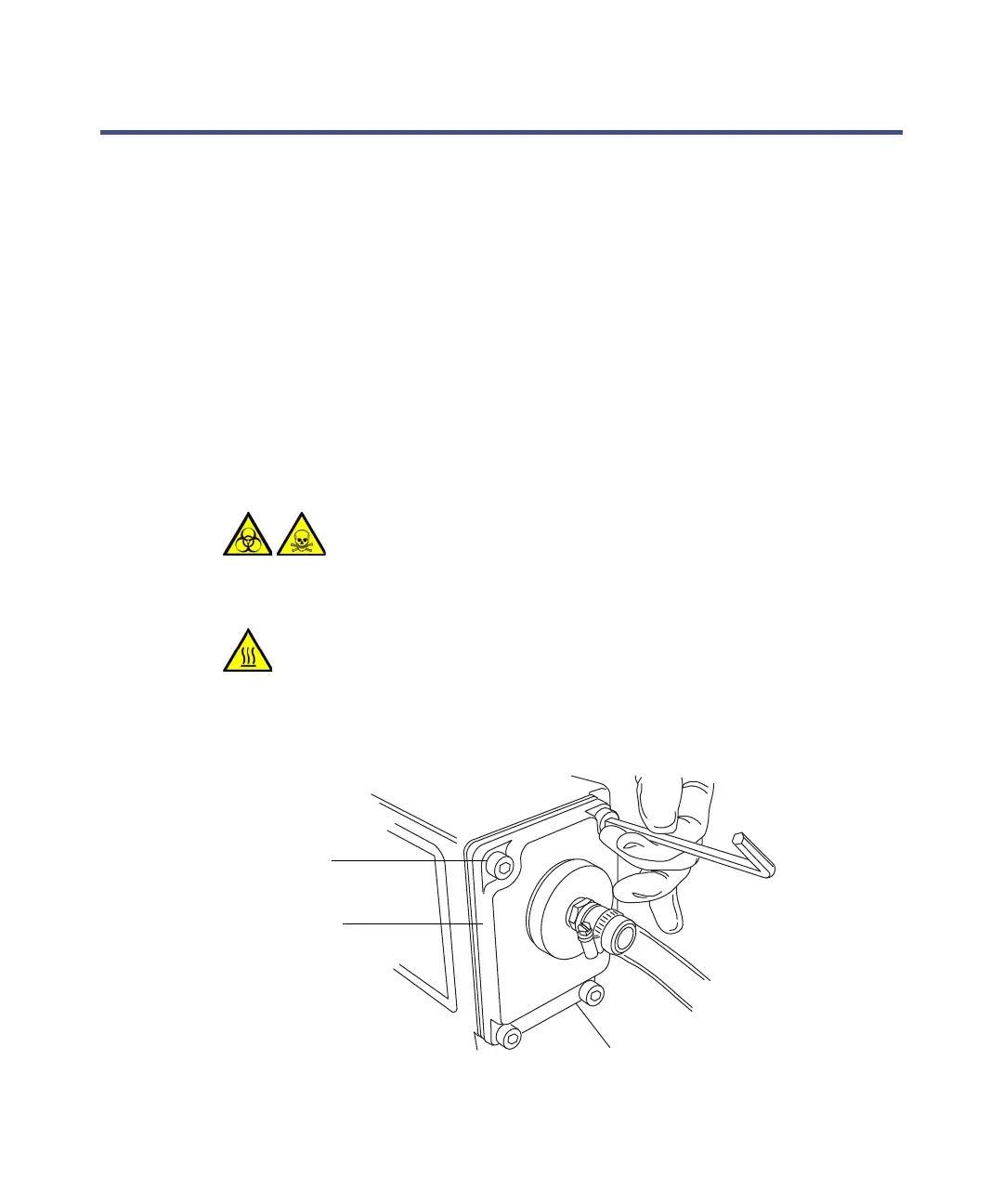
3. Use the 6-mm Allen wrench to remove the 4 bolts securing the exhaust
flange to the roughing pump.
Warning: The pump oil can be contaminated with analyte
accumulated during normal operation. Always wear
chemical-resistant, powder-free gloves when replacing the
oil demister element.
Warning: To avoid burn injuries, take great care while working
with the roughing pump: it can be hot.
Exhaust flange
Securing bolt



 To Next Page