Performance tests 3-39
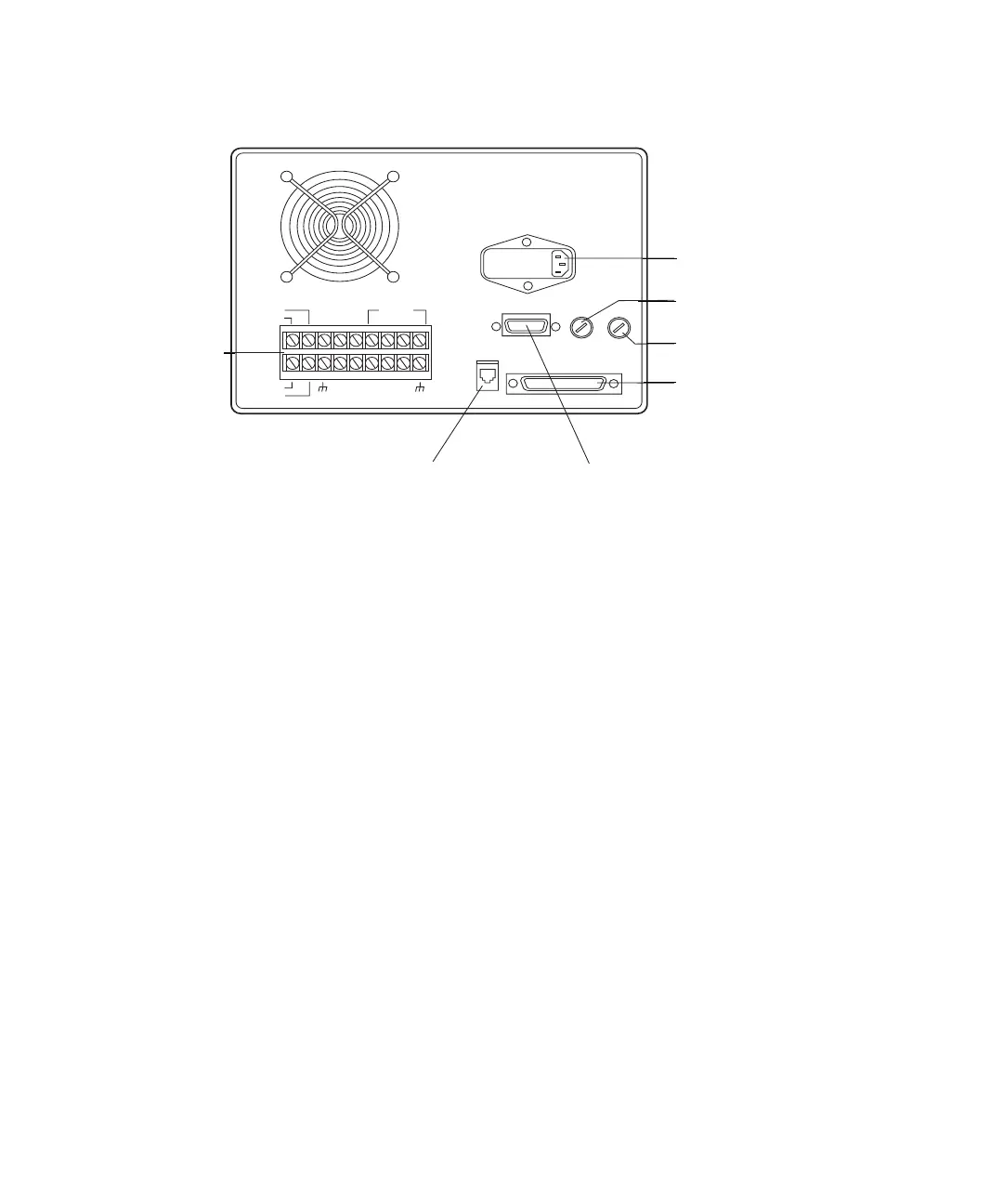
Rear panel terminals
General instructions
The following are general instructions for running the extended test routine.
Each test instructs the operator to do one or more of the following:
•Press a key.
• Place a jumper across terminals.
• Make an observation.
You must cycle through the tests, either performing or bypassing them, to exit
the extended test sequence.
Advance to the next test by pressing ENTER. Skip unwanted tests by
pressing ENTER a second time.
When the tests are complete, the Startup screen reappears. You can then
press the decimal key to rerun the extended test routine, or press any function
key to resume normal operation.
Some of the extended tests require additional actions that require explaining.
These appear on the next several pages.
Stop flow input test
The Stop Flow switch accepts a signal from an external device that stops the
pump. This test verifies that the Stop Flow input switch is functioning.
System Interface Connecto
AC Power Connector
crew Terminals
RS-232 Connector IEEE-488 Connector
INJECT
STOP
FLOW
HOLD
S1
S2
S3
S4
SWITCHES
CHART
+
PRESSURE
+
PRESSURE
_
CHART
_
GND
GND
GND
GND
AUX.
+
12V
Auxiliary +12 V Power Fu
Pump Power Fuse
RS232
IEEE 488
Screw
terminals
AC power connector
Pump power fuse
Auxiliary +12 VAC
power fuse
System interface
connector
RS-232 connector
IEEE-488 connector












 To Next Page