2-14 Installing the System
Attaching the pump interface cable
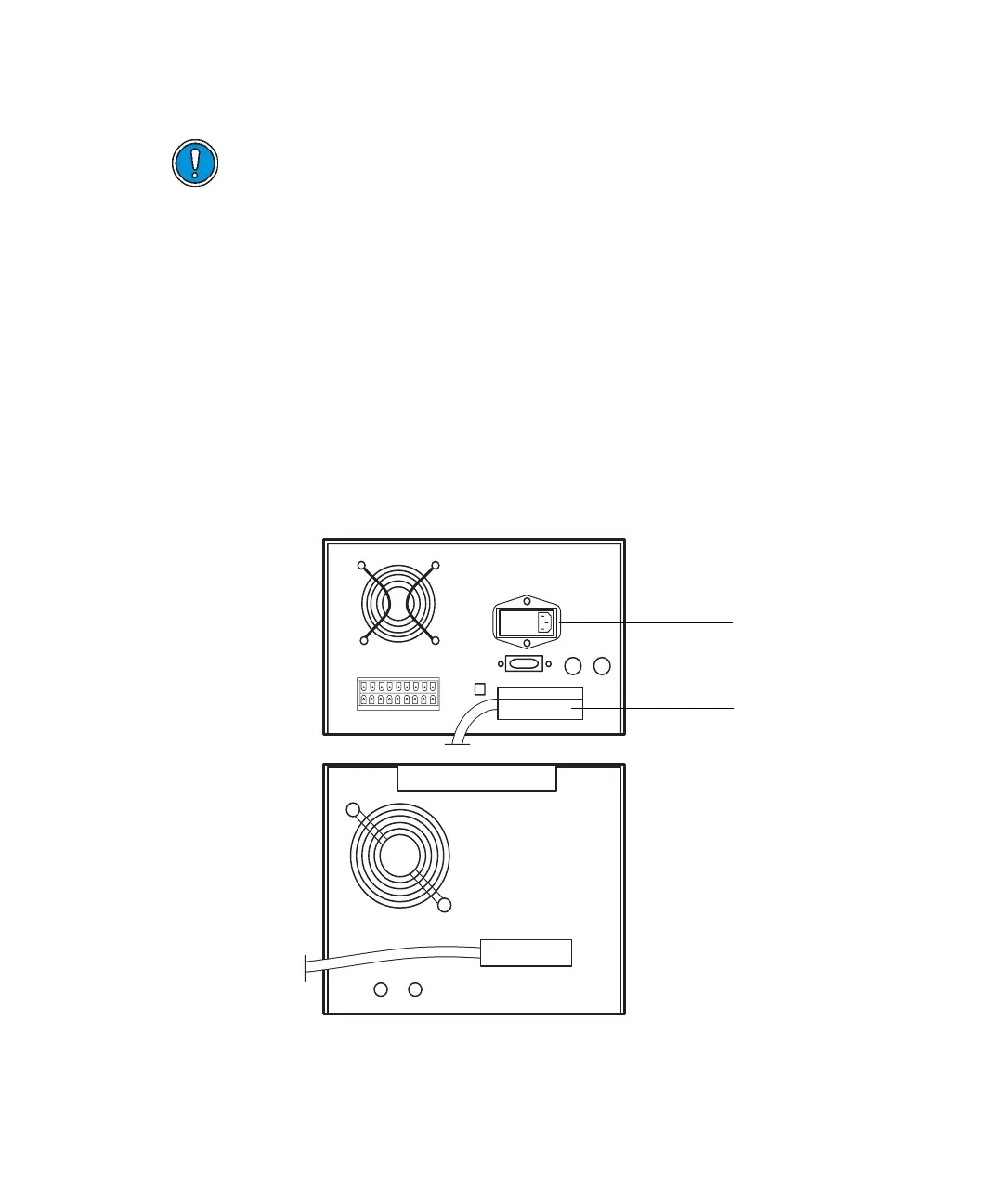
To attach the pump interface cable:
1. Shut down the controller.
2. Connect the 37-pin interface cable to the pump interface connector on
the controller rear panel (see the figure “Pump interface cable and power
cord locations” on page 2-14).
3. Connect the other end of the 37-pin interface cable to the rear of the
pump.
Pump interface cable and power cord locations
Caution: To avoid damaging the PrepLC controller and/or pump, make
sure the controller power switch is turned off before performing this
procedure.
AC power
connection
Pump interface
cable
PrepLC
controller
Fluid
handling
unit












 To Next Page