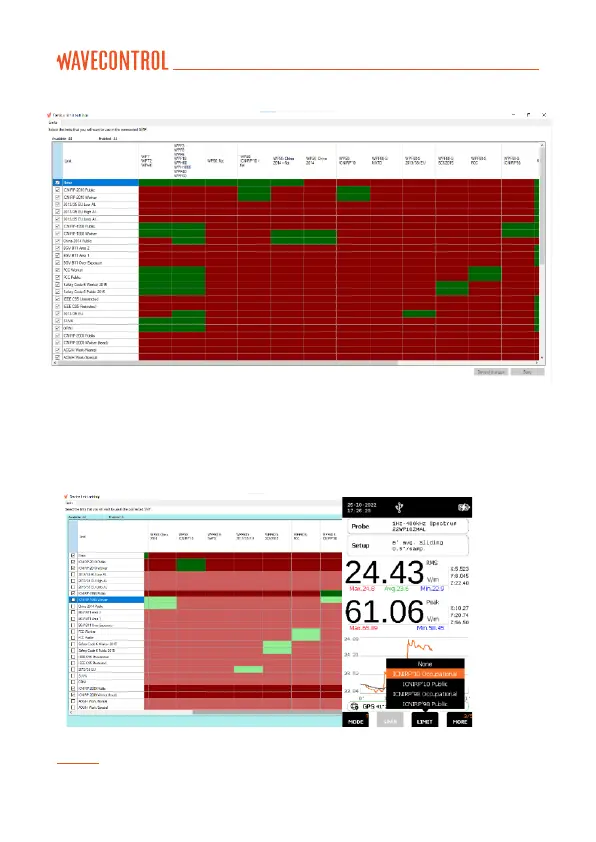
Figure 16: Device Limit Settings
Tick the check box of the limits you want available on your SMP3 device and
click ‘Save’ to save the device limit settings. Below is an example of only
ICNIRP limits selected in the device (Figure 17).
Figure 17: Device Limit set to only display ICNIRP limits
Note: Only the selected limits will be displayed on the SMP3 LIMIT list.



 To Next Page