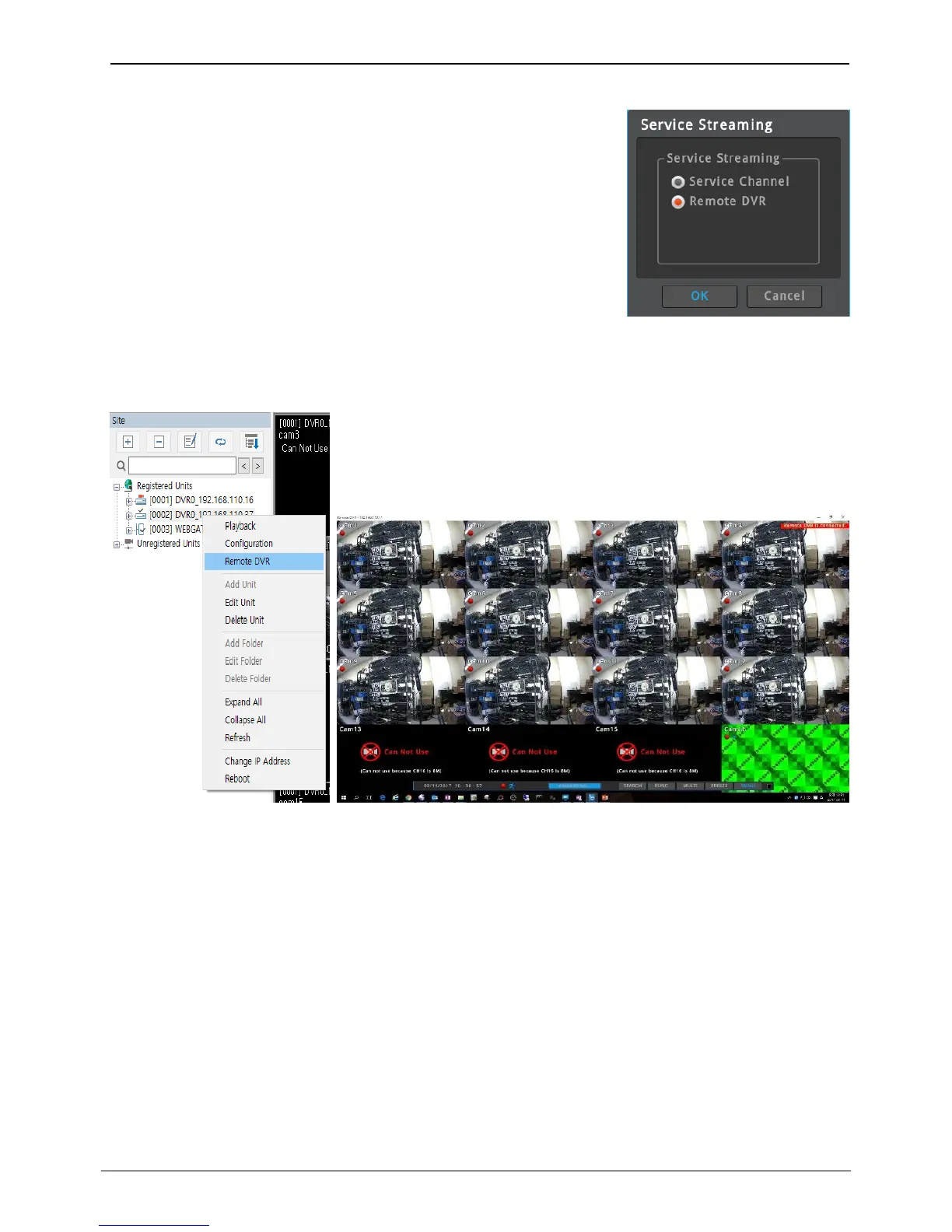
Remote DVR
User can control the NVR from remote location by using Remote DVR
function which is similar to remote desktop of Windows PC.
User can see NVR’s main monitor output on PC (Control Center or
WebViewer) and mouse control is possible.
Please follow below steps to use Remote DVR function on Control Center.
1. Go to [Menu – Network – Service Streaming] and select ‘Remote
DVR’.
2. Register the NVR on Control Center.
3. Click the right mouse button on the registered unit and select
[Remote DVR] menu.
4. Popup window for Remote DVR will be shown and user can see the NVR’s main monitor output and
control the NVR.
<Caution>
1. Service channel and Remote DVR can not be used simultaneously. Only one feature can be selected.
2. To use Remote DVR, please use Control Center 6.6 or above.
3. Rebooting is required when the setting of service streaming is changed.
4. Default value is Remote DVR.



 To Next Page