Select All
IP cameras or DVRs on the list can be automatically assigned to NVR channels.
Add Selected Cameras
IP cameras (or DVRs) which are assigned to [NVR Ch.] can be added at once by clicking [Add Selected Cameras].
After clicking [Add Selected Cameras], [ADD CAMERA WIZARD] window will be closed.
To apply setting, please click [Save Changes] on [Device] window.
<Caution for PoE IP camera registration>
1. IP Address2 (PoE) of NVR must be set different subnet from NVR’s IP Address.
2. All IP addresses of IP cameras connected to PoE port must be set same subnet with IP Address2 (PoE).
3. Shielded ethernet cable must be used for PoE port.
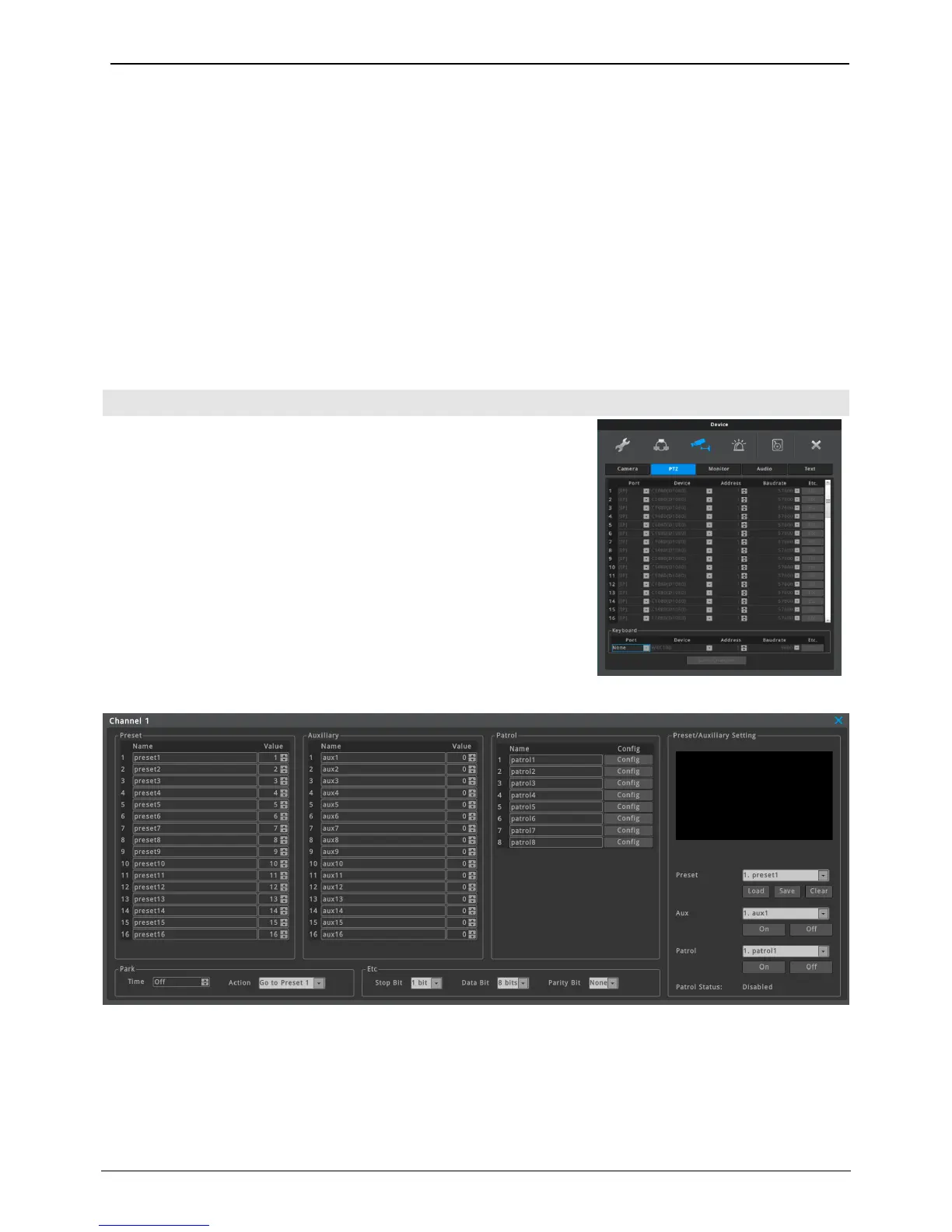
PTZ
Port, Device, Address, Baudrate
PTZ function of IP camera can be controlled by Onvif through
network. Thus, items of this menu are inactivated.
PTZ ETC
Preset, Auxilliary
Max. 16 Preset and 16 Auxilliary can be configured on NVR. User can change the name of preset and auxiliary.
‘Value’ of preset means the preset number of IP camera, and ‘Value’ of auxiliary means the code of aux. For
more details, please refer the manual of IP camera.
(Preset and Auxilliary menu can be inactivated according to the camera model.)



 To Next Page