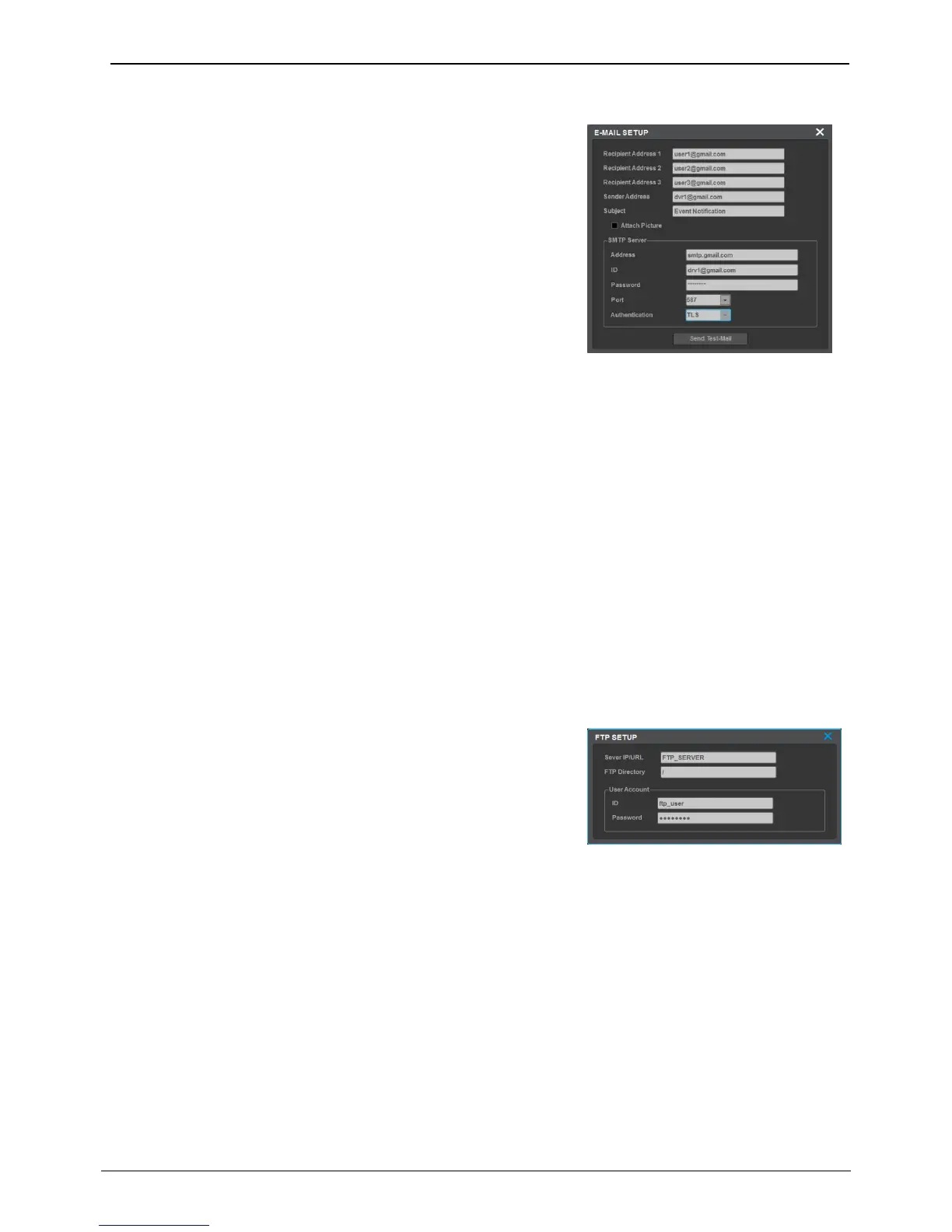
Recipient Address
Input E-mail address with receiver’s E-mail info.
E-mail format should be xxxx@xxxxxx.xxx and the users must only use
combination of numbers and the English letters
Max. 3 recipients can be registered.
Sender’s E-mail address
Sender’s E-mail address is set when user use E-mail for output
selection and user setup E-mail address as xxxx@xxxxxx.xxx.
Subject
User can modify the subject of e-mail. Max. 20 letters including
symobls are supported.
Picture attachment
When sensor, motion detector and video loss occur, relevant event info with channel video will be sent to an
e-mail. Only system event info will be sent for system event.
Authentification
There are a few ways to send email (No authentification, SMTP server authentification and TLS authentification.)
• No authentification: sends email to the recipient address without server authentification
• SMTP authentification: sends email to the recipient after SMTP server authentification. The recipient address
must support SMTP authentification
• TLS authentification: sends email to the recipient after TLS server authentification.
<Note>
If 2 step authentication is required by mail server, please follow the mail server’s policy. (App password might
be required.)
The NVR sends 1 video image per event to a FTP server when an
event occurs.
<Note>
Since FTP just transmits an image, if there is no image system event,
it is not supported.
Server IP/URL
Enter the FTP server address to send image
user ID
Enter the relevant ID when asked for FTP server authentication.
password
Enter FTP server password.
FTP Directory
Select Folder to save image If folder is not indicated, the image is
sent to the folder which server selects



 To Next Page