EasyManua.ls Logo

WEG CFW-11 RB - Oriented Start-Up

WEG CFW-11 RB
86 pages
Print Icon
To Next Page IconTo Next Page
To Previous Page IconTo Previous Page
Loading...
5
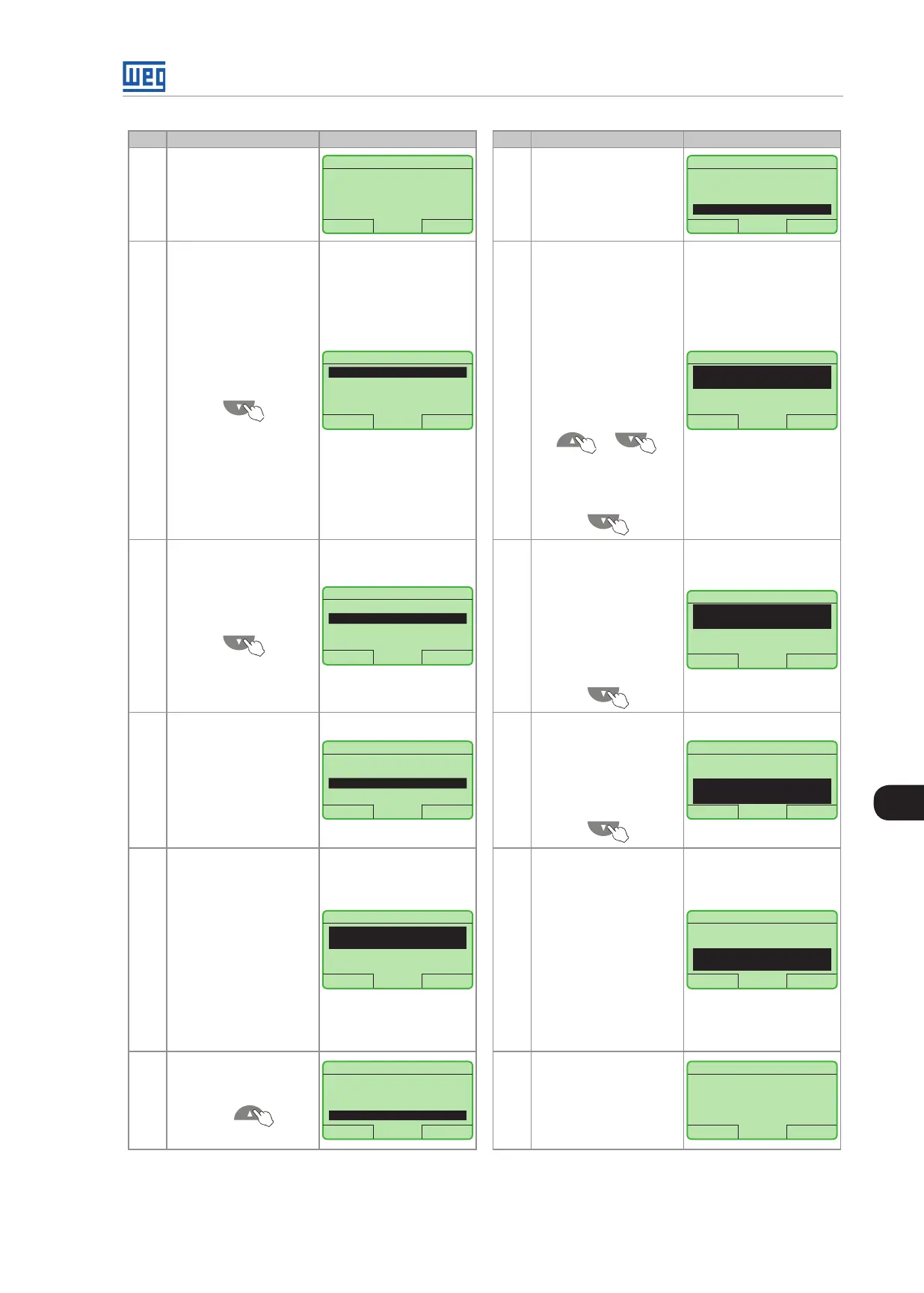
Powering up and Startup
CFW-11 RB | 5-3
Step Action/Result Display Indication Step Action/Result Display Indication
1
Monitoring Mode
Press "Menu" (right
soft key)
Ready RB + LOC 618V
13:48 Menu
0 A
618 V
380 V
7
The parameter value is
modified to "P0317 =
[0 01] Yes"
Press "Save"
Ready RB + LOC 618V
Return 13:48 Save
P0317
Oriented Start-up
[001] Yes
2
Group "00 ALL
PARAMETERS" is
already selected
Ready RB + LOC 618V
Return 13:48 Select
00 ALL PARAMETERS
01 PARAMETER GROUPS
02 ORIENTED START-UP
03 CHANGED PARAMETERS
8
At this point the
Oriented Start-up
routine starts and the
"Config" status is
displayed at the top left
corner of the keypad.
The parameter
"Language P0201:
English" is already
selected
If needed, change the
language by pressing
"Select". Then, press
or
to scroll through the
available options and
press "Save" to select
a different language
Config RB + LOC 618V
Reset 13:48 Select
Language
P0201: English
DI1 Function
P0263: General Enable
3
Group "01
PARAMETER
GROUPS" i s selected
Ready RB + LOC 618V
Return 13:48 Select
00 ALL PARAMETERS
01 PARAMETER GROUPS
02 ORIENTED START-UP
03 CHANGED PARAMETERS
9
If needed, change
the value of P0263
according to the
application. To do so,
press "Select"
It is necessary to have
one DI set to General
Enable in order the
regenerative converter
can be enabled
Config RB + LOC 618V
Reset 13:48 Select
DI1 Function
P0263: General Enable
Line Rated Voltage
P0296: 440 - 460V
4
Group "02 ORIENTED
START-UP" is then
selected
Press "Select"
Ready RB + LOC 618V
Return 13:48 Select
00 ALL PARAMETERS
01 PARAMETER GROUPS
02 ORIENTED START-UP
03 CHANGED PARAMETERS
10
If needed, change
the value of P0296
according to the line
voltage. To do so,
press "Select". This
change will affect
P0151
Config RB + LOC 618V
Reset 13:48 Select
DI1 Function
P0263: General Enable
Line Rated Voltage
P0296: 440 - 460 V
5
Parameter "Oriented
Start-Up P0317: No"
is already selected
Press "Select"
Ready RB + LOC 618V
Return 13:48 Select
Oriented Start-Up
P0317: No
11
If needed, change
the value of P0298
according to the
application. To do so,
press "Select". The
time and the activation
level of the IGBT’s
overload protection will
be affected as well
To complete the
Oriented Start-Up
routine, press "Reset"
(left soft key)
Config RB + LOC 618V
Reset 13:48 Select
Switching Frequency
P0297: 2.5 kHz
Application
P0298: Normal Duty (ND)
6
The value of "P0317 =
[000] No" is displayed
Ready RB + LOC 618V
Return 13:48 Save
P0317
Oriented Start-up
[000] No
12
After few seconds, the
display returns to the
Monitoring Mode
Ready RB + LOC 618V
13:48 Menu
0 A
618 V
380 V
Figure 5.2: Oriented Start-up

Table of Contents