Battery Replacement
PLC300 | 12-1
12 BATTERY REPLACEMENT
When the PLC300 generates a low battery alarm, or if there isn’t HMI, and the Status LED
flashes in red rapidly, it’s time to replace the battery.
The battery used is the CR2032 of 3 V.
To perform the replacement you must do the following:
1. Open the compartment that contains the battery.
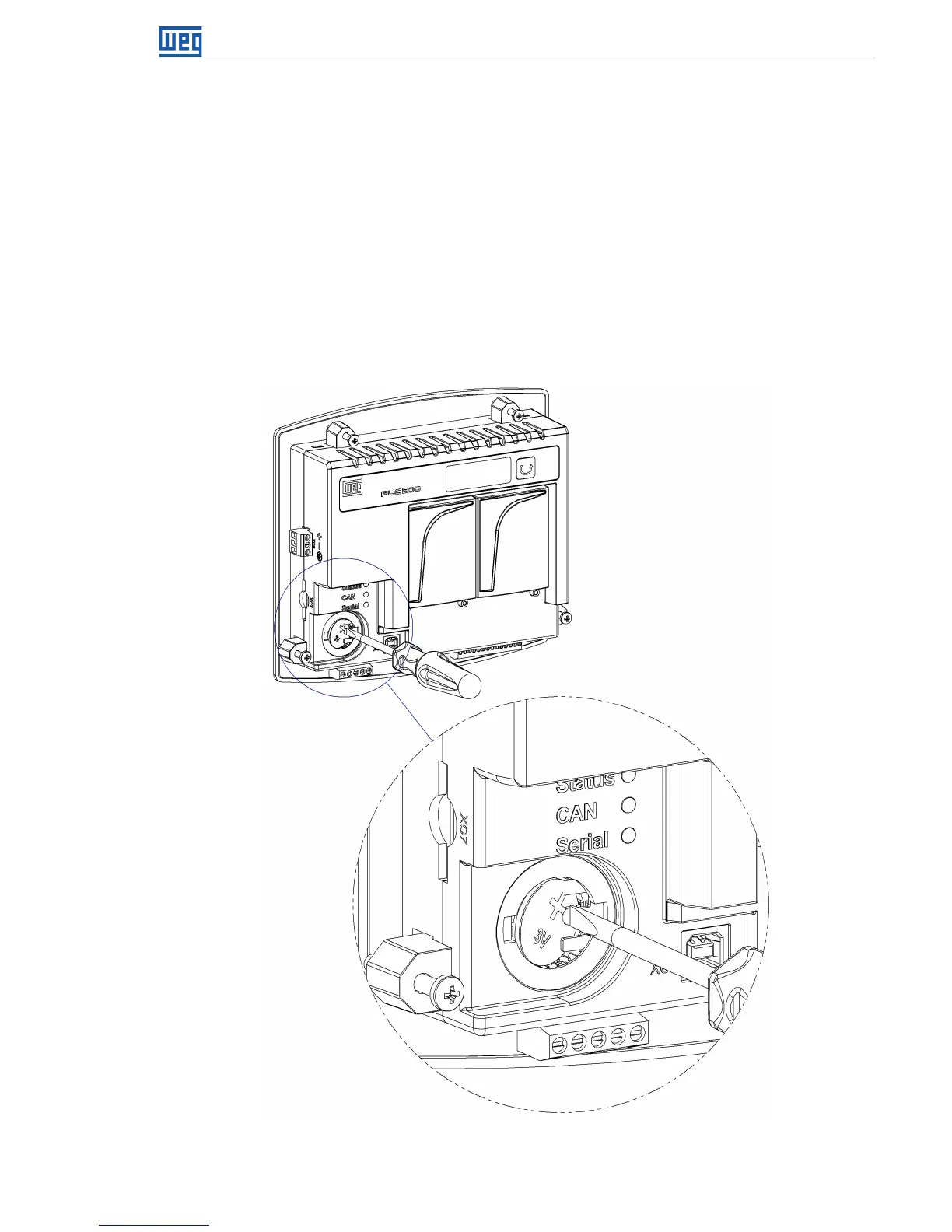
2. With a small screwdriver or tweezers, press the Eject button, as in Figure 12.1 on page
12-1 below, and remove the old battery.
3. Insert the new battery, with the negative (smaller disk) facing the PLC300.
4. Close the compartment.
Figure 12.1: Removal of the old battery



 To Next Page